Introduction
Directory Privacy in cPanel is a security feature that allows website owners to restrict access to specific folders on their hosting account. By enabling this feature, you can protect sensitive directories with a username and password, ensuring that only authorized users can view or access the content.
This is commonly used to secure admin panels, private files, staging environments, and restricted web applications. It provides an easy, built-in method of access control without requiring manual configuration of server files.
Prerequisites
Before configuring Directory Privacy in cPanel, make sure you have the following:
- Active cPanel hosting account
- Valid login credentials (username and password)
- Basic understanding of website directory structure (e.g.,
public_html) - Access to the folder you want to protect
- A strong username and password for directory access
IMPLEMENTATION
Step 1: Log in to cPanel.
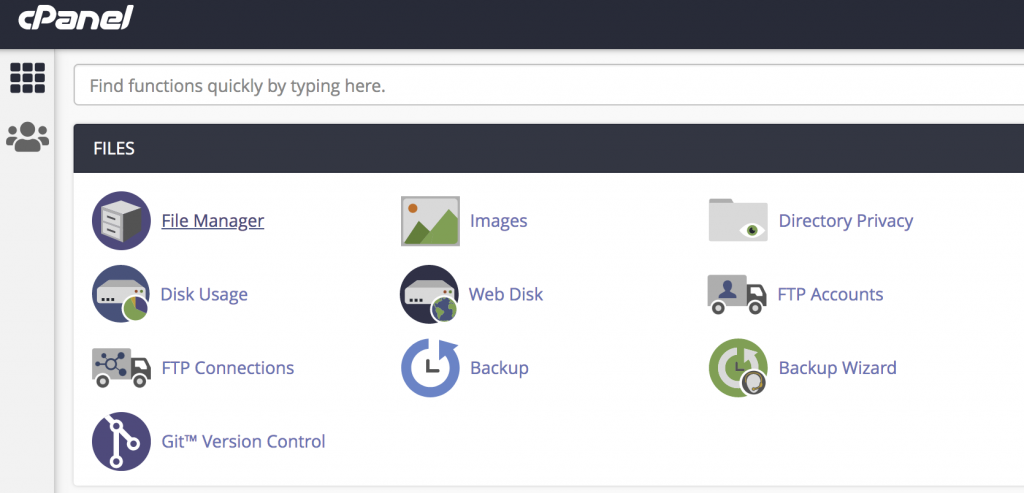
Step 2: Click on Directory Privacy in the FILES section of the cPanel home screen.
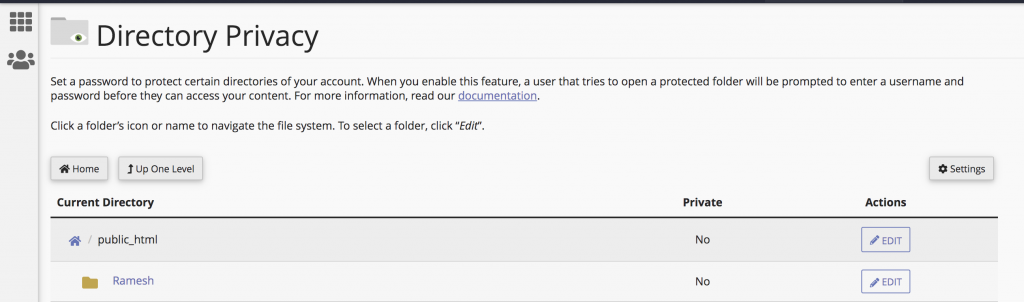
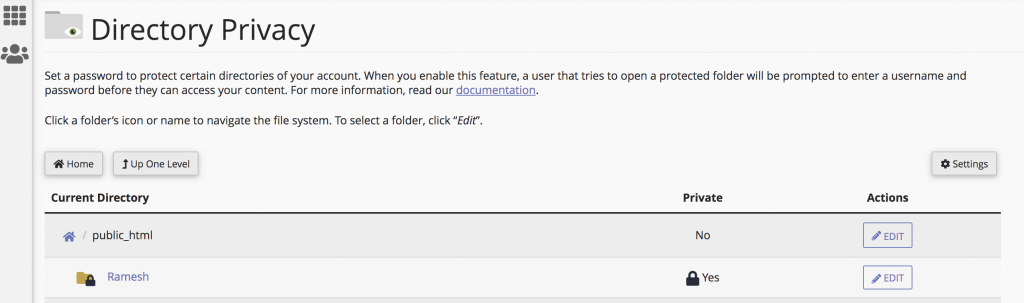
Step 3: Click Edit button on the name of the directory that you want to protect.
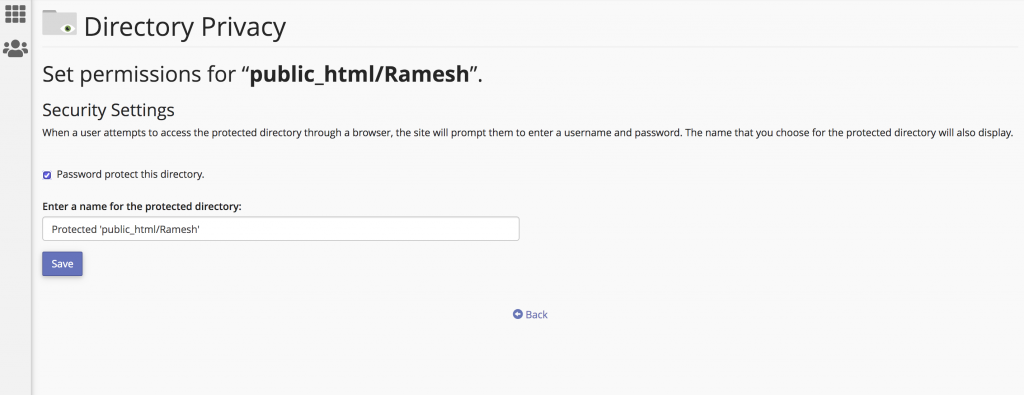
Step 4: Select the Password protect this directory check box under Security Settings. Select Enter a name for the protected directory text box and it will show the directory name and click Save button.
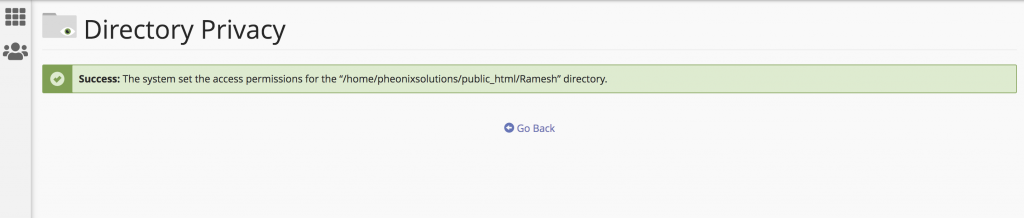
Step 5: Once it’s success click Go Back button.
Step 6: Type the Username, Password and Confirm Password under the Create User and click Save button.
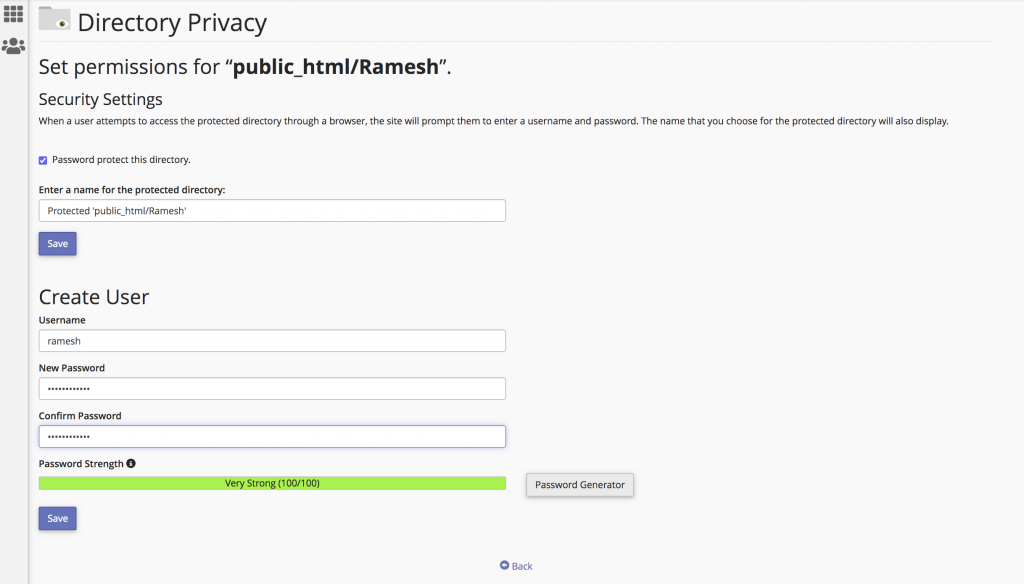
Step 7: Once it’s success the protection is enabled by show Yes under the private and And the directory shows the lock symbol.
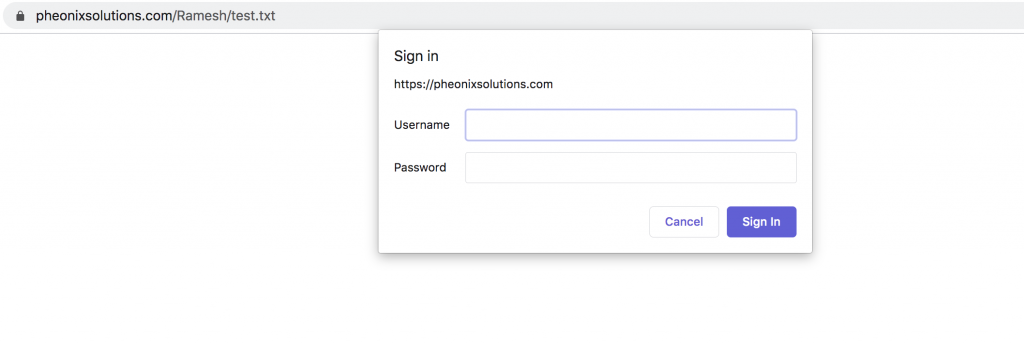
Step 8: Finally, It allows you to protect specific directories in your cPanel account’s files. If the users attempt to view that directory via a website it will ask username and password for the directory.
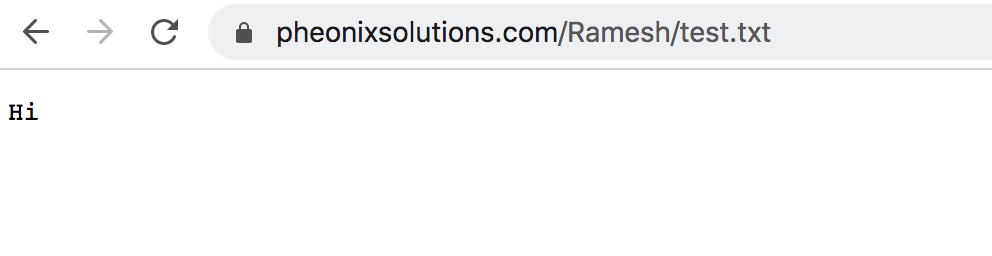
Step 9: Once you enter the created username and password you can access the website directory.
Thank you!
Conclusion
Configuring Directory Privacy in cPanel is a simple yet effective way to enhance website security. It allows administrators to easily restrict access to sensitive directories and protect important data from unauthorized users.
By properly implementing this feature, you can ensure better control over your website’s security, safeguard confidential information, and maintain a more secure hosting environment.