

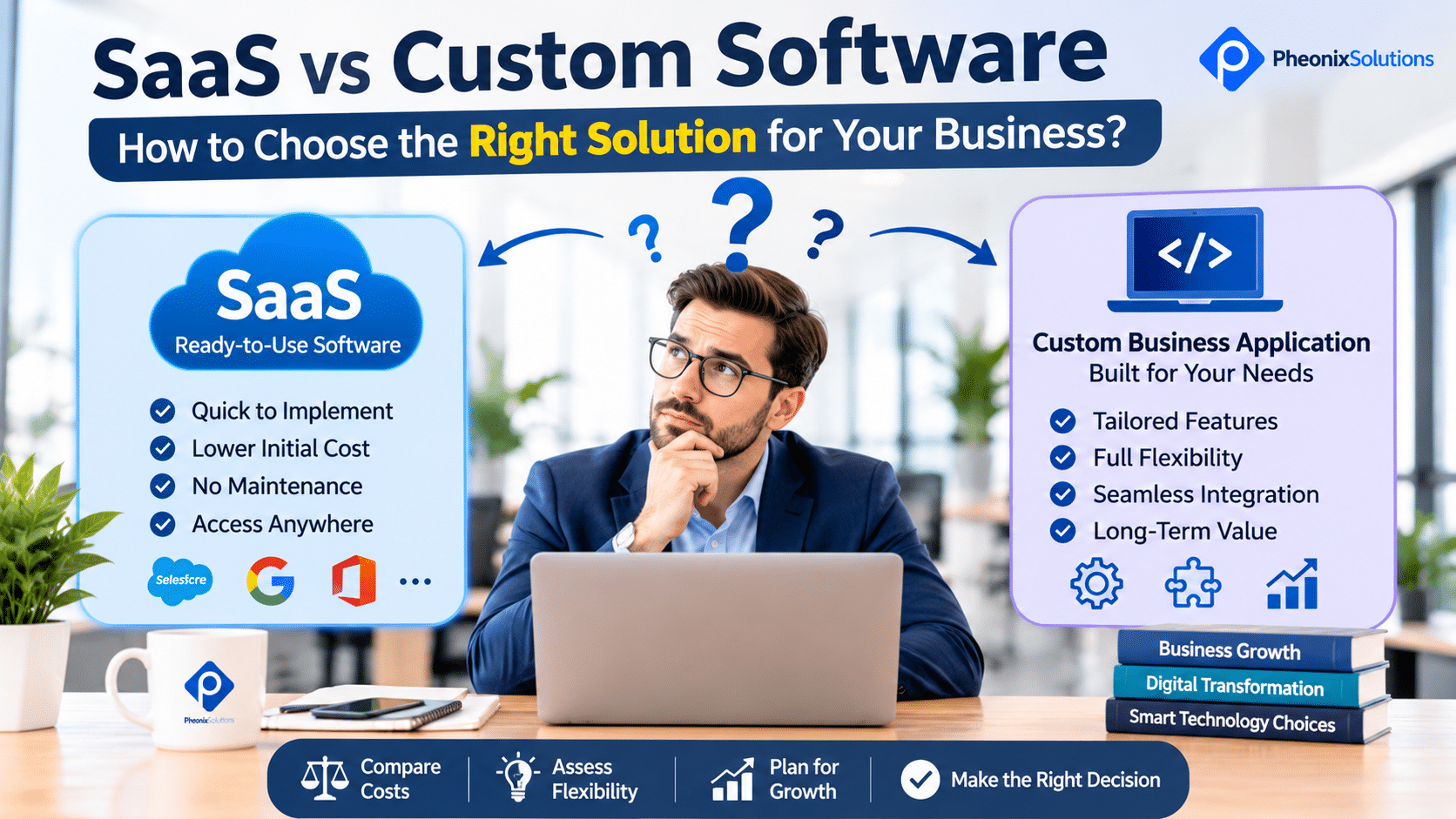
How to Choose Between SaaS Software and a Custom Business Application
As businesses grow, managing daily operations through spreadsheets, emails, and disconnected tools can become increasingly difficult. Companies often look for software to manage customer information, invoices, inventory, employees, orders, projects, and other business activities.
One important decision is whether to subscribe to an existing Software as a Service (SaaS) product or invest in a custom business application.
Both options can help improve business efficiency, but they serve different requirements.
A SaaS product provides ready-made functionality that businesses can access through a subscription. A custom business application is developed around an organisation’s specific workflows, requirements, and operational needs.
For a small business, subscribing to an existing application may be the quickest and most affordable way to get started. For a company with specialised workflows, complex integrations, or unique operational requirements, custom software may offer greater flexibility.
However, the cheapest option at the beginning is not always the most cost-effective over the long term.
In this guide, we compare SaaS software and custom business applications, explain their advantages and limitations, and help you decide which approach is suitable for your organisation.
1. What Is SaaS Software?
Software as a Service (SaaS) is a software delivery model in which users access an application over the internet, usually through a subscription.
Instead of purchasing and managing the entire software infrastructure, businesses subscribe to a service provided by a software vendor.
The provider generally manages the application infrastructure, software updates, maintenance, and platform availability according to its service terms.
Common examples of SaaS applications include:
- Accounting and invoicing software
- Customer Relationship Management (CRM) platforms
- Project management tools
- Email marketing platforms
- Human resource management systems
- Inventory management software
- Customer support platforms
- Online collaboration tools
For example, a small business that needs accounting software can subscribe to an existing product instead of developing an accounting application from the beginning.
Employees can access the platform using their accounts, and the provider manages the underlying application.
Advantages of SaaS Software
1. Faster Implementation
Most SaaS products are ready to use after account registration and basic configuration. Businesses can often start using essential features without waiting for a complete development project.
2. Lower Initial Investment
SaaS products usually involve subscription fees rather than a large upfront software development investment.
3. Managed Maintenance and Updates
The provider generally manages software updates, infrastructure maintenance, and platform improvements.
4. Access from Multiple Locations
Cloud-based applications can usually be accessed through supported browsers or mobile applications, depending on the product.
5. Standard Features
Businesses can use established features for common activities such as invoicing, customer management, reporting, and collaboration.
Limitations of SaaS Software
Although SaaS products are convenient, they may not suit every business.
Potential limitations include:
- Limited customisation
- Features that do not match specific workflows
- Restrictions on integrations
- Subscription costs that increase as usage grows
- User or storage limits
- Dependence on the software provider
- Limited control over product development priorities
- Data export and migration challenges
For example, a distribution company may need a specific stock allocation and approval process. If its SaaS inventory platform does not support that workflow, employees may need to manage additional steps manually.
The business may eventually need a different product or a custom solution.
2. What Is a Custom Business Application?
A custom business application is software designed and developed to meet the specific requirements of an organisation.
Unlike a standard SaaS product, which is designed for a broader customer base, custom software can be planned around the company’s actual processes, users, integrations, and business objectives.
A custom application may include:
- Customer management
- Sales and enquiry tracking
- Invoice and billing management
- Inventory and stock management
- Order processing
- Employee management
- Approval workflows
- Business reporting
- Customer portals
- Vendor management
- API integrations
- Role-based access control
For example, consider a wholesale business that manages multiple warehouses, different pricing structures, customer credit limits, sales representatives, and stock transfers.
A standard inventory application may not support every requirement.
A custom business application can be designed to bring these activities together within a workflow that reflects how the organisation operates.
Advantages of Custom Business Applications
1. Designed Around Your Business
The application can be developed according to your specific workflows rather than requiring employees to adapt to a standard product.
2. Greater Control Over Features
You can prioritise the functionality required by your organisation and plan additional features based on business needs.
3. Flexible Integrations
Custom applications can be designed to integrate with existing accounting systems, payment gateways, websites, mobile applications, and other business platforms.
4. Greater Control Over Development Priorities
You can plan product improvements and new functionality based on your business requirements, subject to your development and maintenance arrangements.
5. Potential for Long-Term Differentiation
If your internal processes are a competitive advantage, custom software can help support and improve those processes.
Limitations of Custom Business Applications
Custom software also involves responsibilities and costs that businesses should understand.
Potential limitations include:
- Higher initial development investment
- Longer planning and implementation time
- Requirement gathering and testing effort
- Ongoing maintenance and support
- Infrastructure and hosting costs
- Responsibility for managing software updates
- Dependence on the development team or internal technical resources
A custom application should not be selected simply because it offers more features. It should solve a business problem that existing products cannot address effectively.
3. SaaS vs Custom Software: Key Differences
Understanding the differences helps businesses evaluate which option is appropriate.
| Comparison Factor | SaaS Software | Custom Business Application |
|---|---|---|
| Development | Already developed by the provider | Developed for specific business requirements |
| Initial investment | Usually lower | Usually higher |
| Payment model | Subscription-based in most cases | Development cost plus ongoing operating costs |
| Implementation | Generally faster | Requires planning, development, and testing |
| Customisation | Limited to available options | Can be designed around business workflows |
| Features | Standard features for multiple customers | Features based on agreed requirements |
| Integrations | Depends on available APIs and integrations | Can be planned for required systems |
| Maintenance | Generally managed by the provider | Requires an agreed maintenance arrangement |
| Scalability | Depends on subscription plans and platform capabilities | Can be designed to support expected growth |
| Data control | Subject to provider policies and contractual terms | Depends on architecture, hosting, and ownership agreements |
| Vendor dependency | Dependence on the SaaS provider | Dependence on the development and support arrangement |
| Best suited for | Standard business requirements | Specialised workflows and unique requirements |
There is no universal winner. The right option depends on your business processes, budget, growth plans, and technical requirements.
4. Cost Comparison: SaaS Subscription vs Custom Software Development
Cost is one of the most important considerations when choosing business software.
However, comparing only the monthly subscription with the initial development quotation can lead to an incorrect decision.
You should evaluate the total cost of ownership over a suitable period.
SaaS Software Costs
SaaS costs may include:
- Monthly or annual subscription
- Additional user licences
- Premium features
- Storage upgrades
- Integration charges
- Transaction fees
- Support plans
- Data migration expenses
For example, suppose a business subscribes to a SaaS product at ₹2,000 per user per month.
For 15 users:
₹2,000 × 15 = ₹30,000 per month.
Annual subscription:
₹30,000 × 12 = ₹3,60,000.
This is an illustrative example. Actual pricing depends on the product, subscription tier, user limits, and additional charges.
As the company grows, the subscription cost may increase with the number of users or required features.
Custom Software Development Costs
Custom software costs depend on the complexity and scope of the application.
Possible expenses include:
- Requirement analysis
- UI/UX design
- Application development
- Backend development
- Database design
- Third-party integrations
- Testing and quality assurance
- Deployment
- Hosting infrastructure
- Security improvements
- Ongoing maintenance and support
A custom application may require a larger initial investment, but its financial value should be evaluated against its expected useful life, operating costs, and business benefits.
How to Compare the Total Cost of Ownership
Use a consistent time period, such as three years, to compare the options.
SaaS Total Cost = Subscription Fees + Additional Licences + Integration Charges + Other Platform Costs
Custom Software Total Cost = Development Cost + Hosting + Maintenance + Support + Infrastructure + Other Operating Costs
For example, compare:
SaaS option
- Annual subscription: ₹3,60,000
- Three-year subscription: ₹10,80,000
Custom software option
- Initial development: ₹6,00,000
- Annual hosting and maintenance: ₹1,00,000
- Three-year total: ₹6,00,000 + ₹3,00,000 = ₹9,00,000
In this illustrative example, custom software has a lower three-year estimated cost.
However, this does not automatically make it the better choice. You must also consider implementation time, feature coverage, support quality, upgrade requirements, and the risk of future changes.
The comparison should use actual quotations and realistic operating assumptions rather than estimated figures alone.
5. When Should You Choose SaaS Software?
SaaS is often the practical choice when your business requirements are standard and an existing product already provides the functionality you need.
Consider SaaS when:
5.1 Your Business Needs Standard Features
If you need common features such as accounting, email marketing, project tracking, or basic CRM, an established SaaS product may already meet your requirements.
There may be little reason to develop these features from scratch.
5.2 You Need to Start Quickly
If you need software immediately, SaaS can reduce the time required for implementation.
This is useful for startups and small businesses that want to introduce digital tools without waiting for a custom development project.
5.3 Your Initial Budget Is Limited
A subscription can make it easier to access business software without making a large upfront investment.
However, evaluate the recurring subscription and additional charges as your business grows.
5.4 Your Workflows Are Relatively Simple
If your employees can use the standard workflow without significant adjustments, SaaS may be sufficient.
5.5 You Do Not Want to Manage Software Infrastructure
The provider generally manages the platform infrastructure and software updates.
This can reduce the technical responsibilities of your business, although you still need to manage user access, configuration, data, and vendor relationships.
6. When Should You Choose a Custom Business Application?
Custom software becomes worth evaluating when standard products do not adequately support your business operations.
Consider custom development in the following situations.
6.1 Your Business Has Unique Workflows
Some businesses operate with specialised processes that cannot be handled effectively by standard software.
Examples include:
- Multi-level approval workflows
- Special pricing and discount structures
- Industry-specific order processing
- Complex stock allocation
- Customer-specific billing requirements
- Custom service delivery processes
If employees repeatedly work around the limitations of existing software, a custom application may be worth considering.
6.2 You Need Multiple Systems to Work Together
Businesses often use different applications for sales, accounts, inventory, customer support, and operations.
If these systems do not integrate effectively, employees may need to transfer information manually.
A custom application can be designed to connect relevant systems through APIs or other supported integration methods.
6.3 Existing Software Creates Operational Limitations
You may have reached a point where your SaaS product no longer supports your requirements.
Examples include:
- Increasing user restrictions
- Expensive premium features
- Limited reporting
- Inadequate customisation
- Missing integrations
- Restrictions on business workflows
Before switching, check whether the current provider offers suitable configuration or integration options. If not, evaluate alternative products and custom development.
6.4 Your Application Is Part of Your Business Model
Some businesses sell services or products through a digital platform.
In these cases, the application itself may be an important part of the customer experience or business offering.
Custom development may provide more control over the product’s functionality, design, and future direction.
6.5 You Need Greater Control Over the Software Roadmap
If your business frequently needs new features, integrations, and workflow changes, a custom development arrangement may provide more flexibility than waiting for a SaaS provider to introduce them.
However, this flexibility requires an ongoing development budget and a clear maintenance agreement.
7. Practical Business Examples: SaaS or Custom Software?
The best choice becomes easier to understand when you look at common business situations.
| Business Requirement | SaaS May Be Suitable When | Custom Software May Be Suitable When |
|---|---|---|
| Accounting | Standard invoicing and financial reports are sufficient | Specialised billing and financial workflows are required |
| Inventory | Basic stock tracking is enough | Multiple warehouses, complex stock rules, and integrations are required |
| CRM | Standard lead and customer management is sufficient | Sales workflows and customer journeys are specialised |
| Employee management | Basic attendance and leave management is sufficient | Complex shift, approval, and operational rules are needed |
| E-commerce | Standard online store features are sufficient | Complex product configuration or business integrations are needed |
| Project management | Standard task and project tracking is sufficient | Project workflows and reporting are unique |
| Customer portal | Standard account and support access is sufficient | The portal must connect to specialised internal systems |
Example 1: Small Retail Business
A small retail shop needs billing, basic inventory tracking, and sales reports.
An existing SaaS billing and inventory product may be the most practical option.
The business can start quickly without investing in custom development.
Example 2: Growing Distribution Company
A distribution company manages multiple warehouses, customer-specific pricing, credit limits, stock transfers, and sales representatives.
If standard software cannot support these workflows, custom software may provide a better fit.
Example 3: Professional Services Company
A consulting company needs customer management, project tracking, timesheets, and invoicing.
It may begin with SaaS products for each activity.
If the company later needs a unified system that connects project progress, employee time, customer billing, and management reporting, a custom application may become worth evaluating.
These examples illustrate possible choices, not fixed rules. The actual decision depends on the requirements and available products.
8. Can You Combine SaaS Software and Custom Applications?
Yes. Businesses do not always need to choose only one approach.
A hybrid software strategy combines existing SaaS products with custom applications or integrations.
For example, a company may use:
- SaaS accounting software for financial management
- SaaS CRM for customer relationship management
- A custom application for internal operations
- A custom integration to synchronise relevant information
This approach allows businesses to use established products where standard functionality is sufficient while developing custom functionality for areas that require specialised workflows.
Benefits of a Hybrid Approach
1. Avoid Rebuilding Standard Features
You can continue using established accounting, communication, or payment platforms instead of developing everything internally.
2. Customise Important Business Workflows
A custom application can handle processes that existing products do not support.
3. Connect Disconnected Systems
Integrations can reduce repeated data entry and improve information flow.
4. Introduce Changes Gradually
You can improve one business process at a time instead of replacing every system simultaneously.
What Should You Consider?
A hybrid approach also requires planning.
Check:
- API availability
- Integration costs
- Data synchronisation
- Authentication and access control
- Error handling
- Data ownership
- Vendor limitations
- Ongoing integration maintenance
An integration should be reliable and secure. Simply connecting two applications does not guarantee that their information will remain consistent.
9. Important Factors to Evaluate Before Making a Decision
Before selecting SaaS or custom software, evaluate the following factors.
9.1 Business Requirements
Document the actual activities your software must support.
Separate essential requirements from optional features.
9.2 Budget
Consider both the initial investment and recurring expenses.
Include subscription fees, licences, development, integrations, hosting, maintenance, and support.
9.3 Implementation Timeline
Determine how quickly the business needs the solution.
SaaS may be faster to implement, while custom software requires time for planning, development, and testing.
9.4 Scalability
Consider how your requirements may change as the business grows.
Evaluate user limits, transaction capacity, storage, integrations, and infrastructure.
9.5 Security and Data Management
Review how customer and business information is stored, accessed, backed up, and protected.
For SaaS, examine the provider’s security practices, data handling terms, export options, and contractual responsibilities.
For custom software, evaluate the proposed architecture, access controls, hosting environment, backups, updates, and security maintenance.
9.6 Integration Requirements
Identify the systems that need to exchange information.
Check whether the SaaS product provides suitable APIs or whether a custom integration is required.
9.7 Support and Maintenance
Understand who will resolve technical issues, manage updates, and maintain the system.
For SaaS, review the provider’s support arrangements and service commitments.
For custom software, establish a maintenance and support agreement with the development team.
9.8 Data Ownership and Portability
Before committing to a platform, understand:
- Who owns the data
- How you can export your information
- Whether migration is supported
- What happens when the subscription ends
- Whether the custom source code and intellectual property will be transferred under the development agreement
These considerations are important when planning long-term software usage.
10. Common Mistakes Businesses Make When Choosing Software
Selecting software without evaluating business requirements can create additional costs and operational problems.
Avoid these common mistakes.
Mistake 1: Choosing Only Based on Subscription Price
A low monthly subscription may seem attractive, but additional user licences, integrations, and premium features can increase the total cost.
Better approach: Calculate the total cost over a suitable period.
Mistake 2: Developing Custom Software for Every Requirement
Not every business process needs custom development.
Building standard functionality from scratch can increase cost and implementation time unnecessarily.
Better approach: Use established products where they meet your needs and reserve custom development for genuine business requirements.
Mistake 3: Ignoring Employee Requirements
Software selected without employee input may be difficult to adopt.
Better approach: Involve the people who will use the system and understand their daily workflows.
Mistake 4: Overlooking Integration Requirements
A product may appear suitable until you discover that it cannot exchange information with your existing systems.
Better approach: Identify integration requirements before selecting the software.
Mistake 5: Ignoring Future Costs
Businesses sometimes focus only on initial development or subscription fees.
Better approach: Include hosting, support, maintenance, licensing, upgrades, and migration in the financial evaluation.
Mistake 6: Selecting More Features Than Necessary
Buying an expensive platform or developing a large application with unnecessary functionality can increase costs without delivering corresponding business value.
Better approach: Prioritise the features that solve actual business problems.
Mistake 7: Not Planning for Data Migration
Changing software can involve moving customer records, invoices, inventory, and other business information.
Better approach: Review data export, migration, validation, and backup requirements before making a commitment.
11. A Practical Decision Framework: Which Option Is Right for Your Business?
Use the following questions to guide your decision.
| Question | If Your Answer Is Yes | Direction to Consider |
|---|---|---|
| Do existing products meet most of your requirements? | Standard features are sufficient | SaaS |
| Do you need to start using software quickly? | Implementation speed is important | SaaS |
| Are your workflows unique or highly specialised? | Standard products do not fit | Custom software |
| Do you need complex integrations? | Existing products have limitations | Custom or hybrid |
| Are subscription costs increasing significantly? | Long-term costs need review | Compare custom and SaaS |
| Do you need complete control over feature development? | Product flexibility is important | Custom software |
| Can you combine existing tools with a custom workflow? | Both approaches provide value | Hybrid |
A Simple Selection Guide
Choose SaaS if:
- Your requirements are standard.
- You want faster implementation.
- Your budget favours subscription-based access.
- Existing products offer the necessary features.
- You do not need extensive customisation.
Choose custom software if:
- Your business has specialised workflows.
- Existing software creates operational limitations.
- You require complex integrations.
- The application is central to your business model.
- You need control over specific product functionality.
Choose a hybrid approach if:
- Existing software handles some processes well.
- Other workflows require custom functionality.
- You need to connect multiple systems.
- You want to modernise operations gradually.
The most suitable solution is the one that meets your requirements without introducing unnecessary complexity or cost.
12. How to Move Forward with the Right Software Solution
Once you have identified the appropriate approach, follow a structured implementation process.
Step 1: Document Your Requirements
List your business processes, users, essential features, integrations, and expected outcomes.
Step 2: Evaluate Existing SaaS Products
Compare available products based on functionality, pricing, usability, security, integrations, support, and data portability.
Step 3: Identify the Gaps
Determine which business requirements cannot be handled effectively by existing products.
Step 4: Compare Custom Development Options
If important gaps remain, discuss the requirements with a software development team.
Request a clear scope covering features, integrations, timelines, testing, deployment, maintenance, and ownership terms.
Step 5: Evaluate the Total Cost
Compare the expected costs of SaaS, custom development, and a hybrid solution over the same period.
Step 6: Plan Implementation in Stages
Avoid changing every business system at once unless there is a clear reason.
Start with the highest-priority process, test the solution, train employees, and expand gradually.
Step 7: Review Results
Measure adoption, processing time, operational cost, errors, and employee feedback after implementation.
Use these results to identify further improvements.
13. Frequently Asked Questions
Is SaaS better than custom software?
Neither option is universally better. SaaS is often suitable for standard business requirements and faster implementation. Custom software is more appropriate when a business needs specialised workflows, specific integrations, or greater control over functionality. The right choice depends on your requirements and total cost of ownership.
Is custom software more expensive than SaaS?
Custom software generally requires a higher initial investment because it involves requirement analysis, design, development, and testing. SaaS usually has a lower initial cost but involves recurring subscriptions and potentially additional charges. Compare both options over the expected period of use before deciding.
Can small businesses afford custom software development?
Yes, depending on the scope. Small businesses do not necessarily need to develop a large application. They can begin with a focused solution that addresses one important business problem and expand it as requirements grow. A suitable SaaS product may still be more economical when the requirements are standard.
Can a SaaS application be customised?
Many SaaS products provide configuration options, extensions, integrations, and APIs. However, the level of customisation depends on the provider and subscription plan. If your requirements go beyond those capabilities, you may need a different product, an integration layer, or custom software.
Who owns custom software?
Ownership depends on the development agreement. The contract should clearly define intellectual property rights, source code ownership, third-party components, licences, documentation, and transfer responsibilities. Businesses should clarify these terms before development begins.
Can custom software integrate with existing SaaS products?
Yes. Custom applications can often integrate with SaaS products through APIs or supported integration mechanisms. The available capabilities depend on the systems involved, API access, authentication methods, and provider restrictions.
What is a hybrid software solution?
A hybrid solution combines SaaS products with custom applications or integrations. For example, a business may use SaaS accounting software while using a custom application for inventory, order processing, or specialised internal workflows.
How long does custom software development take?
The timeline depends on application complexity, feature requirements, integrations, design, testing, and project scope. A focused application may take considerably less time than a large business management platform. A development team should provide a realistic estimate after reviewing the requirements.
When should a business replace its existing SaaS software?
Consider replacement when the product no longer meets important requirements, creates significant operational limitations, becomes difficult to integrate, or has an unsustainable total cost. Before replacing it, evaluate configuration options, alternative products, data migration, and the actual benefits of moving.
Conclusion: Choose Software That Fits Your Business, Not Just Your Budget
Choosing between SaaS software and a custom business application is an important technology decision.
SaaS provides ready-made functionality, faster implementation, and a subscription-based approach. Custom software offers greater flexibility to support specialised workflows, integrations, and business requirements.
For many organisations, a hybrid approach may provide the best balance.
The key is to understand your current processes, identify the limitations of existing tools, and evaluate the total cost and long-term value of each option.
Do not invest in custom development simply because it sounds more flexible. Similarly, do not continue paying for SaaS products that no longer support your business effectively.
Choose the solution that makes your operations simpler, improves productivity, supports growth, and provides measurable business value.
Explore Your Software Options with PheonixSolutions
Are you planning to introduce new business software, replace an existing SaaS product, or connect multiple applications?
PheonixSolutions helps businesses evaluate their software requirements and explore practical development approaches.
Our software development services can support you with:
- Business requirement analysis
- Custom business application development
- Web-based business applications
- Workflow and process automation
- API and third-party integrations
- Customer and employee portals
- Billing and inventory management solutions
- Application maintenance and support
Whether you need a focused business application, an integrated software platform, or help evaluating your existing systems, we can help you plan an appropriate solution.
Explore Your Software Options
Visit our Software Development Services page and discuss your business software requirements with PheonixSolutions.