

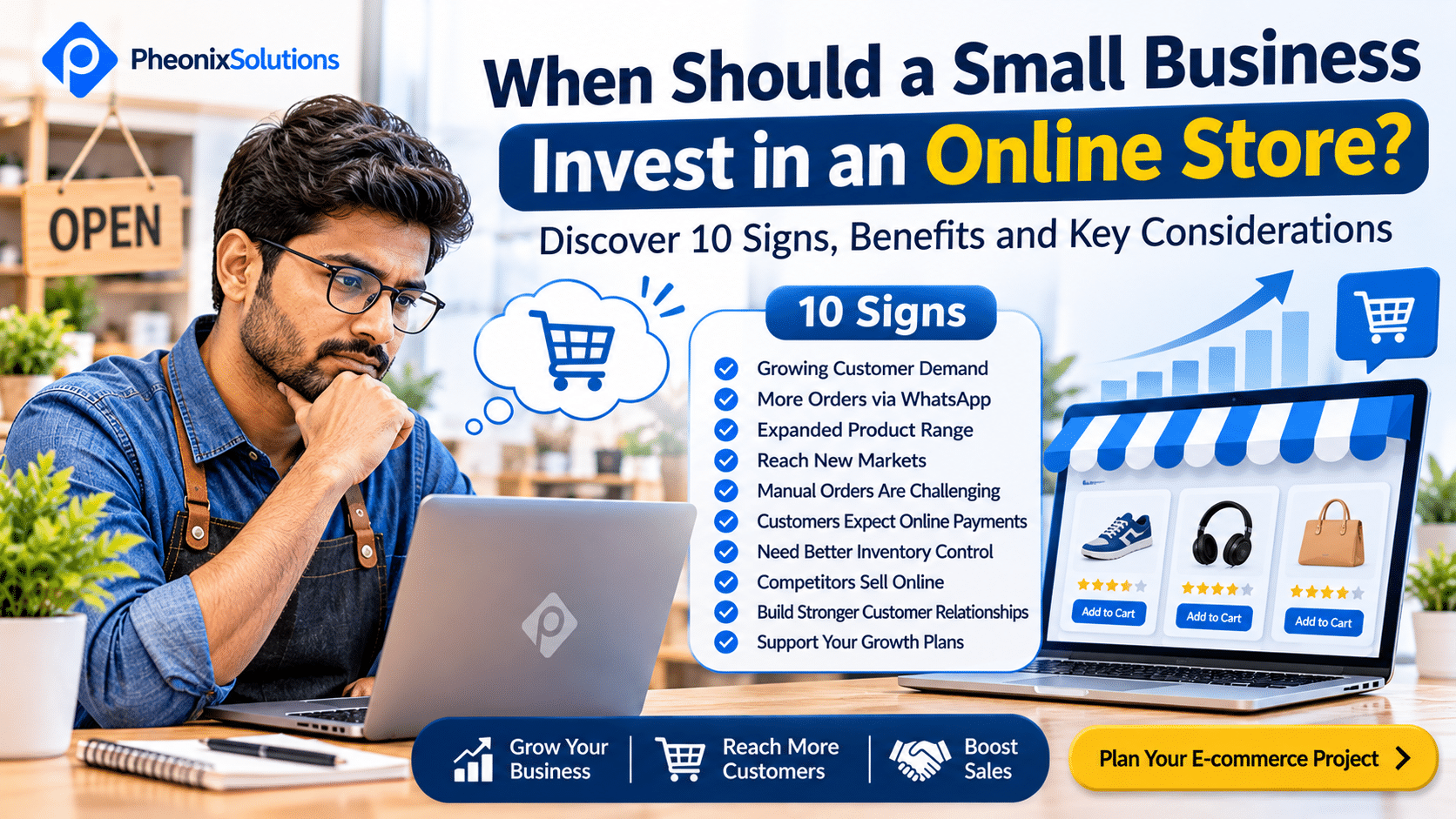
When Should a Small Business Invest in an Online Store?
Many small businesses begin by selling through physical stores, phone calls, social media, WhatsApp or direct customer relationships. These channels can work well when the business is starting out and the number of customers is manageable.
However, as the business grows, managing orders manually, responding to repeated product enquiries and coordinating payments can become increasingly difficult.
At some point, business owners begin asking an important question: Is it time to invest in an online store?
An e-commerce website can help a business display products, receive orders, accept online payments and manage customer interactions through a central platform. It can also make products accessible to customers beyond the business’s immediate location.
But launching an online store is an investment. It requires planning, product information, pricing, payment arrangements, order management, marketing and ongoing maintenance.
The right time to invest is not necessarily when every competitor has an online store. It is when your customers, products, operations and business goals justify selling through an additional digital channel.
In this article, we explore the signs that your small business may be ready for e-commerce, what to consider before investing and how to plan your online store effectively.
1. Your Customers Frequently Ask Whether They Can Buy Online
One of the strongest indicators of e-commerce readiness comes directly from your customers.
If customers regularly ask questions such as:
- Can I place an order through your website?
- Do you deliver to my location?
- Can I view all your products online?
- Is online payment available?
- Can I check product availability before visiting?
- Can I reorder without contacting your team?
These questions indicate that customers may prefer a more convenient purchasing process.
When customers must call, message or visit your business to complete every purchase, you may be creating unnecessary steps in the buying journey.
An online store can allow customers to browse products, review prices, select quantities and place orders at a convenient time.
What you should do: Collect feedback from existing customers and identify how many would prefer online ordering. Start by understanding the products and purchasing situations where online ordering would provide the greatest convenience.
2. Your Business Receives Regular Orders Through WhatsApp, Phone or Social Media
Many small businesses already sell online without having an e-commerce website.
For example, customers may discover products on Instagram or Facebook and then place orders through WhatsApp. Your team may confirm product availability, share payment details, collect delivery information and update customers manually.
This approach can be useful during the early stages of a business. However, it becomes harder to manage when order volumes increase.
Common challenges include:
- Repeatedly answering product availability questions.
- Sharing product images and prices individually.
- Manually calculating order totals.
- Confirming payments through separate conversations.
- Collecting delivery addresses.
- Tracking orders across multiple communication channels.
- Missing enquiries during busy periods.
An online store can centralise much of this activity by presenting product information and providing a structured ordering process.
What you should do: Review how your business currently receives and processes orders. If a significant amount of employee time is spent managing repetitive ordering activities, an e-commerce website may help simplify the process.
3. Your Product Range Has Expanded
When you sell only a few products, managing them through a catalogue, social media page or direct communication may be sufficient.
But as your product range grows, customers need an easier way to discover and compare what you offer.
An online store can organise products into categories and display useful information such as:
- Product names and descriptions.
- Images and specifications.
- Prices and available options.
- Sizes, colours or variations.
- Product availability.
- Related products.
- Delivery information.
For example, a business selling clothing may have different sizes, colours and designs. A business selling electronics may need to display technical specifications and product variations.
Trying to communicate all this information individually can consume considerable time.
What you should do: If your product range is growing, evaluate whether customers can easily discover and understand your products through your existing sales channels. A structured online catalogue with purchasing functionality may be the next logical step.
4. You Want to Reach Customers Beyond Your Local Area
A physical store generally depends on customers who can visit its location or arrange delivery through existing processes.
An online store can make your products accessible to customers in other towns, cities or regions, depending on your delivery capabilities.
For example:
- A local clothing retailer may begin accepting orders from customers across its state.
- A manufacturer may sell directly to customers instead of depending entirely on distributors.
- A handmade product business may reach customers in different cities.
- A speciality food business may accept orders from locations supported by its delivery arrangements.
However, launching a website does not automatically generate customers from new locations. You still need suitable delivery services, product positioning, marketing and customer support.
What you should do: Identify the geographical areas you can realistically serve. Calculate delivery costs, expected demand and operational requirements before planning expansion through e-commerce.
5. Your Business Depends Too Much on Manual Order Processing
Manual order processing is manageable when you receive a small number of orders.
As volume increases, however, your team may spend more time performing repetitive administrative tasks.
For example, a typical order may require someone to:
- Receive the customer enquiry.
- Confirm product availability.
- Share pricing information.
- Calculate the order total.
- Confirm payment.
- Record customer and delivery details.
- Coordinate dispatch.
- Send order updates.
- Handle follow-up questions.
When these activities are performed separately, mistakes and delays can occur.
An e-commerce website can automate or organise several steps, including product selection, order calculation, customer information collection and payment processing.
The exact level of automation depends on the platform and integrations you choose.
What you should do: Map your current order process and identify repetitive tasks. Estimate how much employee time is spent handling each order. Use this information to decide which activities should be automated or simplified.
6. Customers Expect More Convenient Payment Options
Payment convenience is an important part of the online purchasing experience.
If customers must contact your team to obtain payment details, manually confirm transactions or wait for payment instructions, the purchasing process may become unnecessarily complicated.
An online store can integrate supported payment methods, allowing customers to complete transactions through a structured checkout process.
Depending on your business and target market, payment options may include:
- UPI.
- Debit and credit cards.
- Net banking.
- Supported digital wallets.
- Cash on delivery, where operationally suitable.
- Other payment methods supported by your payment provider.
Payment gateway availability, transaction charges, settlement periods and eligibility requirements should be reviewed before implementation.
What you should do: Understand how customers currently prefer to pay. Compare payment gateway options, transaction costs and settlement arrangements. Select a solution that supports your target customers and business operations.
7. You Want Better Control Over Products, Inventory and Orders
When product information and stock records are maintained separately, it can become difficult to keep everything updated.
For example, your business may maintain product details in spreadsheets, receive orders through WhatsApp and update stock records manually.
This creates the possibility of:
- Accepting orders for unavailable products.
- Incorrect product prices.
- Delayed stock updates.
- Duplicate order entries.
- Difficulty identifying fast-moving products.
- Inaccurate inventory records.
An e-commerce platform can provide product and order management features. Depending on the solution, it may also support inventory management and integrations with existing business systems.
For businesses with more complex operations, integration with billing, inventory or accounting software may be important.
What you should do: Review how your business currently tracks stock, prices and orders. If you need a centralised system, consider an online store with suitable inventory features or integrations.
8. Your Competitors Are Making It Easier to Buy Their Products
Customers often compare multiple businesses before making a purchase.
If competing businesses provide online product catalogues, transparent pricing, convenient ordering and delivery information, customers may find their purchasing process easier.
This does not mean that every business must immediately build an online store because competitors have one.
Instead, evaluate whether your current sales process is meeting customer expectations.
Consider:
- Can customers discover your products easily?
- Are your prices and product details accessible?
- Can customers place orders without repeated communication?
- Do customers know your delivery options?
- Can customers purchase outside your business hours?
What you should do: Review competitor websites and online purchasing experiences. Identify customer expectations that your current sales channels do not address. Use those findings to define the purpose of your online store.
9. You Want to Build a Direct Relationship With Customers
Businesses that depend entirely on third-party marketplaces or social media platforms may have limited control over the customer experience and sales process.
An independent e-commerce website gives your business more control over its product presentation, branding, website experience and customer journey.
Depending on applicable privacy requirements and customer consent, your business may also be able to build customer records and use them for appropriate communication.
This can support activities such as:
- Sharing product updates.
- Announcing new collections.
- Communicating offers.
- Providing order updates.
- Encouraging repeat purchases.
- Offering customer support.
An online store should be part of a broader customer relationship strategy. It does not replace the need for good products, service and communication.
What you should do: Decide how you want to build relationships with customers after their first purchase. Consider customer accounts, order history, email communication and other features that support repeat business.
10. You Have a Clear Plan for Marketing Your Products Online
An online store needs visitors. Without a plan to attract relevant customers, even a well-designed e-commerce website may receive very few orders.
Before investing, consider how customers will discover your products.
Potential marketing channels include:
- Search engine optimisation (SEO).
- Google search advertising.
- Social media marketing.
- Product-focused content and articles.
- Email marketing.
- Customer referrals.
- Influencer or partnership campaigns, where appropriate.
- Marketplace listings alongside your own store.
Each channel has different costs, requirements and customer acquisition potential.
Your marketing plan should also consider product photography, descriptions, pricing, delivery policies and customer support.
What you should do: Identify your target customers and the channels they use to discover products. Prepare an initial marketing budget and a realistic plan for generating website traffic and converting visitors into orders.
When Is an Online Store Not the Right Investment Yet?
An online store can be valuable, but it is not always the first investment a small business should make.
You may need to address other business priorities before launching e-commerce.
Consider delaying a full online store if:
1. Your products and pricing are not finalised
If product details, pricing or availability change frequently, establish a reliable process for maintaining this information first.
2. You do not know your target customers
Understand who is likely to purchase your products, where they are located and how they prefer to buy.
3. Your delivery process is not ready
Selling online creates expectations around packaging, shipping, delivery timelines, tracking and returns. These processes should be planned before launch.
4. Your product margins cannot support the additional costs
Payment charges, packaging, delivery, returns, marketing and website maintenance can affect profitability. Evaluate these costs before investing.
5. You do not have the capacity to manage online orders
Even with automation, an online store requires product updates, customer support, order management and issue resolution.
6. You expect the website to generate sales without marketing
A website is a sales channel, not an automatic source of customers. You need a plan to attract and convert relevant visitors.
If these areas are not ready, begin with a smaller online catalogue or improve your existing sales process before investing in a complete e-commerce solution.
What Should You Consider Before Investing in an Online Store?
Once you decide that e-commerce is suitable for your business, define your requirements before selecting a platform or development company.
1. Product Catalogue Requirements
Determine how many products you plan to sell and how they should be organised.
Consider whether you need:
- Product categories and subcategories.
- Product variations such as size and colour.
- Multiple product images.
- Product specifications.
- Discounts and promotional pricing.
- Product availability information.
- Related product recommendations.
2. Payment Gateway Integration
Choose payment methods that suit your target customers.
Review transaction charges, settlement timelines, supported payment methods, refund processes and integration requirements.
3. Shipping and Delivery Management
Define how orders will be delivered.
Consider delivery locations, shipping charges, courier integrations, tracking, packaging and return policies.
4. Inventory and Order Management
Decide how product stock and orders will be maintained.
If you already use billing, accounting or inventory software, evaluate whether integration is necessary to avoid maintaining duplicate records.
5. Mobile Shopping Experience
Your online store should work effectively on smartphones, tablets and desktop devices.
Customers should be able to browse products, select options, add items to their cart and complete checkout without unnecessary difficulty.
6. Security and Customer Data Protection
An online store handles customer information and payment-related interactions.
Consider HTTPS, secure payment gateway integration, software updates, access controls, backups and appropriate privacy practices.
7. SEO and Marketing
Plan your product categories, product descriptions, page titles, URLs and content structure so that search engines and customers can understand your store.
Also decide how you will promote the store after launch.
8. Future Scalability
Your requirements may change as your business grows.
Choose an approach that can accommodate additional products, users, integrations, delivery locations and business processes without unnecessary redevelopment.
How Much Should a Small Business Invest in an Online Store?
The cost of an e-commerce website depends on its size, functionality, design requirements and integrations.
A small catalogue-based store may require a relatively simple setup, while a larger store with custom workflows, multiple integrations and advanced inventory management will require more development effort.
Important cost components include:
| Cost Component | What It Covers |
|---|---|
| Website design and development | Store layout, pages and shopping experience |
| E-commerce platform | Platform setup, licensing or subscription where applicable |
| Domain and hosting | Domain registration, hosting and infrastructure |
| Product catalogue | Product data, descriptions, images and categories |
| Payment gateway | Integration and transaction-related charges |
| Shipping integration | Courier services, delivery calculations and tracking |
| Custom functionality | Special workflows, integrations and features |
| SEO and marketing | Search optimisation, advertising and promotional activities |
| Maintenance and support | Updates, backups, security and technical assistance |
Do not evaluate the investment based only on the initial website development cost.
You should also estimate the ongoing costs of running the store and the resources required to fulfil orders.
Calculate the Potential Value of Your Online Store
A simple way to evaluate the business opportunity is to estimate potential monthly revenue.
Estimated Monthly Online Revenue = Monthly Orders × Average Order Value
For example:
- Expected monthly orders: 100
- Average order value: ₹1,000
Estimated Monthly Online Revenue = 100 × ₹1,000 = ₹1,00,000
This is an illustrative revenue estimate, not a profit calculation or sales forecast.
To understand profitability, deduct product costs, shipping, packaging, payment charges, marketing, returns, operational expenses and other applicable costs.
You should also use realistic assumptions based on your existing sales, customer demand and marketing capacity.
Which E-commerce Platform Should a Small Business Choose?
The right platform depends on your product range, budget, operational requirements and future plans.
Some common options include:
Shopify
Shopify is a hosted e-commerce platform that provides store management capabilities through a subscription-based service.
It may suit businesses that want a managed platform and prefer not to handle all the underlying infrastructure themselves.
WooCommerce
WooCommerce is an e-commerce solution built for WordPress.
It can be suitable for businesses that want flexibility in website content, product management and customisation. Hosting, updates, extensions and ongoing maintenance need to be considered.
Magento / Adobe Commerce
Magento and Adobe Commerce can support more complex e-commerce requirements, including extensive catalogues, custom workflows and integrations.
They may be appropriate for businesses with more advanced requirements and the resources to manage the additional implementation and maintenance complexity.
Custom E-commerce Development
Custom development may be suitable when your business requires specialised workflows, integrations or functionality that existing platforms cannot support effectively.
The right solution should be selected based on actual business requirements rather than platform popularity alone.
A Practical Roadmap for Launching Your First Online Store
You do not need to implement every possible feature at the beginning. A phased approach can help control investment and reduce complexity.
Phase 1: Business Planning
- Identify target customers.
- Select the initial product range.
- Finalise product pricing.
- Define delivery locations.
- Estimate the budget.
- Review competitors.
Phase 2: Store Planning
- Organise product categories.
- Select the e-commerce platform.
- Plan website design and navigation.
- Choose payment gateway options.
- Define shipping and return processes.
- Identify required integrations.
Phase 3: Development and Setup
- Develop the website.
- Add product information and images.
- Configure payments.
- Set up delivery options.
- Configure order notifications.
- Implement security and SEO foundations.
Phase 4: Testing and Launch
- Test product browsing.
- Test the complete checkout process.
- Verify payment transactions.
- Test order notifications.
- Check mobile usability.
- Review delivery and return information.
- Launch the online store.
Phase 5: Growth and Improvement
- Promote products through suitable channels.
- Monitor website traffic and orders.
- Review customer feedback.
- Identify checkout problems.
- Improve product descriptions and images.
- Track repeat purchases.
- Add features based on actual customer needs.
Start with the features required to sell products reliably. Improve the store as you understand customer behaviour and operational requirements.
Key Performance Indicators to Track After Launch
After launching your online store, measure whether it is contributing to your business goals.
| KPI | What It Measures |
|---|---|
| Website visitors | Number of people visiting the store |
| Product views | Interest in individual products |
| Add-to-cart rate | Percentage of visitors adding products to their cart |
| Checkout completion | How effectively customers complete checkout |
| Conversion rate | Percentage of visitors who place orders |
| Average order value | Average value of each order |
| Cart abandonment rate | Percentage of shopping carts not converted into purchases |
| Repeat purchase rate | Percentage of customers who purchase again |
| Order fulfilment time | Time taken to process and dispatch orders |
| Return and refund rate | Proportion of orders returned or refunded |
Use these measurements to identify where customers are dropping out of the buying journey and where your business can improve.
For example, high product views but few completed purchases may indicate issues with pricing, shipping costs, product information or checkout usability.
Frequently Asked Questions
1. Is an online store necessary for every small business?
No. An online store is not essential for every business. It is most useful when customers are willing to purchase products online and the business can manage payments, fulfilment, delivery and customer support effectively.
2. How many products should I have before launching an online store?
There is no minimum product count. You can launch an online store with a small, carefully selected catalogue. The important factors are product demand, pricing, availability and your ability to fulfil orders reliably.
3. Can I start an online store while continuing to sell through my physical shop?
Yes. Many businesses operate both physical and online sales channels. However, you should plan how product availability, pricing, inventory and orders will be managed across both channels.
4. Should I sell through a marketplace or build my own e-commerce website?
Marketplaces can provide access to an existing customer base and may help businesses test online demand. An independent website provides greater control over branding, website experience and the customer journey. Some businesses use both channels as part of their sales strategy.
5. How long does it take to develop an online store?
The timeline depends on product quantity, design complexity, payment and shipping integrations, custom functionality and content readiness. A basic store may take less time than a complex e-commerce platform. A clear project scope is necessary to establish a realistic timeline.
6. Can I manage my online store without technical knowledge?
Many e-commerce platforms provide administration tools for managing products, prices and orders. However, technical support may still be required for customisation, integrations, security, troubleshooting and ongoing maintenance.
7. Will an online store automatically increase my sales?
No. An online store provides an additional sales channel, but sales depend on product demand, pricing, customer experience, marketing, competition and fulfilment. You need a plan to attract relevant visitors and convert them into customers.
8. Can I integrate inventory and billing software with my online store?
Yes, depending on the e-commerce platform and the software you currently use. Integration can help synchronise product information, orders, inventory and billing. The exact capabilities depend on the available APIs and integration requirements.
9. What is the difference between an online catalogue and an e-commerce website?
An online catalogue displays product information so customers can browse products and contact the business. An e-commerce website adds purchasing functionality, allowing customers to place orders and, where configured, complete payments online.
10. How do I choose the right e-commerce development company?
Review the company’s e-commerce experience, portfolio, technical capabilities, integration expertise, security practices, project scope, pricing and ongoing support. Choose a development partner who understands your business operations rather than focusing only on website design.
Is Your Small Business Ready to Sell Online?
An online store can help your business reach more customers, simplify ordering and create a convenient purchasing experience. But the right time to invest depends on customer demand, product readiness, operational capacity and your growth plans.
If your business is already receiving product enquiries through WhatsApp, phone calls or social media, managing increasing orders manually or planning to reach customers in new locations, it may be time to evaluate e-commerce.
At PheonixSolutions, we help businesses plan and develop e-commerce websites based on their products, customer requirements and business operations.
Whether you are launching your first online store or improving an existing e-commerce website, the right planning can help you make a more informed investment.
Plan Your E-commerce Project with PheonixSolutions.
Explore E-commerce Development Services
Discuss Your Online Store Requirements