Introduction
A subdomain (for example, test.example.com) is used to organize different sections of a website. When a subdomain is no longer needed, it should be removed to maintain a clean and efficient hosting environment. The cPanel interface provides an easy way to delete subdomains.
Prerequisites
Before proceeding, ensure the following:
- You have valid access to your cPanel account
- You know the exact subdomain name you want to delete
- The subdomain is no longer in use
- A backup has been taken if any important data exists
IMPLEMENTATION
Steps to Delete a Subdomain
Step 1: Log in to cPanel
Access your cPanel account using your username and password
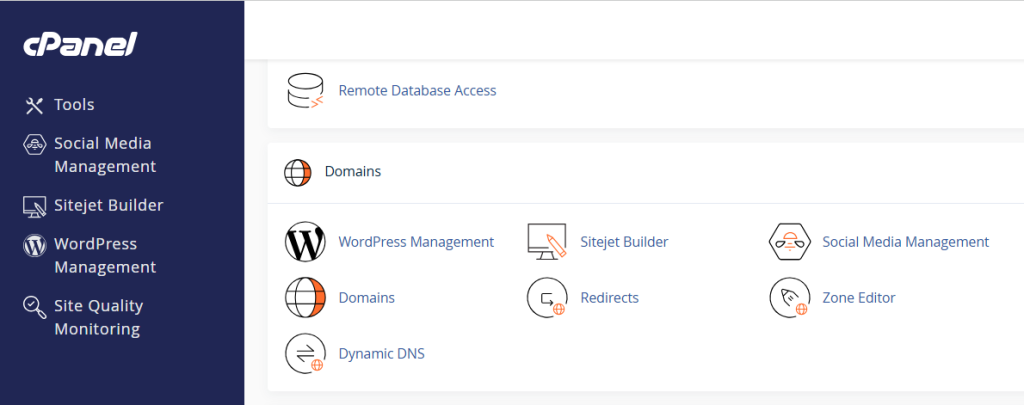
Step 2: Navigate to Domains
- From the cPanel dashboard, go to the Domains section.
- Click on Domains
Step 3: Find the Subdomain
- Locate the subdomain you want to delete from the list
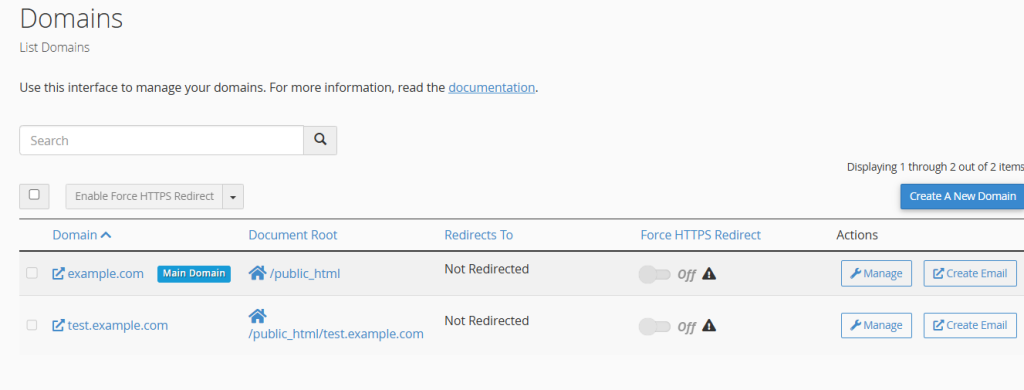
Step 4: Open the Manage Option
- Click on Manage next to the selected subdomain
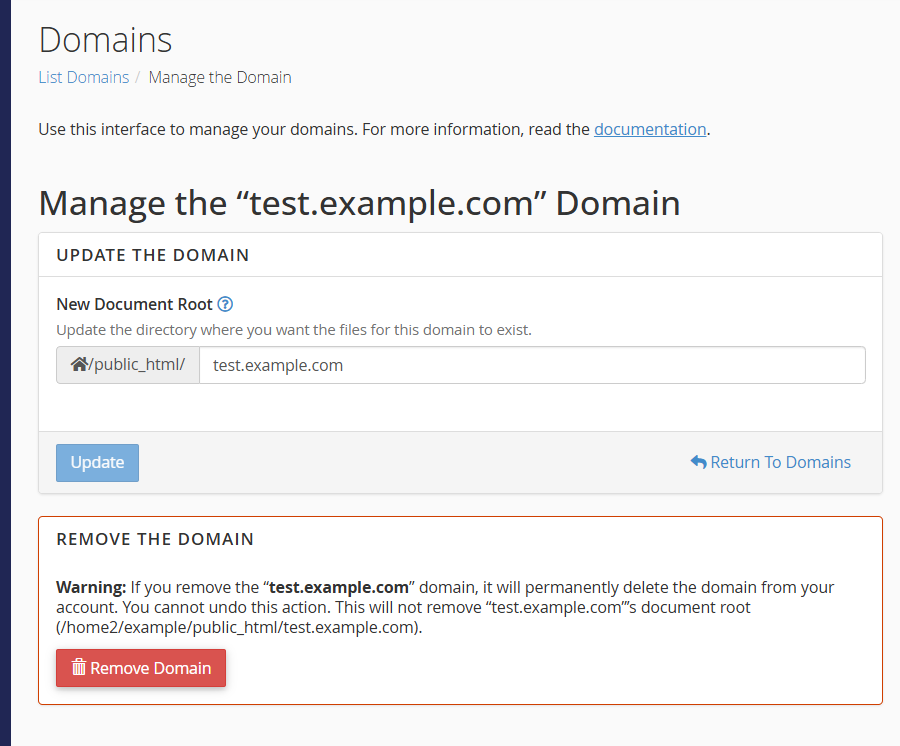
Step 5: Remove the Subdomain
- Click on Remove Domain
- Confirm the deletion when prompted
Conclusion
Deleting a subdomain in cPanel is a quick and straightforward process. By following the above steps, you can efficiently manage and remove unused subdomains, helping keep your hosting account organized and clutter-free.