
Post Date: January 23, 2018
Last Updated: October 06, 2026
Introduction
When hosting applications that expose multiple API versions or dynamic API paths, configuring Apache manually for each endpoint can become difficult to maintain. A more efficient approach is to use wildcard proxy rules that automatically forward all API requests to the backend service.
In this guide, we’ll explain how to configure Apache VirtualHost rules to handle multiple API endpoints using a single configuration. This approach simplifies management and ensures that future API versions work without requiring additional Apache updates.
Example API Endpoints
The following API endpoints should all be routed to the same backend service:
- https://example.com/api/V1
- https://example.com/api/V2
- https://example.com/api/V3
- https://example.com/api/V1/users
- https://example.com/api/V1/api/products
Instead of creating separate rules for each endpoint, Apache can use a wildcard pattern to handle them automatically.
Apache Configuration
Update the VirtualHost configuration for your domain and add the following directives:
ProxyPreserveHost On

ProxyPassMatch "^/api(.*)$" "http://localhost:9000/api$1"
ProxyPassReverse "/api" "http://localhost:9000/api"
Configuration Explanation
| Directive | Description |
|---|---|
| ProxyPreserveHost On | Preserves the original Host header when forwarding requests. |
| ProxyPassMatch | Uses a regular expression to match all requests beginning with /api. |
| ProxyPassReverse | Rewrites backend response headers so clients receive the correct URLs. |
How It Works
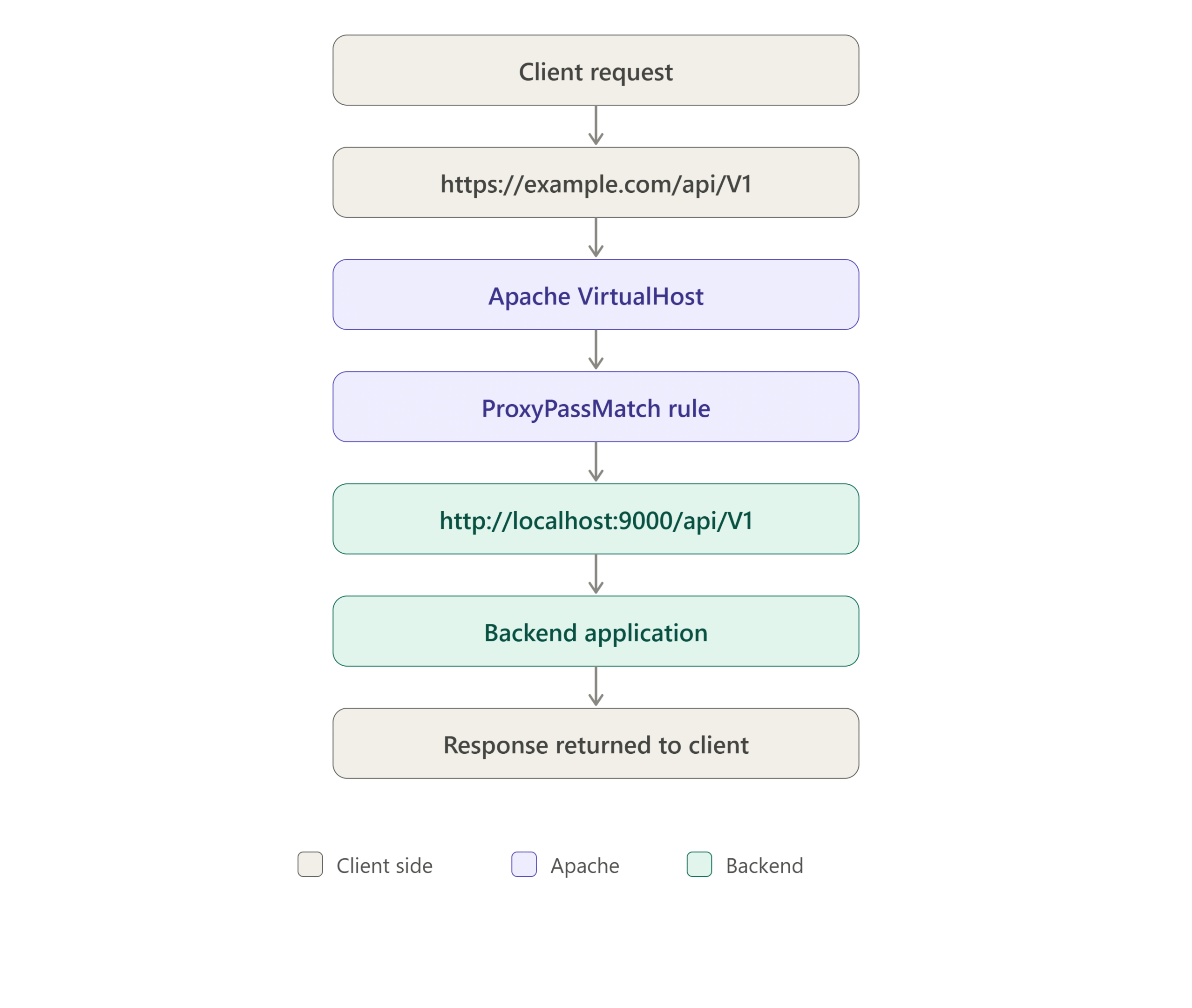
When a request reaches Apache, the proxy rule captures everything after /api and forwards it to the backend application running on port 9000.
Request Flow
Benefits of Using Wildcard API Rules
- No need to create separate proxy rules for every API version.
- Easier maintenance and management.
- Supports future API endpoints automatically.
- Reduces Apache configuration complexity.
- Simplifies application scaling and versioning.
Testing the Configuration
After updating the Apache configuration, verify the syntax and reload Apache:
apachectl configtest
systemctl reload apache2
You can then test the endpoint:
curl https://pheonixsolutions.com/api/V1
Expected result:
Request successfully forwarded to backend service.
Conclusion
Using Apache wildcard proxy rules is an efficient way to manage multiple API versions and dynamic endpoints. By leveraging ProxyPassMatch, you can route all API requests through a single configuration, reduce administrative overhead, and ensure that new API endpoints are automatically supported without additional Apache updates.
Frequently Asked Questions (FAQ)
1. Why should I use ProxyPassMatch instead of multiple ProxyPass rules?
ProxyPassMatch allows Apache to use regular expressions and handle multiple API paths with a single configuration, reducing maintenance effort.
2. Will future API versions work automatically?
Yes. Any endpoint matching /api/* will be forwarded to the backend without requiring additional Apache configuration changes.
3. Do I need to restart Apache after making changes?
After modifying the configuration, run a configuration test and reload Apache:
apachectl configtest
systemctl reload apache2
A full restart is generally not required unless Apache modules have been changed.
Related Articles
- How to Install Apache Superset on Ubuntu via Docker Compose
- How to Configure Apache with PHP-FPM handler in ubuntu 20.04
Talk to our experts
Have a technology challenge or looking for the right solution for your business? Our team can help you with cloud, DevOps, development, infrastructure, design, and more. Feel free to reach out to our experts here.