
Introduction
As container images are built and pushed frequently, repositories can quickly accumulate multiple versions of artifacts. Over time, this leads to increased storage usage and unnecessary clutter. To manage this effectively, implementing a retention policy is essential.
In Harbor, retention policies allow you to automatically remove older artifacts while keeping only the required recent versions. In this blog, we will walk through how to configure a retention policy to keep only the last 5 artifacts and how to schedule automatic cleanup.
Prerequisites
- Harbor should be installed and accessible.
- You should have a Project Admin or System Admin account.
- A Harbor project and repository should already exist.
- The repository should contain container images or artifacts.
- Ensure the artifacts to be deleted are no longer required.
- Confirm the preferred cleanup schedule before enabling automatic cleanup.
Implementation
Step 1: Log in to Harbour
Login to your Harbor portal using a Project Admin or System Admin account.
Step 2: Navigate to the Project
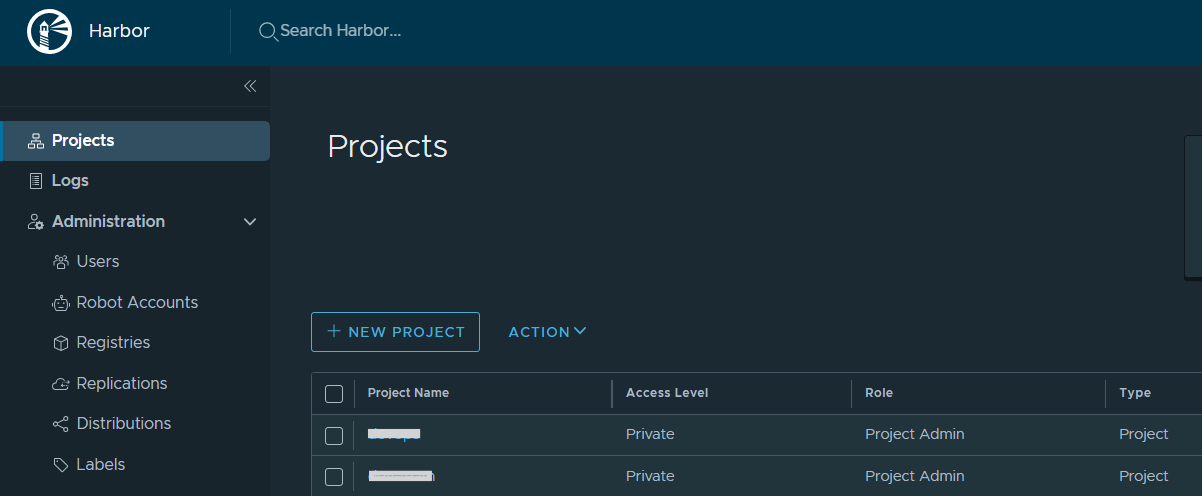
Step 3: Go to Policy Section
- Inside the project, click on Policies
- Under the policy option, you will see Retention Rules
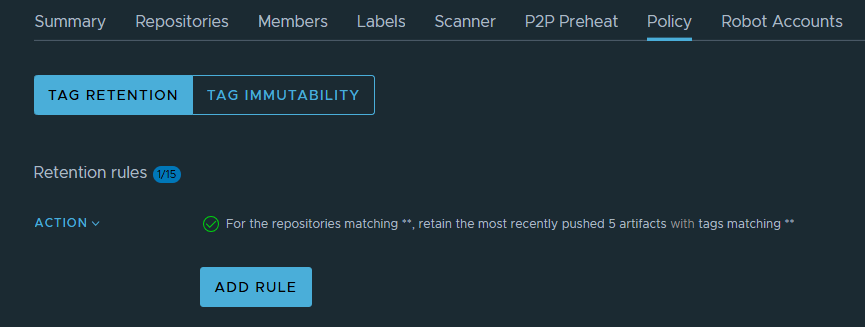
Here, you can update or configure the retention rules.
Step 4: Add a Retention Rule
1. Click on Add Rule
2. Now provide the required details:
- Repository: Select a specific repository OR use
**to apply to all repositories - Tags: Use
**to include all tags - Rule Type: Select retain the most recently pushed # of artifacts
- Number: 5 ( based on the requirement)
3. Click Add
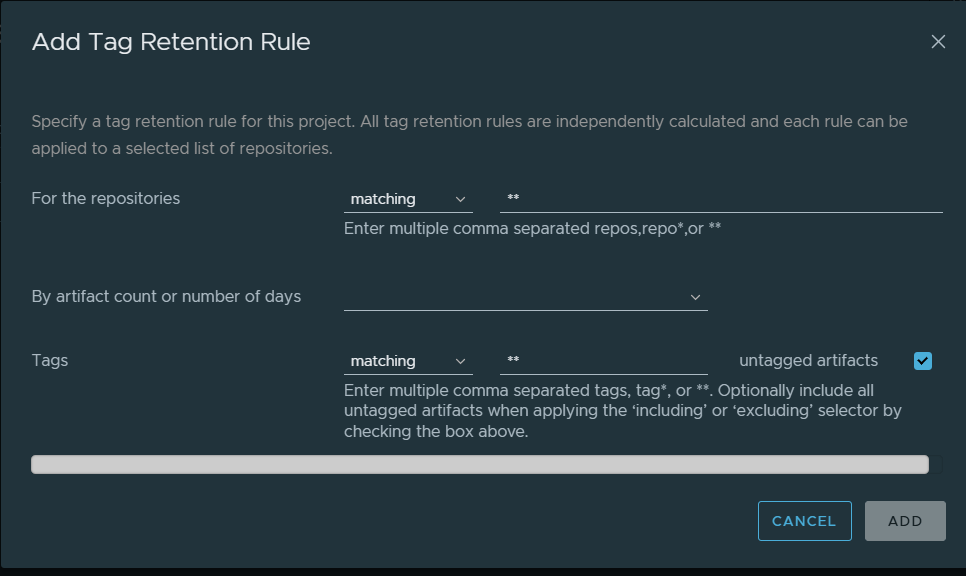
After adding the rule, click ADD to apply the retention policy.
Schedule Automatic Cleanup
In the same Retention section, there is another option called Schedule.
Using this option:
- Click on Schedule
- Enable scheduling
- Set the preferred time (for example, daily at 2:00 AM)
- Save the schedule
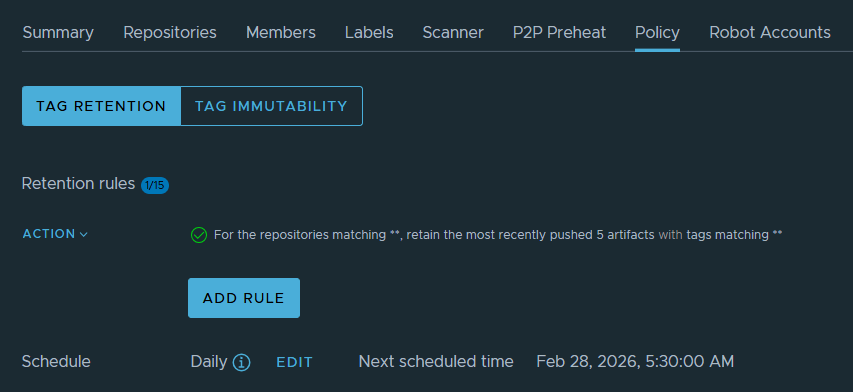
This allows Harbor to automatically clean up old artifacts based on the retention rule at the scheduled time.
Conclusion
Retention policies in Harbor provide an efficient way to control artifact storage and maintain repository hygiene. By configuring a rule to keep only the last 5 artifacts and scheduling automatic cleanup, you ensure that your container registry remains optimized and well-managed.
Implementing proper retention and scheduling policies is a best practice for maintaining a stable and scalable container registry environment.
FAQs
1. What is a Harbor retention policy?
A Harbor retention policy automatically removes older artifacts based on the rules you configure.
2. Can I keep only the latest 5 artifacts in Harbor?
Yes. You can create a rule to retain the 5 most recently pushed artifacts.
3. Can the retention rule apply to all repositories?
Yes. You can use ** to apply the rule to all repositories in the project.
Related Articles
How to Add a Disk Quota for Harbor Projects
Harbor – Dockerhub Backup and Restore Guide
Talk to our experts
Looking for the right technology solution for your business?. Our experts can help with web hosting, domain registration, DevOps and cloud, software development, web applications, mobile applications, and enterprise solutions. Get in touch with our team here.