
Introduction
SQL injection is one of the oldest security bugs on the web, and it still shows up in PHP code today. It happens when user input is pasted straight into a SQL query. One quote mark in a login form can be enough to read, change, or delete your whole database.
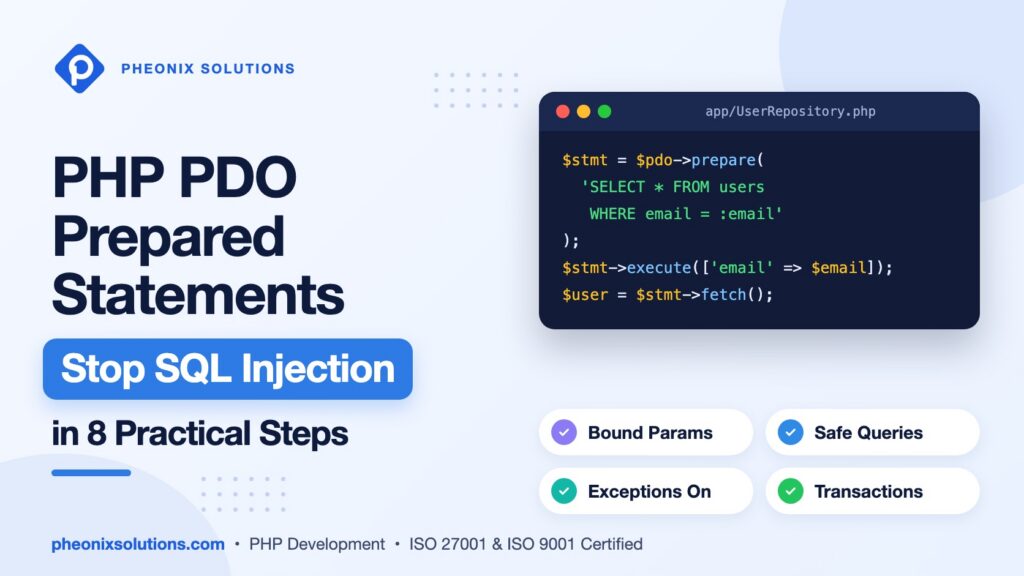
The fix is simple and built into PHP: PDO prepared statements. A prepared statement sends the SQL and the data to the database separately, so the data can never be run as SQL.
In this guide, we walk through eight practical steps to use PHP PDO prepared statements correctly, from a safe connection to IN lists, dynamic sorting, and transactions.
On This Page
Why PDO Prepared Statements Matter
Here is the kind of code that causes SQL injection:
<?php
// DANGEROUS: never do this
$email = $_GET['email'];
$sql = "SELECT * FROM users WHERE email = '$email'";
$result = $pdo->query($sql);
If someone sends ' OR '1'='1 as the email, the query becomes WHERE email = '' OR '1'='1', and it returns every user. With prepared statements, that input is treated as plain text, and the query simply finds no match.
- Security: input is never mixed into the SQL text.
- Clean code: no manual escaping or string building.
- Performance: the same statement can run many times with different values.
- Portability: PDO works with MySQL, MariaDB, PostgreSQL, SQLite, and more.
Prerequisites
- PHP 8.0 or newer with the
pdo_mysqlextension (or the driver for your database). - A MySQL or MariaDB database and a user with the right permissions.
- Basic knowledge of SQL
SELECT,INSERT, andUPDATE.
Check that the driver is installed:
php -m | grep -i pdo8 Steps to Use PHP PDO Prepared Statements
1. Create a Safe PDO Connection
Set the character set in the DSN, turn on exceptions, and turn off emulated prepares so the database does the real work.
<?php
$dsn = 'mysql:host=127.0.0.1;dbname=app;charset=utf8mb4';

$pdo = new PDO($dsn, $dbUser, $dbPass, [
    PDO::ATTR_ERRMODE            => PDO::ERRMODE_EXCEPTION,
    PDO::ATTR_DEFAULT_FETCH_MODE => PDO::FETCH_ASSOC,
    PDO::ATTR_EMULATE_PREPARES   => false,
]);
Keep the database password in an environment variable or a config file outside the web root, never in your Git repository.
2. Use Named Placeholders
Named placeholders such as :email make queries easy to read. Pass the values to execute() as an array.
<?php
$stmt = $pdo->prepare('SELECT id, name, email FROM users WHERE email = :email');
$stmt->execute(['email' => $email]);
$user = $stmt->fetch();   // false if no row was found
3. Or Use Positional Placeholders
Question marks work too. They are handy for short queries. Just keep the values in the same order as the placeholders.
<?php
$stmt = $pdo->prepare('UPDATE users SET name = ? WHERE id = ?');
$stmt->execute([$name, $id]);
echo $stmt->rowCount() . ' row(s) updated';
4. Bind Types When They Matter
Most of the time, passing an array to execute() is enough. Use bindValue() when the type matters, for example numbers in LIMIT and OFFSET.
<?php
$stmt = $pdo->prepare('SELECT id, title FROM posts ORDER BY id DESC LIMIT :limit OFFSET :offset');
$stmt->bindValue(':limit',  (int) $perPage, PDO::PARAM_INT);
$stmt->bindValue(':offset', (int) $offset,  PDO::PARAM_INT);
$stmt->execute();
$posts = $stmt->fetchAll();
5. Handle IN Lists Safely
You cannot bind a whole array to one placeholder. Build one placeholder per value instead. The values are still bound safely.
<?php
$ids = [4, 8, 15, 16];
$placeholders = implode(',', array_fill(0, count($ids), '?'));

$stmt = $pdo->prepare("SELECT id, name FROM users WHERE id IN ($placeholders)");
$stmt->execute($ids);
$users = $stmt->fetchAll();
6. Allow-List Table and Column Names
Placeholders only work for values. You cannot use them for table names, column names, or ASC/DESC. When these come from the user, check them against a fixed list.
<?php
$allowedSort = ['name', 'email', 'created_at'];
$sort = in_array($_GET['sort'] ?? '', $allowedSort, true) ? $_GET['sort'] : 'created_at';
$dir  = (($_GET['dir'] ?? '') === 'asc') ? 'ASC' : 'DESC';

$stmt = $pdo->prepare("SELECT id, name, email FROM users ORDER BY $sort $dir LIMIT 50");
$stmt->execute();
7. Use Transactions for Related Changes
When several queries must succeed or fail together, wrap them in a transaction. If anything throws, roll back.
<?php
try {
    $pdo->beginTransaction();

    $pdo->prepare('UPDATE accounts SET balance = balance - :amt WHERE id = :from')
        ->execute(['amt' => $amount, 'from' => $fromId]);
    $pdo->prepare('UPDATE accounts SET balance = balance + :amt WHERE id = :to')
        ->execute(['amt' => $amount, 'to' => $toId]);

    $pdo->commit();
} catch (Throwable $e) {
    $pdo->rollBack();
    throw $e;
}
8. Handle Errors Without Leaking Details
With exceptions turned on, a failed query throws a PDOException. Log the full error for your team, but show the user a short, safe message. Database errors can reveal table names and query structure.
<?php
try {
    $stmt = $pdo->prepare('INSERT INTO users (name, email) VALUES (:name, :email)');
    $stmt->execute(['name' => $name, 'email' => $email]);
    $newId = (int) $pdo->lastInsertId();
} catch (PDOException $e) {
    error_log($e->getMessage());
    http_response_code(500);
    echo json_encode(['error' => 'Could not save the user. Please try again.']);
}
PDO Quick Reference
| Task | Method |
|---|---|
| Prepare a query | $pdo->prepare($sql) |
| Run it with values | $stmt->execute([…]) |
| Bind a typed value | $stmt->bindValue(‘:x’, $v, PDO::PARAM_INT) |
| Get one row | $stmt->fetch() |
| Get all rows | $stmt->fetchAll() |
| Get one column | $stmt->fetchColumn() |
| Rows changed | $stmt->rowCount() |
| New auto-increment ID | $pdo->lastInsertId() |
| Transactions | beginTransaction(), commit(), rollBack() |
Common PDO Mistakes to Avoid
- Preparing a string that already has user input in it.
prepare("... WHERE id = $id")is still vulnerable. The input must go through a placeholder. - Using placeholders for column names. They only work for values. Use an allow-list for identifiers.
- Forgetting
charset=utf8mb4. Without it, emoji and some languages can be stored incorrectly. - Showing
$e->getMessage()to users. Log it instead. - Using the old
mysql_*functions. They were removed in PHP 7. Use PDO or MySQLi.
Conclusion
PDO prepared statements are the simplest and most reliable way to stop SQL injection in PHP. Create one safe connection, put every value through a placeholder, allow-list anything you cannot bind, and wrap related changes in transactions. These eight steps cover almost every query you will write.
FAQs
1. Do PDO prepared statements fully prevent SQL injection?
They prevent injection through values. You must still allow-list anything that cannot be a placeholder, such as table names, column names, and sort direction.
2. Should I use named or positional placeholders?
Both are equally safe. Named placeholders are easier to read in long queries. Positional placeholders are shorter for simple ones. You cannot mix both in the same query.
3. Why turn off PDO::ATTR_EMULATE_PREPARES?
With emulation off, the database prepares the statement itself and returns real types, such as integers. It also avoids edge cases with LIMIT and some character sets.
4. Is MySQLi as safe as PDO?
Yes, if you use MySQLi prepared statements. PDO is often preferred because it supports many databases and has a cleaner API for named placeholders.
5. Do I still need to validate input when I use prepared statements?
Yes. Prepared statements stop SQL injection, but you should still check that an email looks like an email and a number is in the right range.
Related Articles
- PHP2Shell Vulnerability: How to Protect Your PHP Server
- REST API Status Codes: 12 HTTP Codes Every Backend Developer Should Use Right
- API Idempotency Keys: How to Stop Duplicate Requests in 7 Steps
Official Documentation
- PHP Manual: Prepared Statements and Stored Procedures
- PHP Manual: PDO::prepare
- OWASP: SQL Injection Prevention Cheat Sheet
Talk to Our PHP Experts
Old PHP code often has SQL injection risks hiding in plain sight. At Pheonix Solutions, our PHP developers audit, secure, and modernise PHP applications without breaking what already works.
We can help you with:
- PHP and web development, from new applications to secure APIs.
- DevOps and cloud services to keep PHP servers patched and monitored.
- Software maintenance and support to find and fix unsafe queries in legacy code.
Worried about SQL injection in your PHP app? Talk to our PHP experts for a security review.