Introduction:
WHM (Web Host Manager) allows administrators to manage hosting servers efficiently. One common requirement is adding additional IP addresses, which can be used for hosting multiple websites, assigning dedicated IPs, or configuring SSL certificates.
Prerequisites:
Before adding an IP address, ensure the following:
- A valid additional IP address provided by your hosting provider
- Root access to the WHM server
- Proper network configuration (IP should be routed to your server)
- Basic knowledge of server networking
- Access to SSH (optional but recommended)
Implementation:
Step -1:
Log in to the WHM portal.

Step -2:
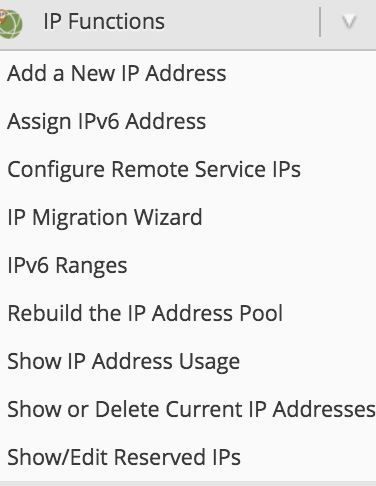
On the left side, scroll down to the IP Functions section.
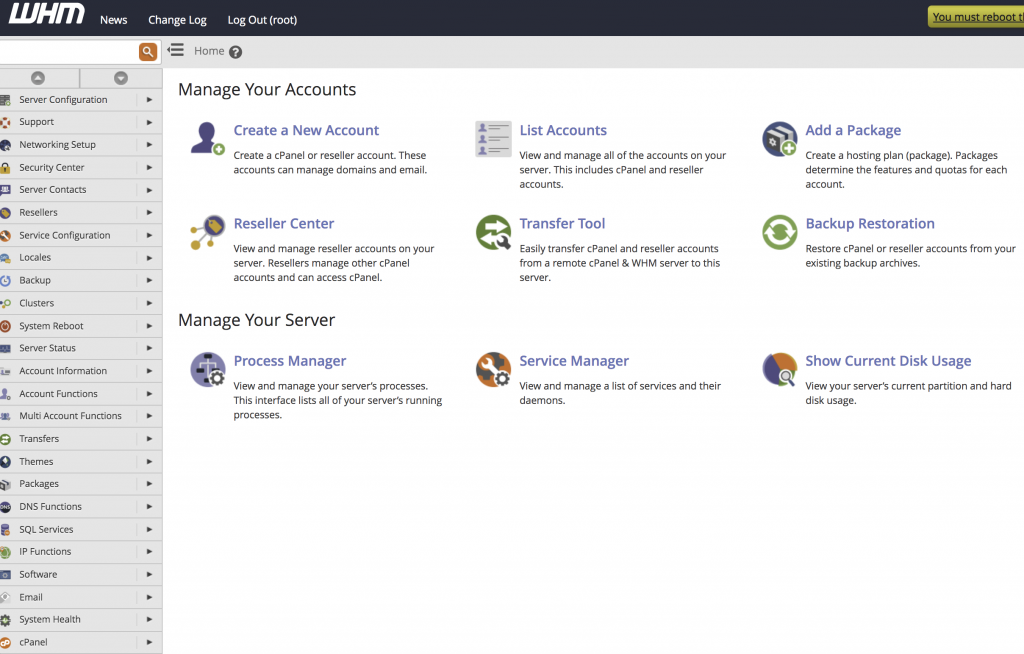
Select Add a New IP Address.
Step – 3:
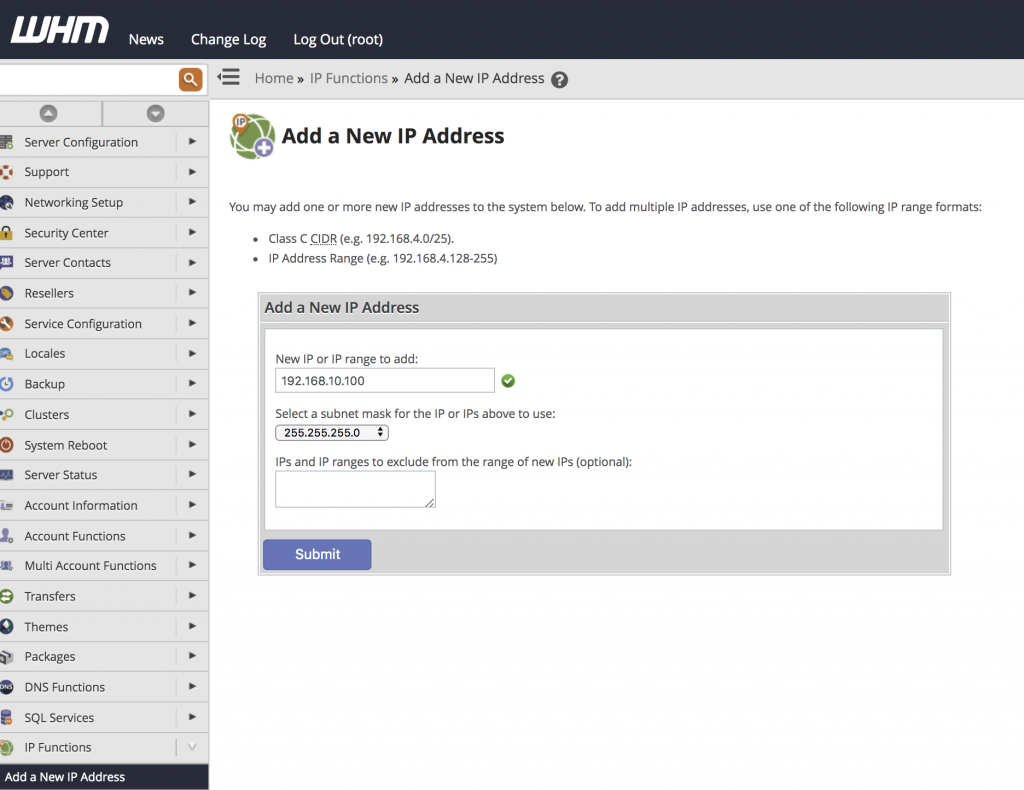
Enter your new IP address into the New IP or IP range to add field and select a subnet mask for the IP address and click Submit.
Conclusion
Adding an additional IP in WHM is a straightforward process when the IP is properly routed to the server. It helps in managing multiple websites, enhancing security, and enabling dedicated configurations like SSL. Always verify network settings and ensure the IP is active before assigning it to accounts.