Introduction
AWS Identity and Access Management (IAM) allows you to securely manage access to AWS services and resources. Creating an IAM user enables you to provide individual login credentials and permissions for team members, administrators, developers, or applications without sharing the root account credentials.
Using IAM users improves security, accountability, and access control within your AWS environment.
Prerequisites
Before creating an IAM user, ensure you have:
- Access to your AWS Management Console
- Administrative permissions to manage IAM users
- A clear understanding of the permissions the new user requires
- Optional: Existing IAM groups for easier permission management
- A secure location to store access keys or login credentials
Implementation
Follow the steps below to create an IAM user in AWS:
Step : 1
Login to your AWS console.
Step : 2
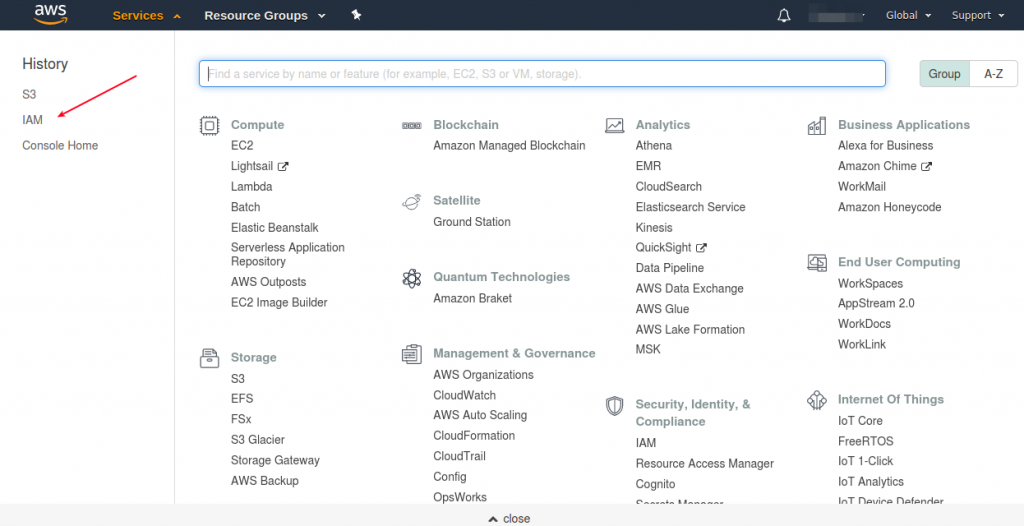
Click IAM option in your console.
Step : 3
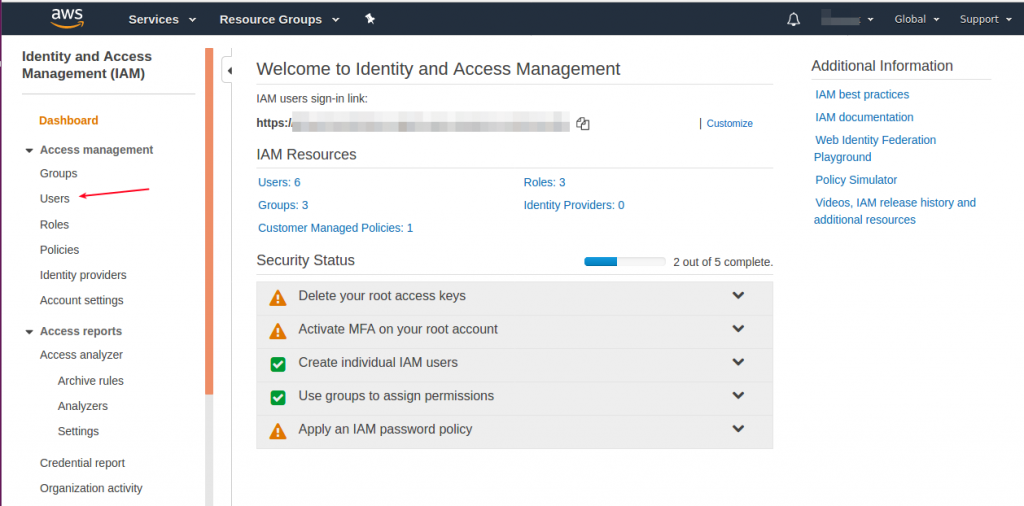
Click User option.
Step : 4
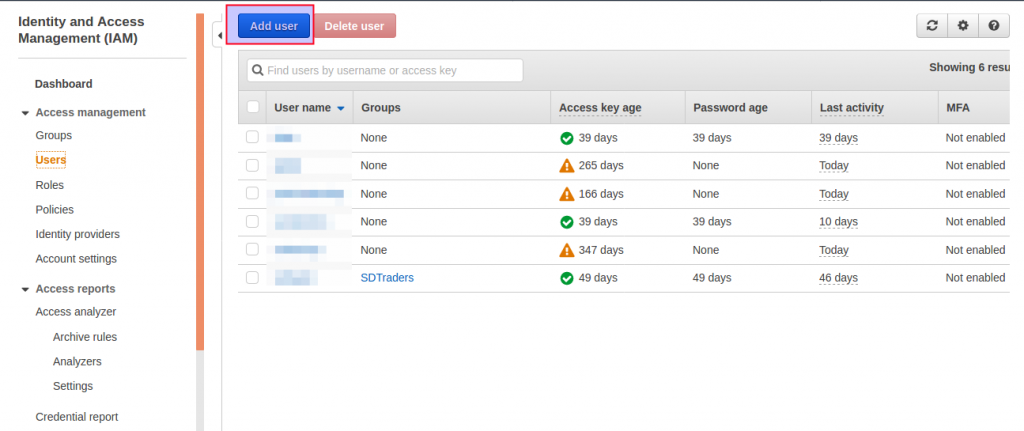
Click Add user option.
Step : 5
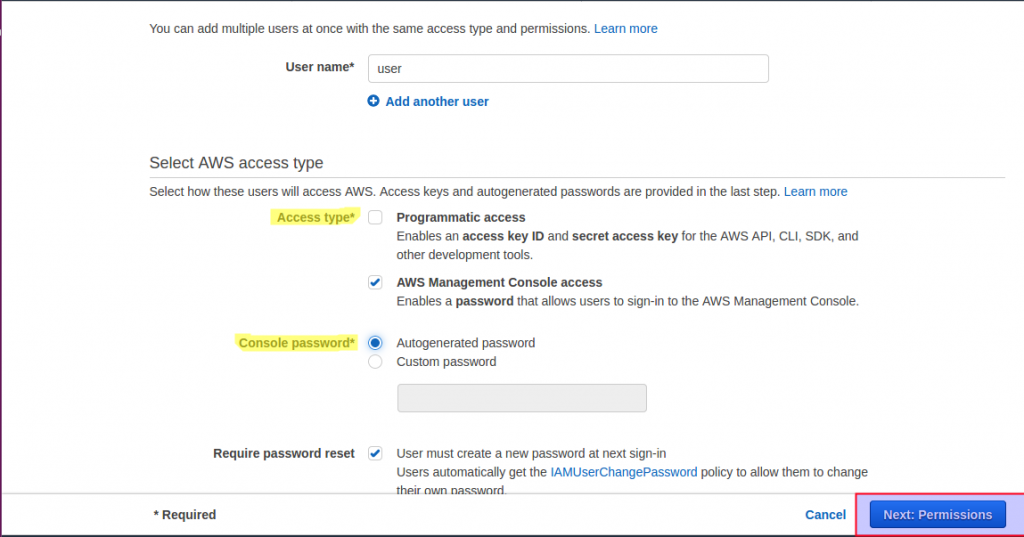
Add user name. Select access type, if you select AWS management console access you can generate the password. Click require password reset option. Finally click next : permission option.
Step : 6
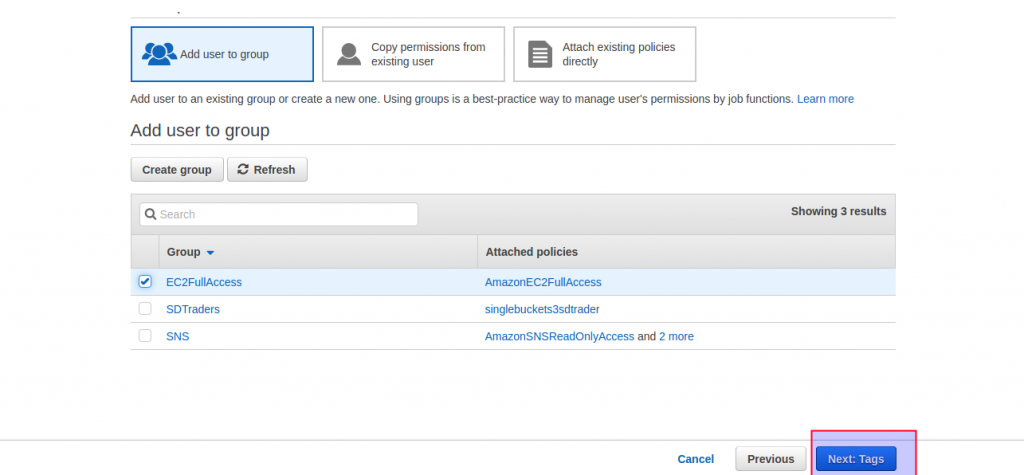
Choose existing group or you can create new group, click create new group option.
Step : 7
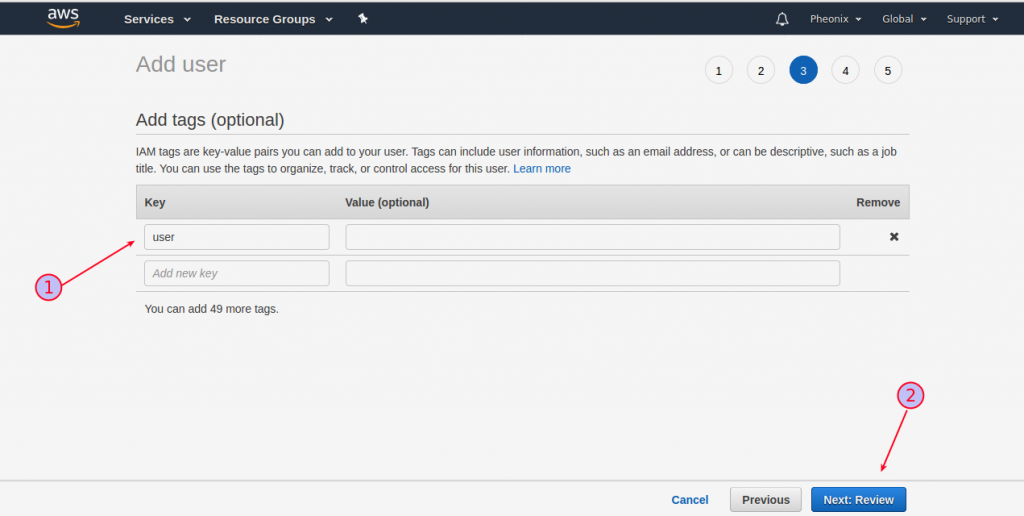
Add key and value in given table, then click next: review option.
Step : 8
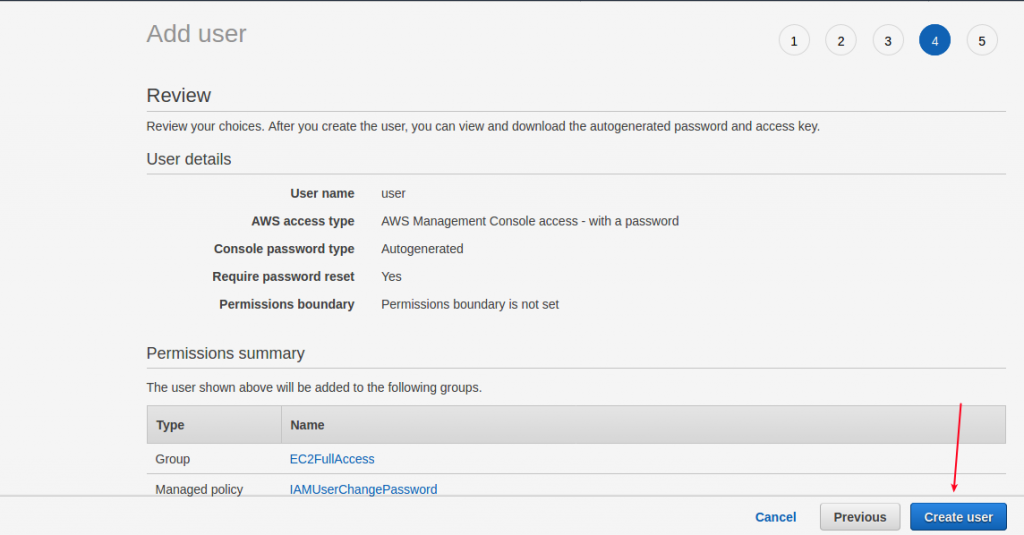
Check the given details or correct or not. If the given details are correct, click create user option.
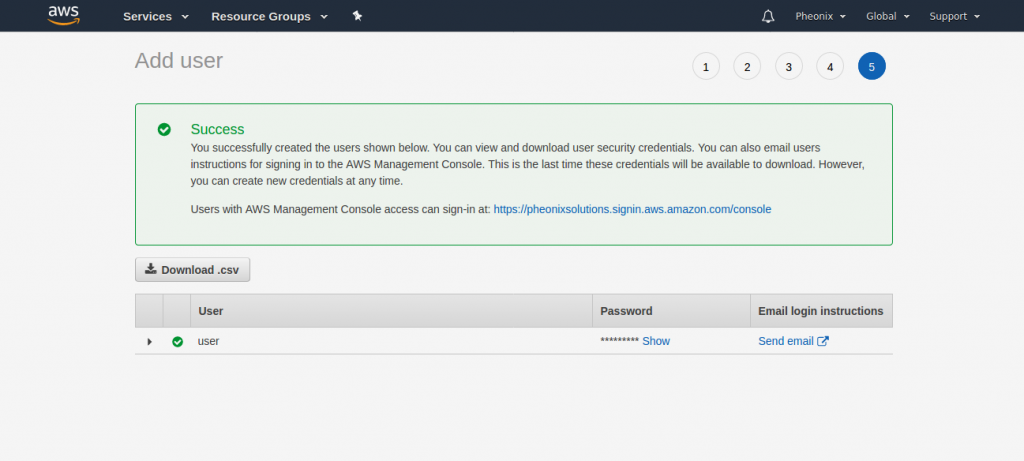
Now you can see the account created popup in your window. To save the access keys, choose Download .csv and then save the file to a safe location.
Conclusion
You have successfully created an IAM user in AWS. IAM users help improve security by allowing individual access management instead of sharing the root account. Always assign only the required permissions and securely store login credentials or access keys.