Introduction
FileZilla allows you to connect to your server using FTP and manage your website files easily. This guide explains how to connect your FTP account using FileZilla.
Prerequisites
- FTP account credentials (hostname, username, password, port)
- FileZilla installed
- An active internet connection
Implementation
Step 1:
Open FileZilla.
Step 2:
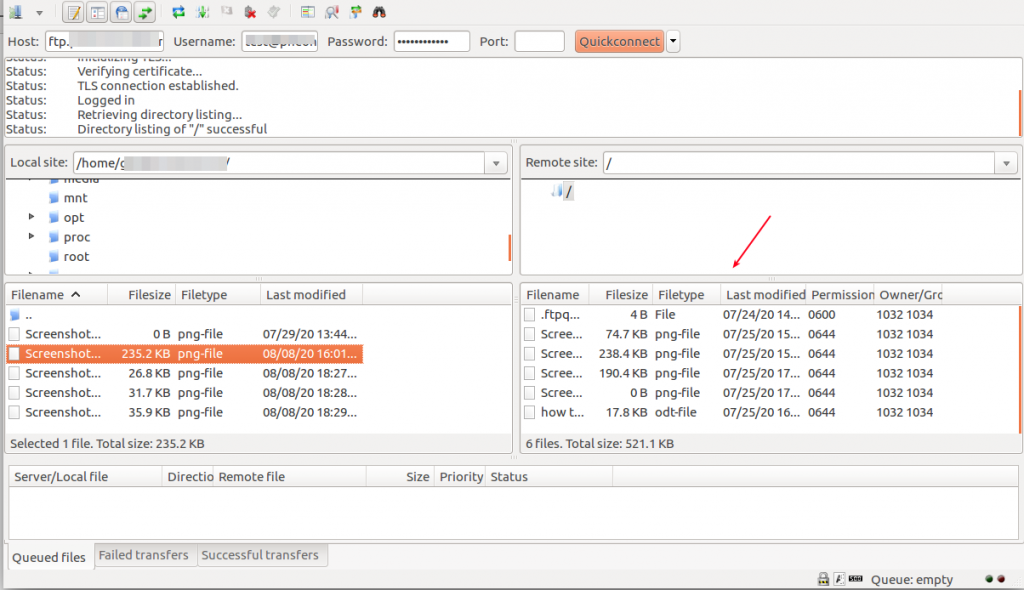
Connect your FTP account in FileZilla.
Method 1: Quick Connect
- Add host name
- Add username
- Add your FTP account password
- Add FileZilla port number
- Click Quickconnect
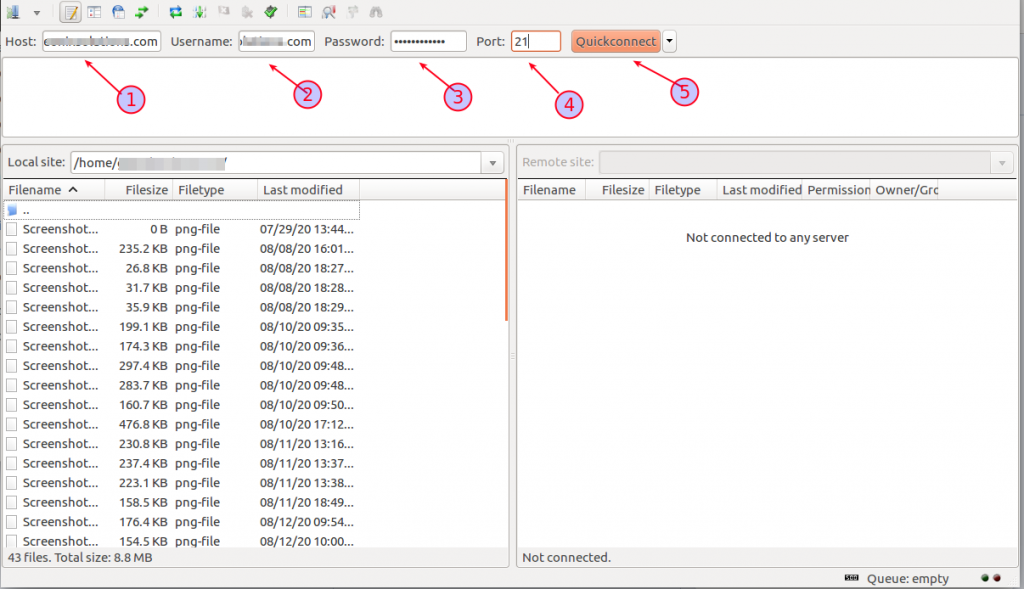
Method 2: Site Manager
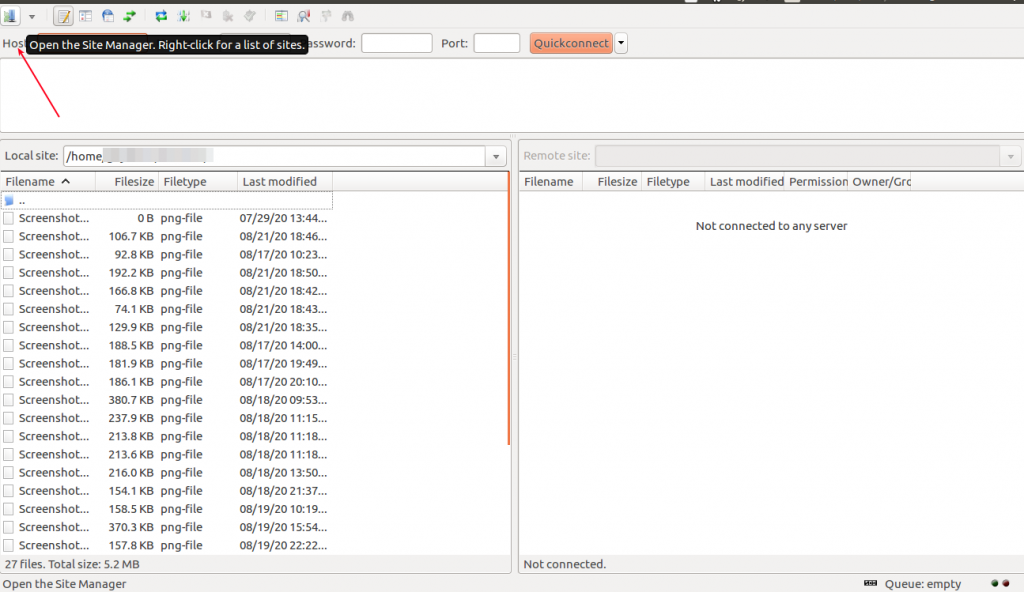
Click site manager on your left side top corner.
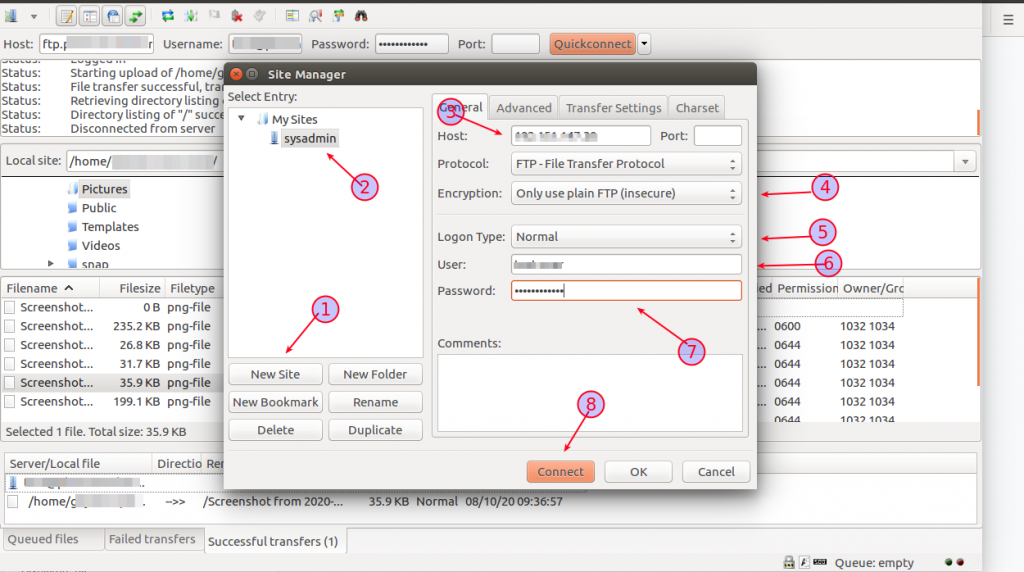
- Choose the New Site option
- Rename your site
- Add your hostname or IP address
- Choose the encryption option
- Choose the logon type as Normal
- Add FTP username
- Add FTP account password
- Click Connect
- Add your password if prompted
- Click OK
- Now your FTP account is connected
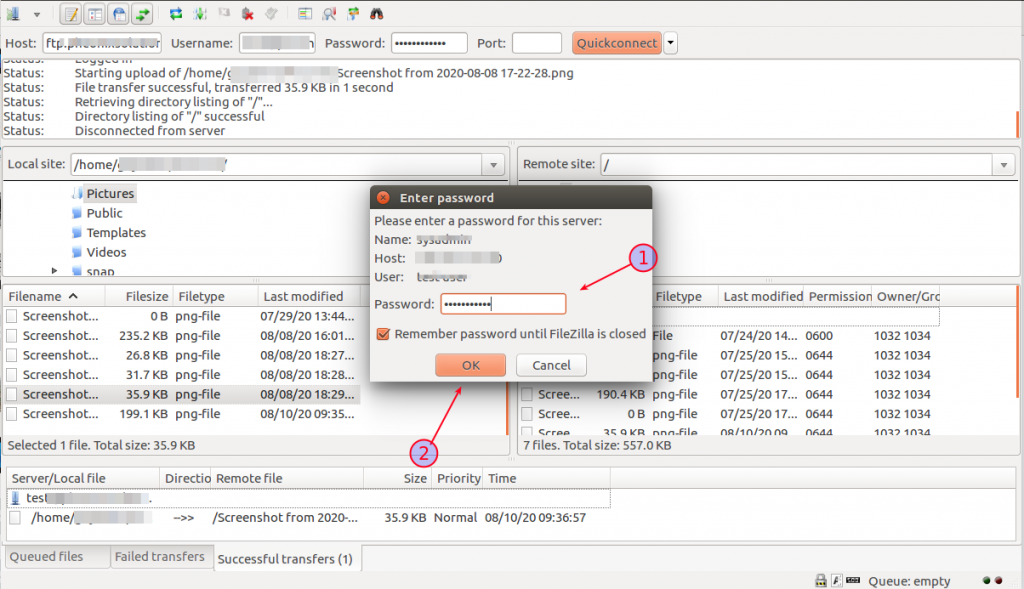
Step 3:
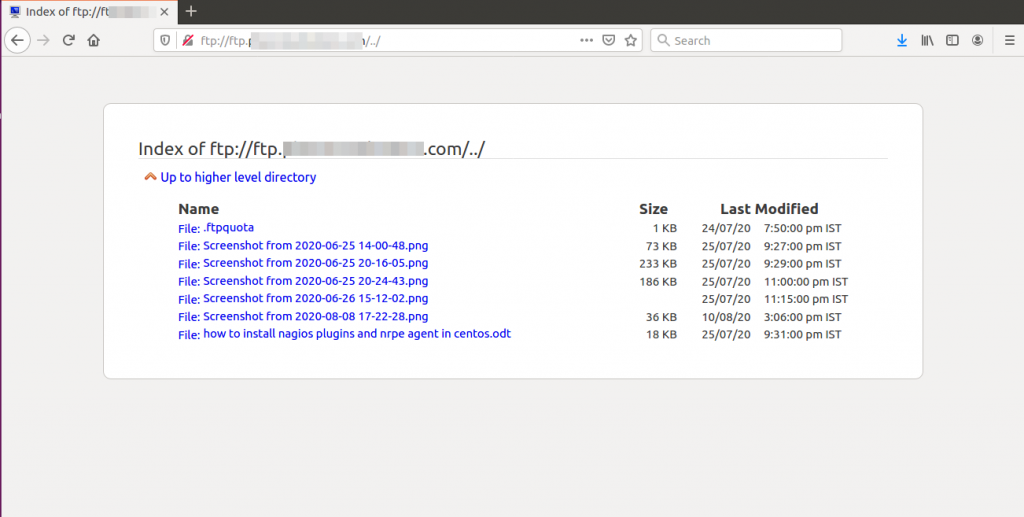
- You can now see the files on your FTP server
- Upload or move files as needed
Conclusion
By connecting your FTP account using FileZilla, you can easily manage website files and transfer data between your local system and the server.