Introduction
PHP extensions are additional modules that enhance the functionality of PHP on your website. They allow your applications to perform tasks such as image processing, database connectivity, encryption, file handling, and much more. Enabling the required PHP extensions through cPanel helps ensure that your website, CMS, or custom application runs smoothly and meets all software requirements.
This guide explains how to enable PHP extensions through cPanel in a simple step-by-step format.
Prerequisites
Before you begin, ensure that you have the following:
- Valid login credentials for your cPanel account
- Access to manage PHP settings for your hosting account
- Basic knowledge of the PHP extension required by your website or application
- Your hosting provider must support PHP Selector or MultiPHP tools
Implementation
Enable PHP Extensions Using Select PHP Version
Step 1: Log in to WHM Portal.
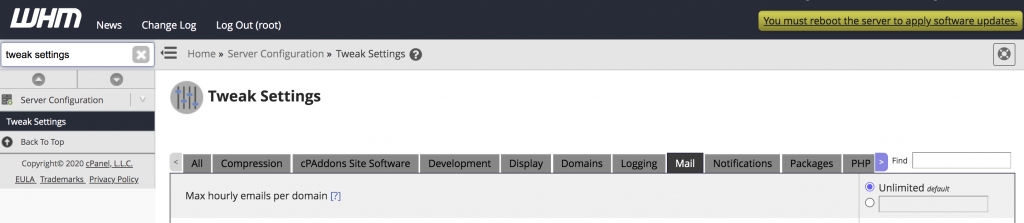
Step 2: Type Tweak settings on the search bar and it shows under the Server Configuration.
Step 3: Select the mail column and it shows the Max hourly emails per domain and you can specify the values here. Please refer to the following image.
Set an hourly limit for the domains of an account:-
This option sets the email limits for all of the subdomains, addon domains, and parked domains (aliases) for an account’s main domain.
Step 1: Log in to WHM Portal.
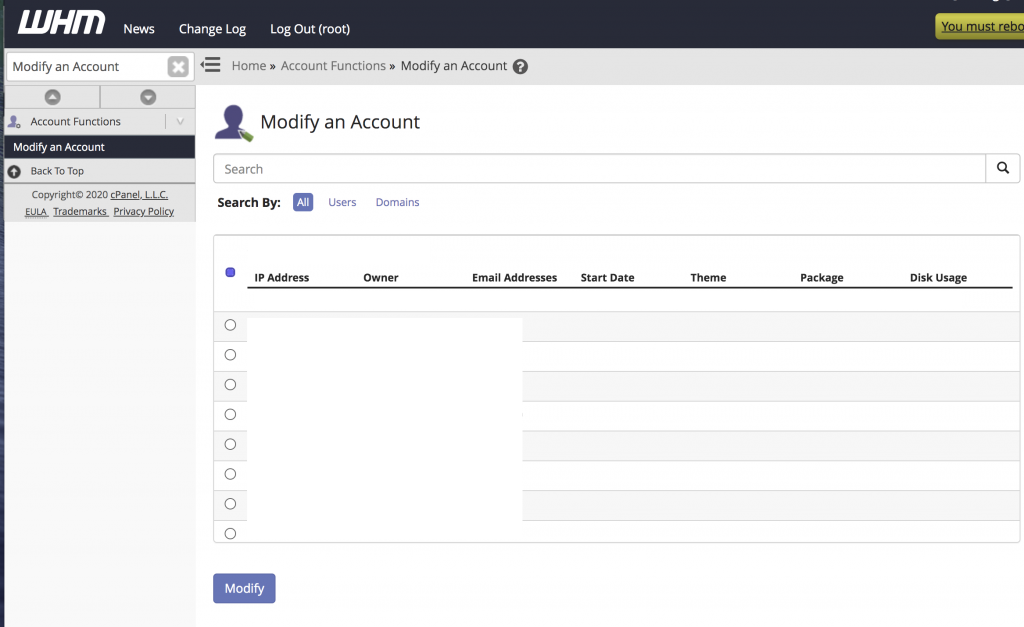
Step 2: Type Modify an Account on the search bar and it shows under the Account Functions.
Step 3: Select the Modify an Account and it shows Cpanel user accounts. You can select the required account name and select Modify. Please refer to the below image.
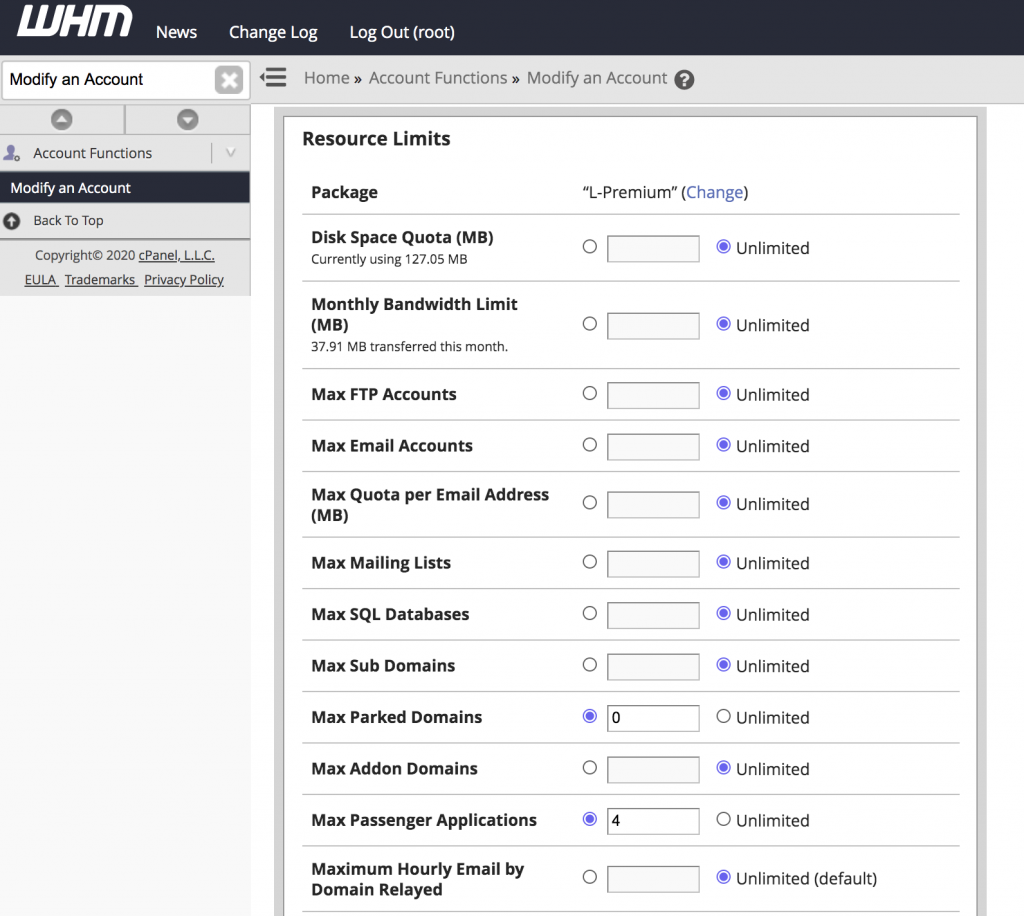
Step 4: It shows the Cpanel account Resource Limits and you can specify a value for the Hourly Email by Domain Relayed configuration setting under the Resource Limits and Click Save button. Please refer to the below image.
Conclusion
Enabling PHP extensions through cPanel is a quick and effective way to improve website functionality and meet application requirements. By using the Select PHP Version or MultiPHP INI Editor tools, you can activate essential modules without needing command-line access.
If an extension is missing or unavailable, contact your hosting provider for assistance.