Introduction:
A hostname is a label assigned to a device connected to a computer network that is used to identify the device in various forms of electronic communication. Hostnames may be simple names consisting of a single word or phrase, or they may be structured strings that include multiple words or phrases separated by dots.
Prerequisite:
WHM root logins and desired hostname.
Step1:
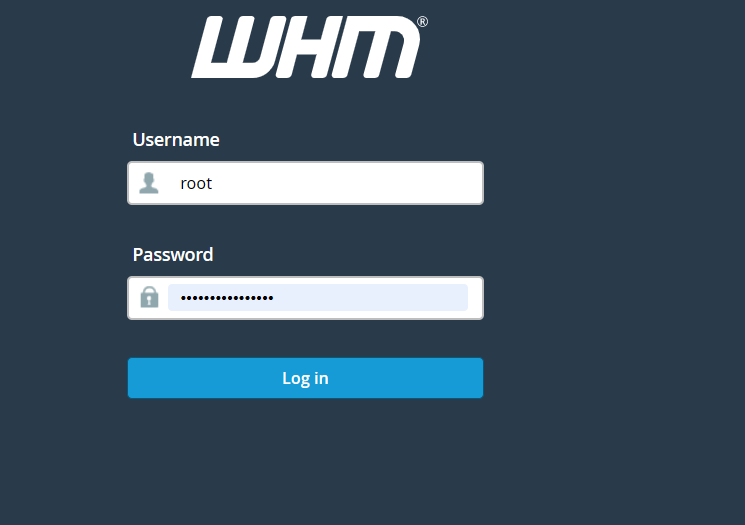
Log in to WHM as the root user.
Step2:
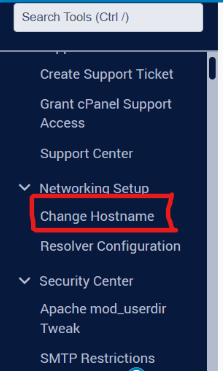
Type ‘host‘ into the WHM search field.
Step3:
Click on the option Change Hostname under the section Networking Setup.
Step4:
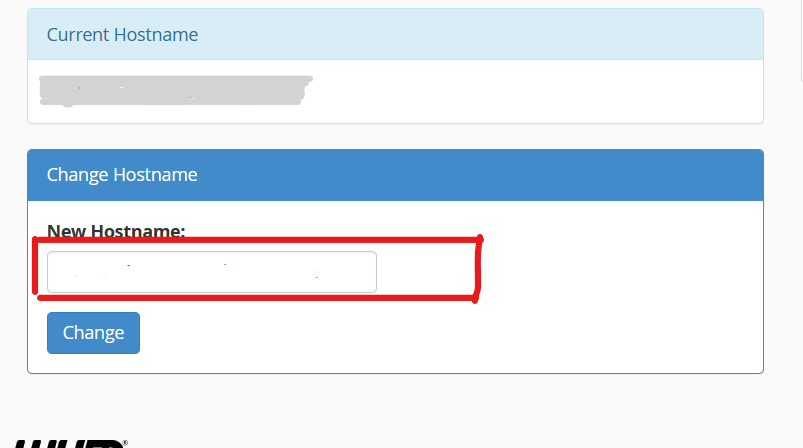
Under the section Change Hostname, enter the hostname desired in the New Hostname: field.
Step5:
Click the Change button and the hostname will be changed to a new hostname.
Conclusion
Changing the server’s hostname in WHM is a simple but important administrative task. A properly configured hostname improves server identification, enhances email reliability, and ensures that cPanel & WHM services function correctly. Always verify that the hostname is a valid FQDN and that the corresponding DNS records are configured correctly after making the change.