Introduction
WHM allows administrators to configure the server’s time zone and synchronize the system time with a time server. Setting the correct server time ensures accurate logs, scheduled tasks, and application operations.
Prerequisites
Before proceeding, ensure you have the following:
- WHM root login credentials.
- The desired time zone for the server.
Implementation
Step1:
Log in to your WHM as root.
Step2:
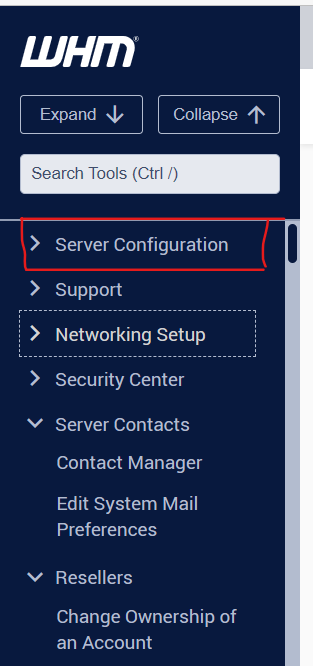
Navigate the Server Configuration option.
Step3:
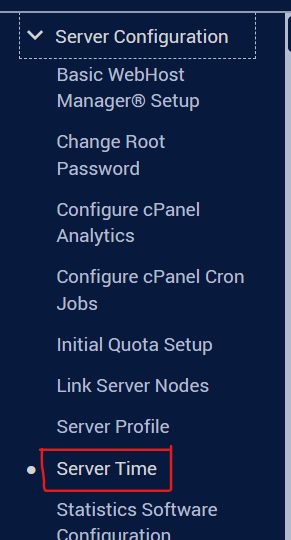
Dropdown and click on Server Time.
Step4:
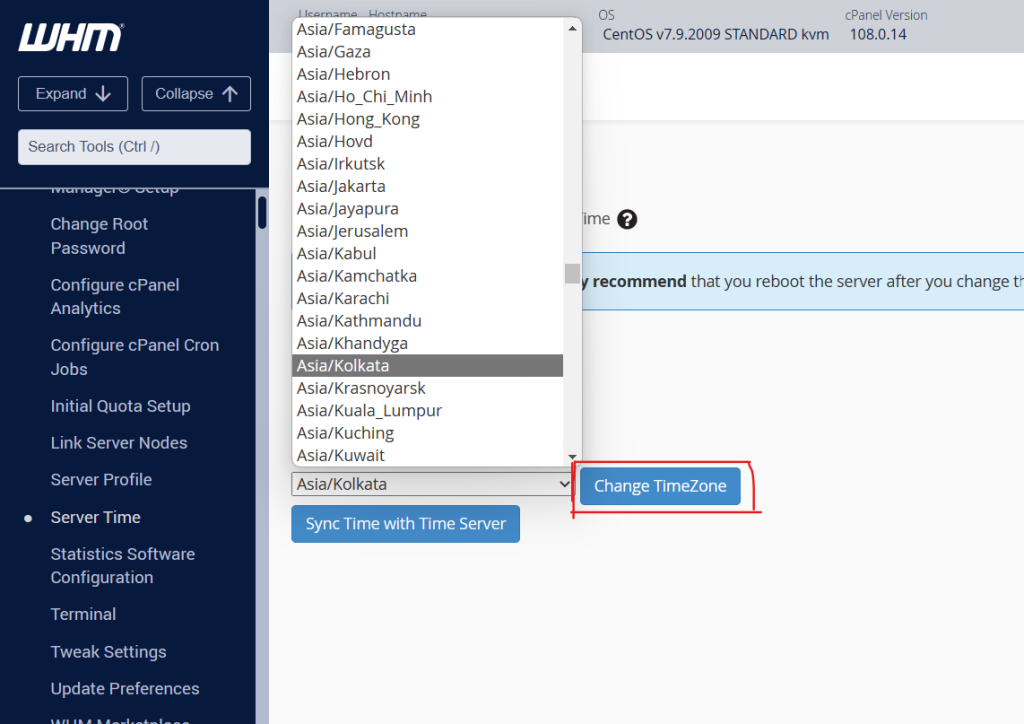
Select the time zone for your server from the dropdown and click on Change Timezone. It will set the time & date on your server accordingly.
Alternatively, you can sync the time zone with cPanel’s time server by clicking on Sync Time with Time server.
Conclusion
Setting the correct server time in WHM helps maintain accurate system logs, cron jobs, and application performance. You can either manually select a time zone or synchronize the server time with a time server for automatic accuracy.