Introduction
SSL certificate expiry notifications are useful for maintaining secure services. However, in environments where non-AutoSSL certificates are managed externally or are not critical, these notifications can become unnecessary or excessive.
Prerequisites
- Root access to WHM
- Administrative privileges to modify server settings
- Understanding of SSL certificate management on the server
- Confirmation that disabling these alerts will not impact critical monitoring or compliance requirements
Implementation
Step 1: Log in to WHM
- Access WHM using root credentials
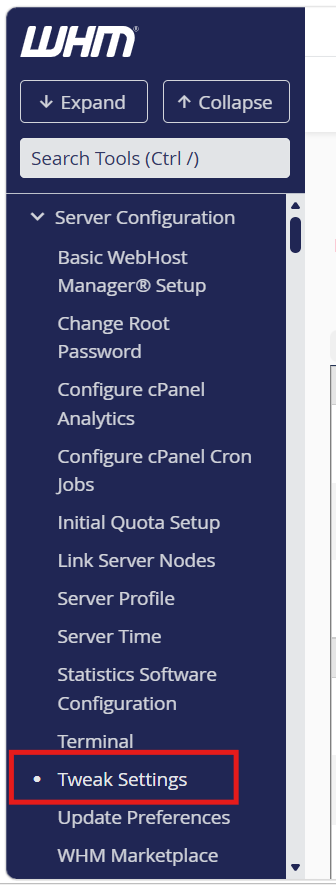
Step 2: Navigate to Tweak Settings
- Go to:
Home → Server Configuration → Tweak Settings
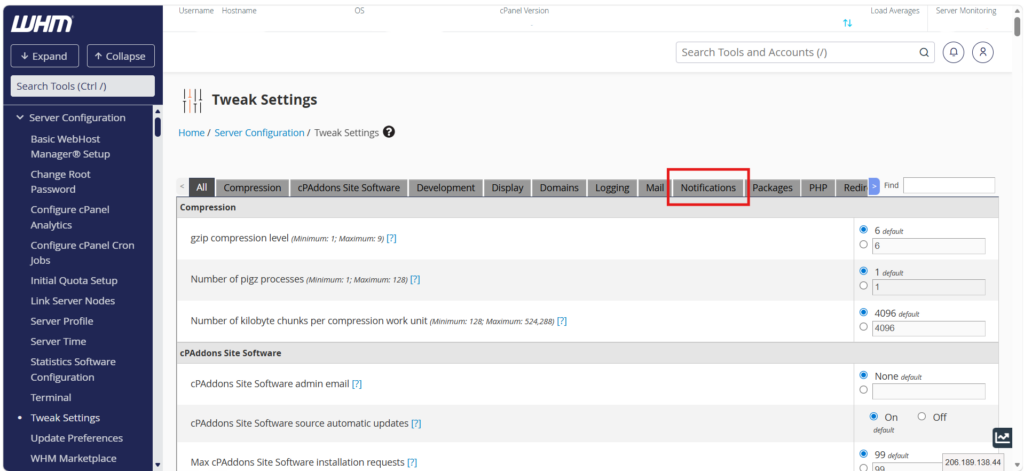
Step 3: Open Notifications Tab
- Click on the “Notifications” tab
Step 4: Disable Expiry Notification
- Locate the option:
“Send notifications when certificates approach expiry.” - Set it to Off

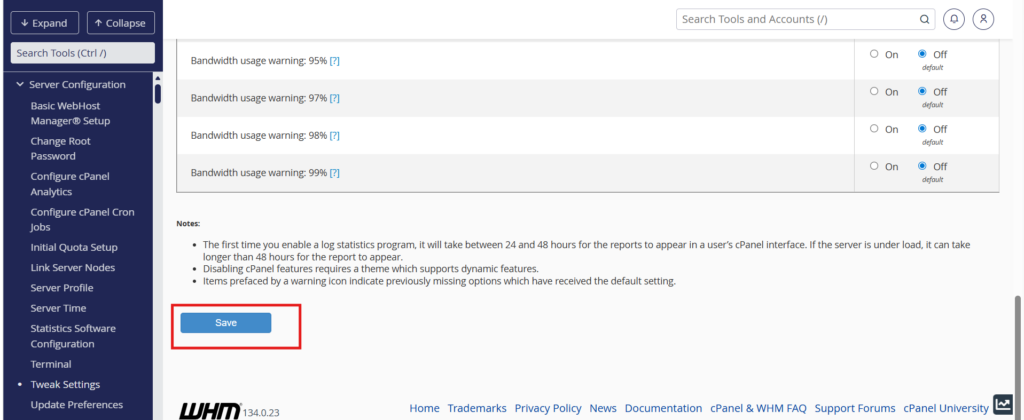
Step 5: Save Changes
- Scroll to the bottom
- Click Save
Conclusion
Disabling non-AutoSSL SSL certificate expiry notifications in WHM helps reduce unnecessary alerts and improves administrative efficiency, especially in environments where SSL certificates are managed through external systems.