Introduction
ImunifyAV is a malware scanning tool for websites hosted on cPanel and WHM servers. It scans website files and helps find malware and other security threats. ImunifyAV is available for free on supported cPanel & WHM servers and can be installed directly from the WHM Security Advisor.
This guide explains how to install ImunifyAV on a cPanel and WHM server. It also explains how to check the installation.
Prerequisites
Before you install ImunifyAV, make sure the following requirements are met:
- A server with cPanel & WHM installed.
- Root-level access to WHM or SSH.
- At least 20 GB of available disk space.
- A supported operating system
Implementation
Step 1: Log in to WHM
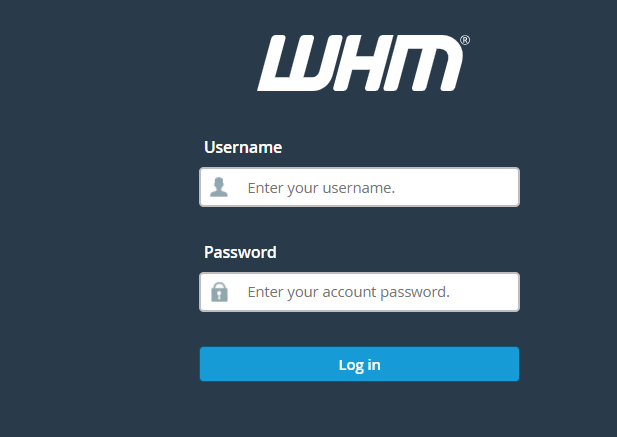
First, log in to WHM (WebHost Manager) using the root account or an account with root-level access.
Step 2: Open Security Advisor
Next, from the WHM dashboard, navigate to:
WHM → Security Center → Security Advisor
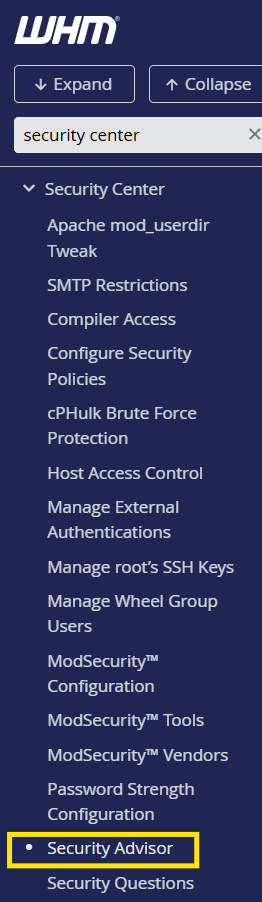
Here, Security Advisor displays security recommendations and available security tools for the server.
Step 3: Find the ImunifyAV Installation Option
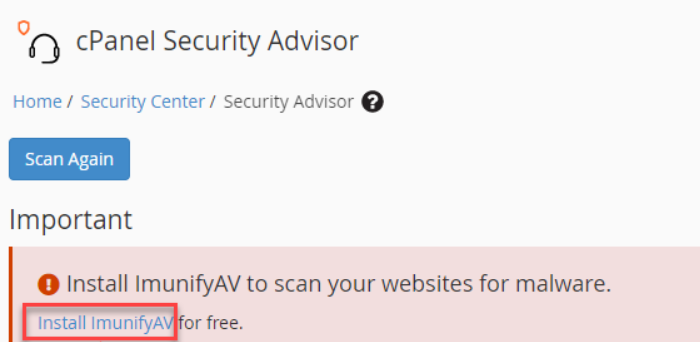
Next, in Security Advisor, look for the following alert:
Install ImunifyAV to scan your websites for malware
Then, click Install ImunifyAV to start the installation.
Step 4: Wait for the Installation
After that, a new browser tab opens and displays the installation status.
Now, wait for the installation to finish. It may take a few minutes.

Step 5: Verify the Installation
Once the installation finishes, open:
WHM → Plugins → ImunifyAV
If the ImunifyAV interface opens, the installation is complete.
Step 6: Start a Malware Scan
Finally, open the ImunifyAV interface and start a scan for the required hosting accounts.
The scan can help identify files that may contain malware or other security threats.

Conclusion
Installing ImunifyAV from the WHM Security Advisor is a simple process. After installation, administrators can access the ImunifyAV plugin from WHM and scan hosted websites for malware.
Therefore, the WHM → Security Center → Security Advisor method provides a simple way to install ImunifyAV on supported cPanel and WHM servers.