Introduction:
Managing DNS records is essential for directing your domain to the correct services such as websites, emails, and servers. Using cPanel and WHM, administrators can easily add or modify DNS records for any hosted domain.
Prerequisites:
Before proceeding, ensure you have:
- Access to WHM (root or reseller level)
- A domain already added to the server
- Basic understanding of DNS records (A, CNAME, MX, TXT, etc.)
Implementation
Step: 1
Log in to your WHM.
Step: 2
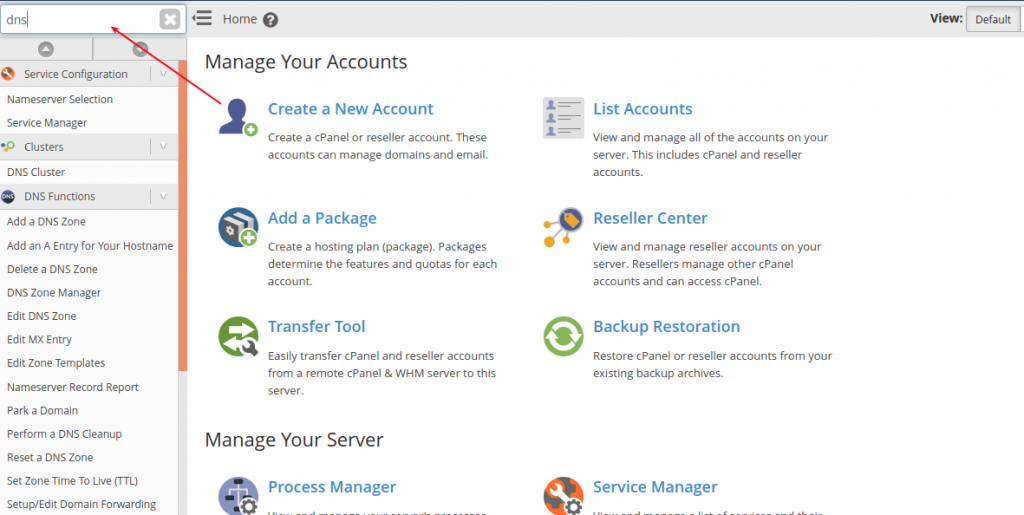
Search DNS funtion and click.
Step : 3
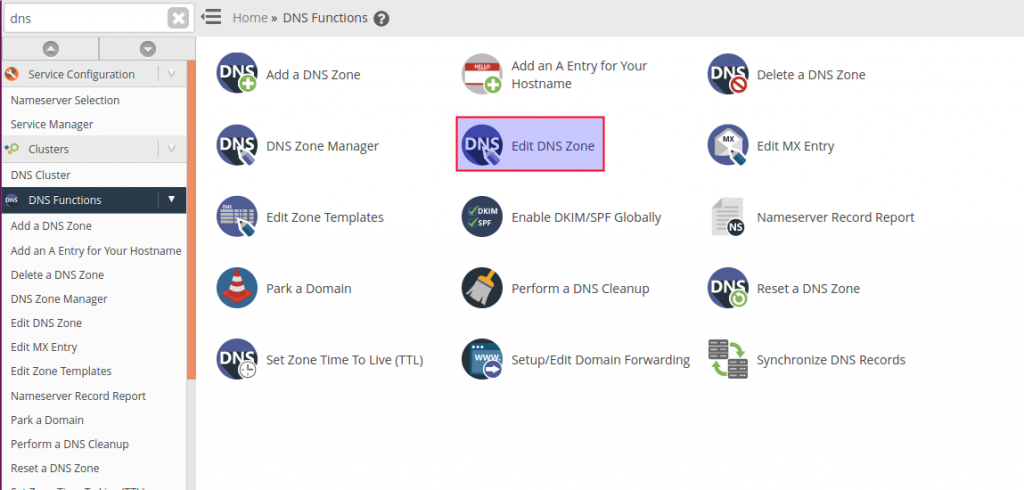
Choose Edit DNS zone icon under the DNS function section.
Step: 4
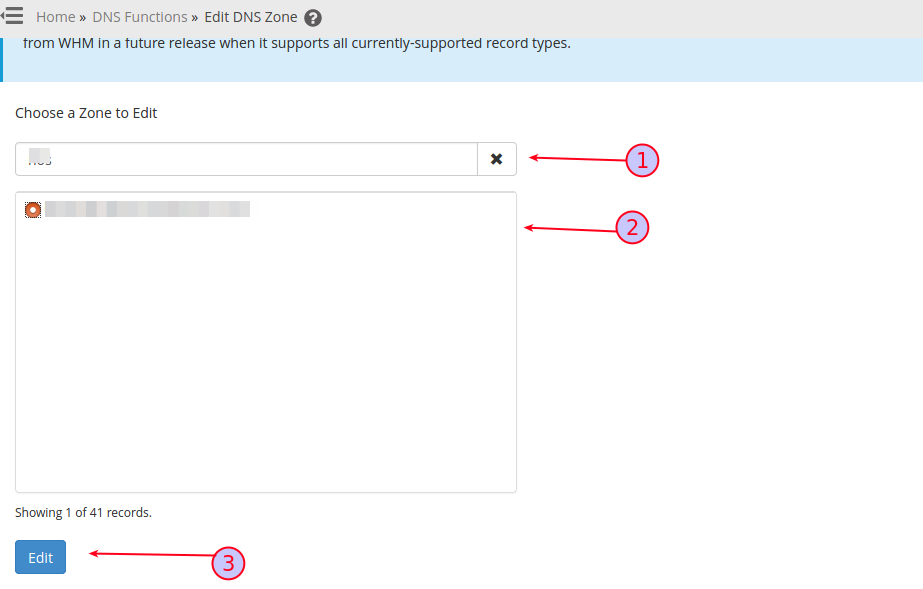
- Search the domain you want to add the records.
- Select the domain.
- Click edit option.
Step: 5
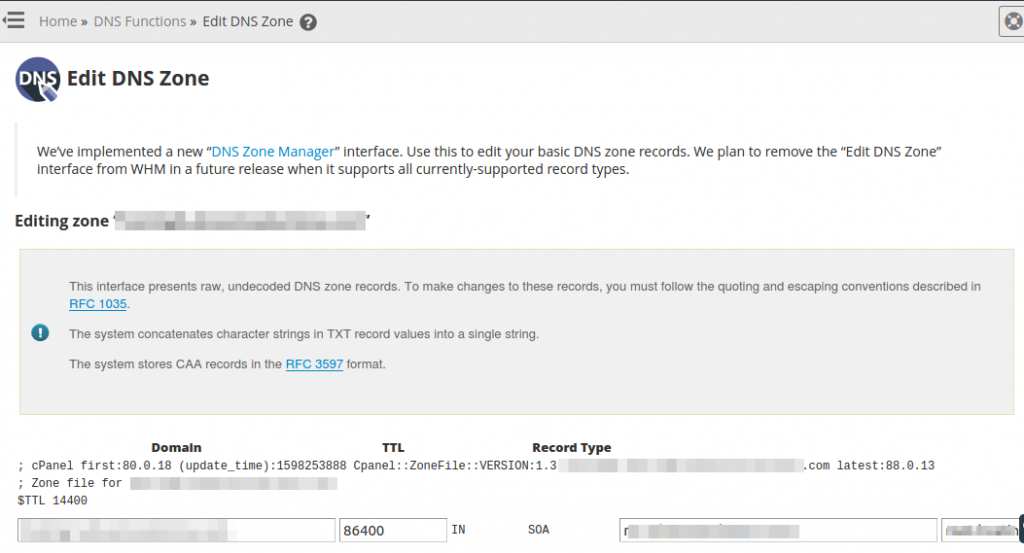
Now you can edit the DNS record . Finall you add all the records scroll down the page click save option.
Conclusion:
Using WHM, managing DNS records is straightforward and efficient. Proper DNS configuration ensures your domain correctly connects to hosting services, email servers, and external applications.
Always double-check your entries before saving, as incorrect DNS records can lead to service disruptions.