Introduction
Plesk provides an easy-to-use interface for creating and managing databases for websites and applications. You can create a database, assign a database user, and configure the required permissions directly from the Plesk control panel.
This guide explains how to create a database and database user in Plesk.
Prerequisites
Before creating a database, make sure you have:
- Access to the Plesk control panel.
- Sufficient permissions to create databases.
- The required database type, such as MySQL or MariaDB.
- A database name and username ready for configuration.
Steps to Create a Database in Plesk
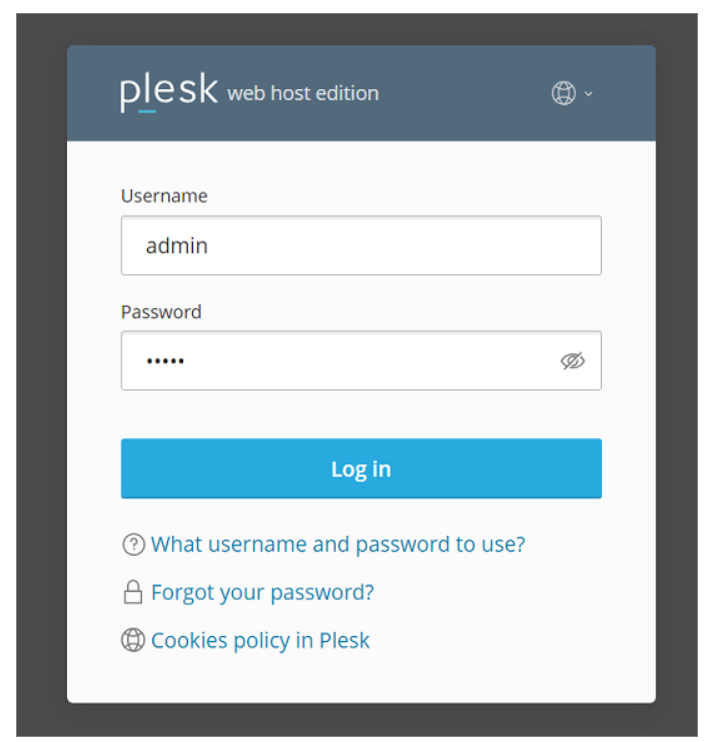
Step 1: Log in to Plesk.
Log in to your Plesk control panel using your administrator credentials.
Step 2: Open Databases
From the Plesk dashboard:
- Select Websites & Domains.
- Locate the required domain.
- Click Databases.
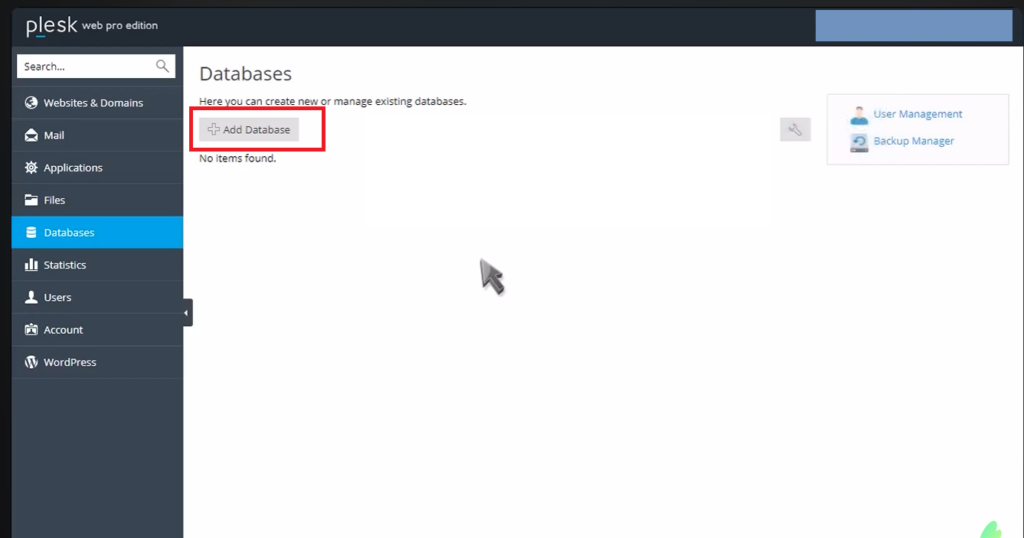
Step 3: Create a New Database
On the Databases page:
- Click Add Database.
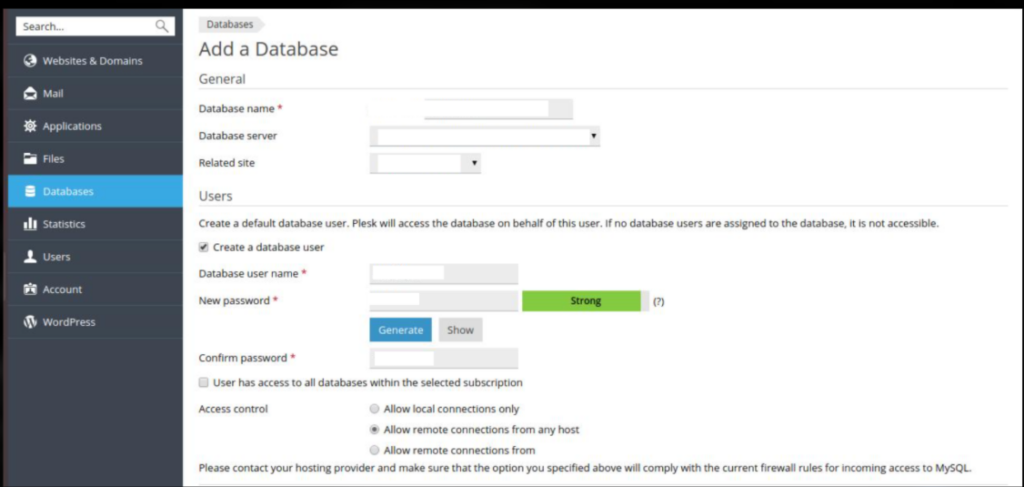
- Enter the required database details:
- Database name: Enter a name for the database.
- Related site: Select the domain associated with the database, if prompted.
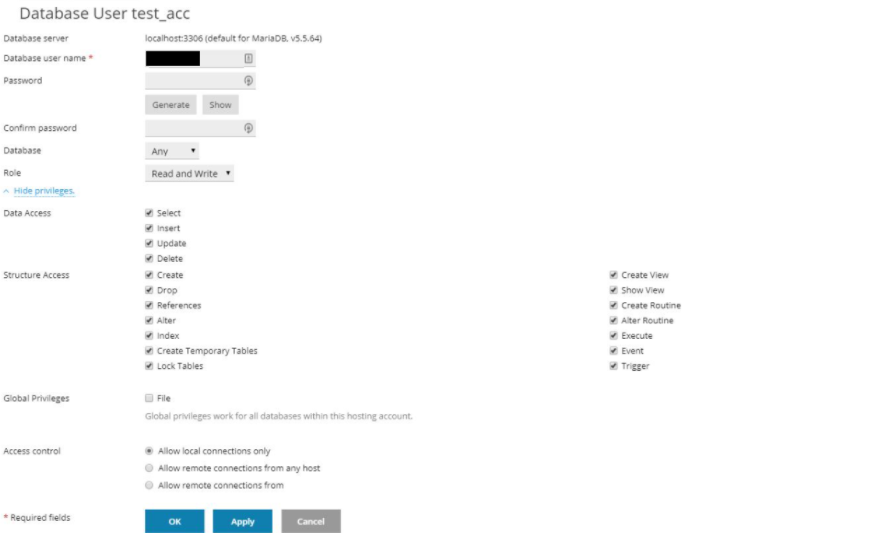
- Database user name: Create a new database user.
- Password: Enter a strong password for the database user.
- Click OK or Create Database.
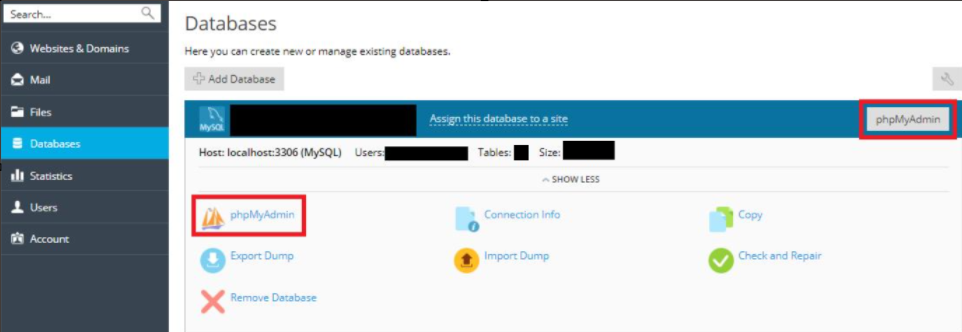
Step 4: Verify the Database
After the database is created, it will appear under the Databases section.
You can use this section to:
- View database details.
- Manage database users.
- Change database user passwords.
- Open database management tools such as phpMyAdmin, depending on your Plesk configuration.
- Manage database permissions.
Conclusion
Creating a database in Plesk is a straightforward process. By using the Websites & Domains → Databases → Add Database option, you can quickly create a database and database user for your website or application.
Always keep your database credentials secure and ensure that the database user has only the permissions required by your application.
Official Plesk Resources
- Plesk – How to Create a Database – Official Plesk KB explaining database creation for both Linux and Windows. How to create a database in Plesk
- Plesk Documentation – Managing Database User Accounts – Details on creating, updating, and managing database users and their permissions. Managing Database User Accounts
FAQ – Frequently Asked Questions
1. How do I create a database in Plesk?
Log in to Plesk and go to Websites & Domains → Databases → Add Database. Enter the required database details and click OK. Plesk Support
2. Can I create a database user while creating a database?
Yes. Plesk allows you to associate a database user with the database. A database should have at least one associated user account for database access. Plesk Documentation
Related Articles
- How to Add a User in Plesk – Learn how to create a Plesk user account, assign user roles, and configure subscription access.
Talk to our experts.
Looking for the right technology solution for your business? Our team of experts can help you with development, cloud, DevOps, design, and a wide range of other technology needs. Get in touch with our team here: Contact Page