Introduction
The Virus Scanner in cPanel helps detect malicious files, viruses, and malware within your hosting account. Regular scanning ensures your website remains secure and protects your data from potential threats.
Prerequisites
Before proceeding, ensure the following:
- Access to your cPanel account
- Virus Scanner feature enabled on your hosting server (may not be available on all shared hosting plans)
- Basic understanding of file structure
Implementation
Step : 1
Login to your cPanel.
Step : 2
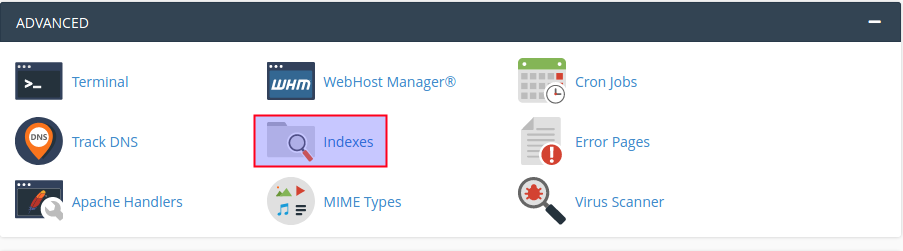
Click indexes icon under the advanced section.
Step : 2
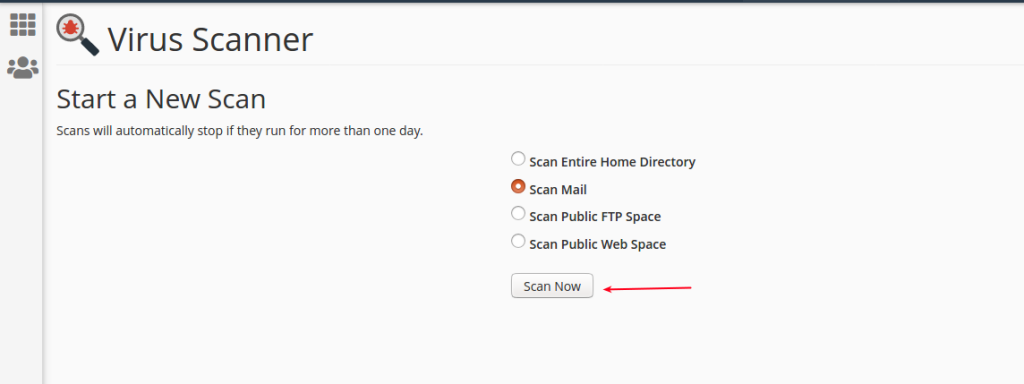
Choose scan type and click scan now button.
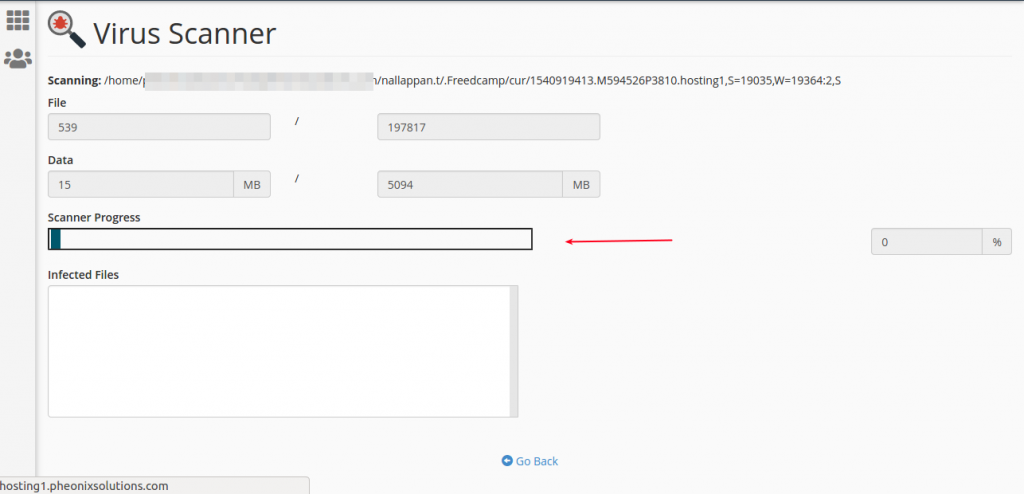
You can see the scanning process.
Conclusion
Using the Virus Scanner in cPanel is an effective way to detect and manage security threats in your hosting account. Regular scans help maintain website integrity and ensure a secure hosting environment