Introduction
Enabling PHP extensions allows your applications to use additional functionality such as ZIP, GD, and CURL. In cPanel, you can enable PHP extensions easily using the PHP PEAR Packages feature.
Prerequisites
- Access to cPanel
- Valid login credentials
- Required PHP extension/module name
Implementation
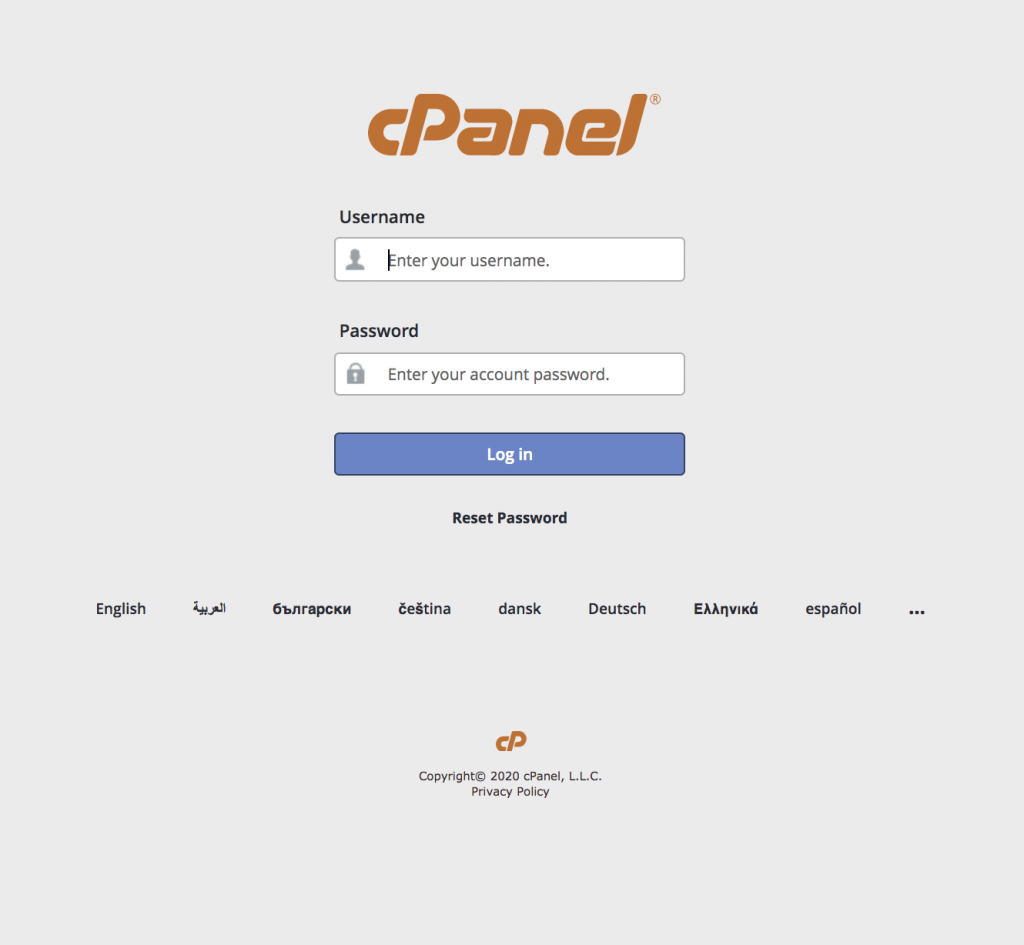
Step 1: Log in to your cPanel account and go to the software section.
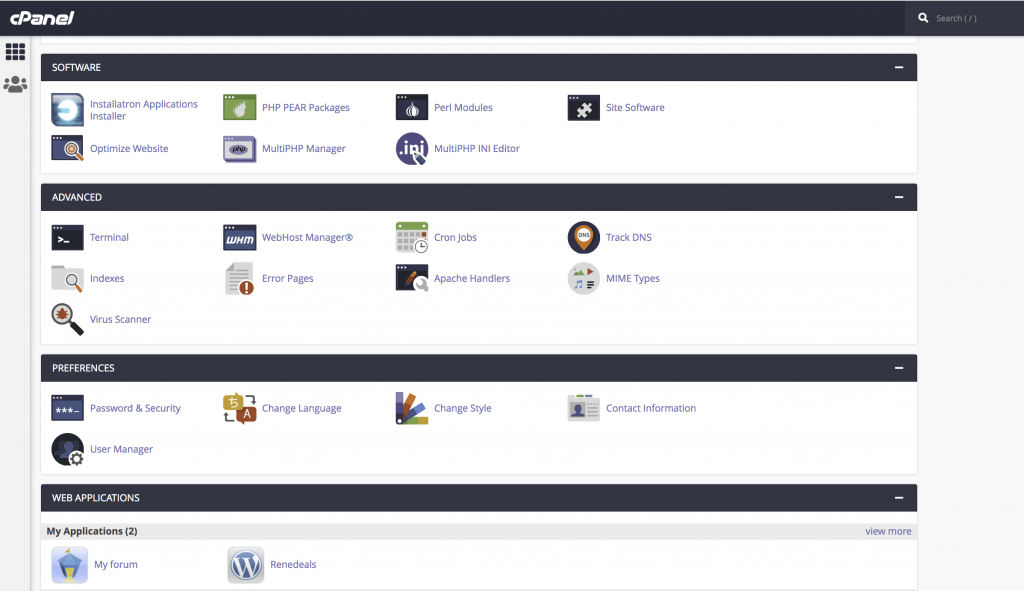
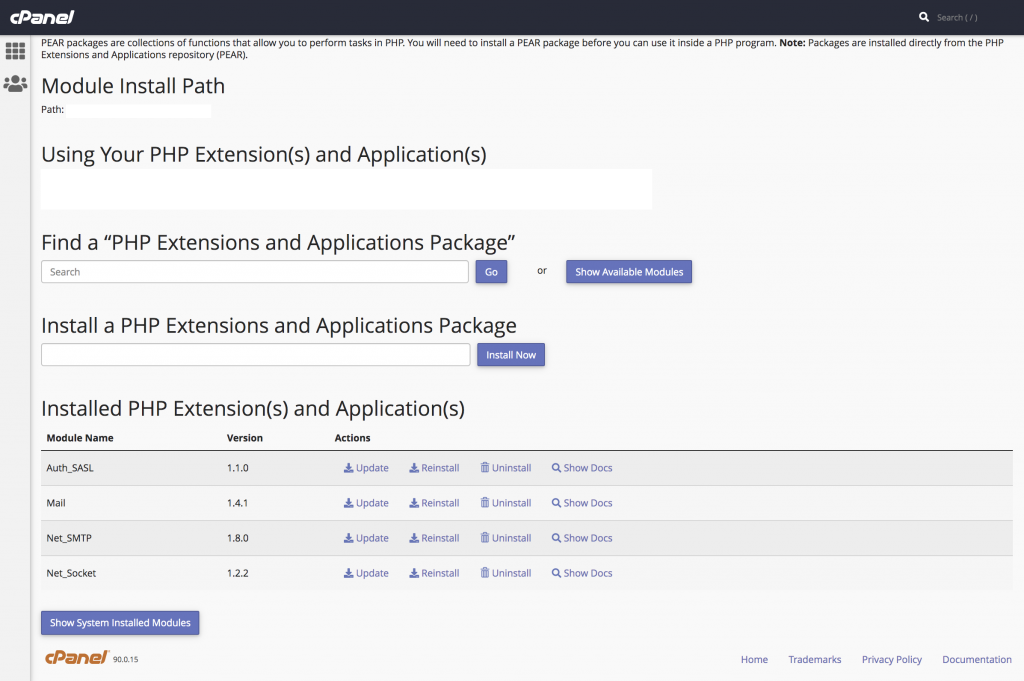
Step 2: Select the PHP PEAR Package.
Step 3:
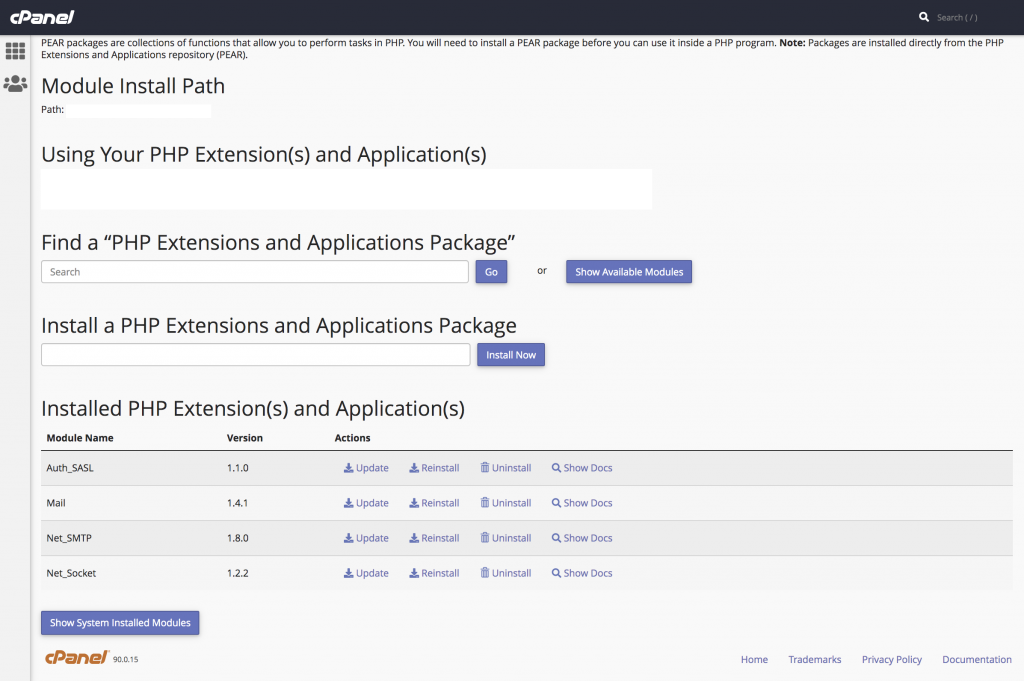
- Type the required PHP module or extension name in the search bar under “Find a PHP Extensions and Applications Packages.”
- Click “Go” or select “Show Available Modules.”
Step 4:
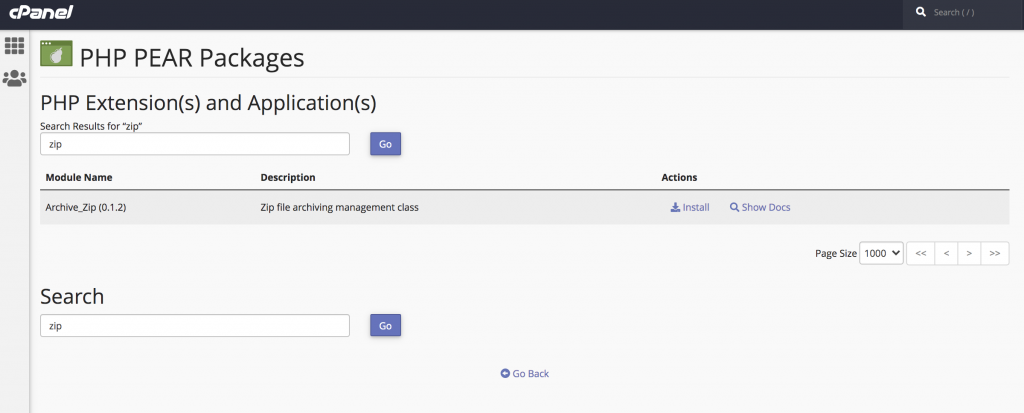
- The required module will be displayed
- Click on the “Install” option under Actions
- Example: Searching for the Zip module will show the module to install
Step 5:
- After installation, you can see the module under Installed PHP Extension(s) and Applications(s)
Conclusion
By using the PHP PEAR Packages feature in cPanel, you can quickly enable and manage the PHP extensions required for your applications.