
Post Date: January 16, 2021
Last Updated: November 23, 2026
Introduction
Downloading files from an AWS S3 Bucket is a common task for system administrators and DevOps engineers who need to retrieve backups, logs, application files, or other stored data from cloud storage to a local machine or Linux server. Amazon S3 provides reliable cloud storage, while S3cmd makes it easy to access and manage files directly from the command line.
In this blog, we will explain how to install S3cmd, configure AWS credentials, list available buckets, and download files from Amazon S3 to a Linux server using simple commands.
Prerequisites
- Linux server (CentOS, Ubuntu, or Debian).
- Root or sudo access.
- AWS Access Key and Secret Key.
- An S3 bucket with files available for download.
Implementation Steps
Step 1: Install S3cmd
Install S3cmd based on your Linux distribution.
CentOS:
yum install s3cmd -yUbuntu/Debian:
sudo apt update
sudo apt install s3cmd -y
Step 2: Configure S3cmd
Run the following command to configure S3cmd with your AWS credentials.
s3cmd --configureEnter the AWS Access Key, Secret Key, and region when prompted. Keep HTTPS enabled and complete the configuration.
Step 3: List S3 Buckets
To list all available S3 buckets, run:
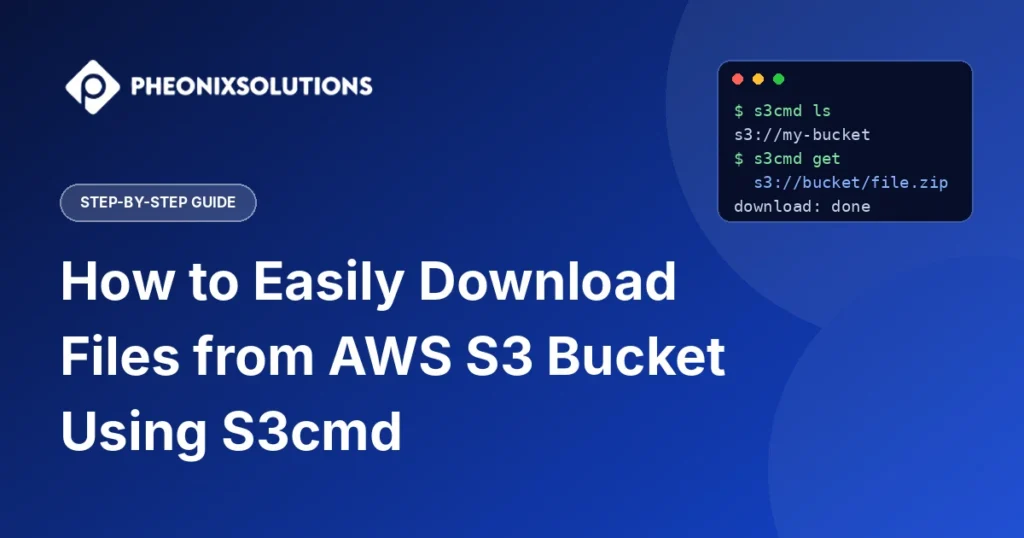
s3cmd lsThis command displays the buckets accessible using the configured credentials.
Step 4: List Files Inside a Bucket
To view the files available inside a specific bucket, run:
s3cmd ls s3://bucket-name/Replace bucket-name with your actual S3 bucket name.
Step 5: How to Download Files from AWS S3 Bucket Using S3cmd
To download a file from an S3 bucket to your local server, use:
s3cmd get s3://bucket-name/file.txtThe file will be downloaded to the current working directory.
To download the file to a specific location:
s3cmd get s3://bucket-name/file.txt /home/user/file.txtIf you need assistance with AWS S3 file transfers, bucket configuration, access permissions, or cloud storage management, feel free to reach out to our team here. We can help you with AWS cloud services, storage management, and infrastructure solutions.
Conclusion
S3cmd provides a simple way to download files from Amazon S3 to a local Linux server. By installing the utility, configuring AWS credentials, and using the get or sync commands, we can easily retrieve individual files or multiple files from an S3 bucket.
This method is useful for server administrators and DevOps engineers who need to manage backups, transfer files, or retrieve data from AWS S3 storage.
FAQs
1. What is S3cmd?
S3cmd is a command-line utility used to manage Amazon S3 buckets, including uploading, downloading, syncing, and listing files.
2. How can I list all available S3 buckets?
Use the following command to list all buckets accessible with your configured AWS credentials:
s3cmd ls
3. How do I download a specific file from an S3 bucket?
Use the s3cmd get command followed by the S3 file path:
s3cmd get s3://bucket-name/file.txt
4. Can I download files to a specific directory?
Yes. Specify the destination path along with the S3 file path:
s3cmd get s3://bucket-name/file.txt /home/user/file.txt
5. How can I download multiple files from an S3 bucket?
You can use the s3cmd sync command to download multiple files or an entire bucket directory:
s3cmd sync s3://bucket-name/ /backup/s3-files/
Official Documentation
S3cmd Official Usage Documentation: S3cmd Usage and Commands
AWS S3 Documentation: Amazon S3 User Guide
Related Articles
How to Create an AWS S3 Bucket Using Terraform
How to Copy Objects Between AWS S3 Buckets Using AWS CLI
Talk to AWS and Cloud Experts
Managing Amazon S3 buckets, transferring files between cloud storage and Linux servers, and configuring access permissions require proper cloud infrastructure management. At Pheonix Solutions, our team helps businesses manage AWS environments, streamline data transfers, configure cloud storage, and maintain reliable infrastructure.
We can help you with:
- DevOps and cloud services for AWS infrastructure management, S3 bucket configuration, cloud storage integration, and data migration.
- Software maintenance and support to troubleshoot S3 access issues, monitor server performance, and maintain reliable cloud environments.
- VPS hosting services to manage Linux servers, configure storage integrations, and maintain secure hosting environments.
Need help managing AWS S3 buckets, downloading files using S3cmd, or configuring cloud storage permissions? Talk to our AWS and Cloud experts to discuss your requirements.