Post Date: April 5, 2019
Last Updated: October 15, 2026
Introduction
This guide explains how to fix the error processing package javascript-common on Ubuntu. It typically appears in the middle of a larger install, such as setting up VestaCP, and stops everything else queued in that run:
Setting up javascript-common (11) ...
dpkg: error processing package javascript-common (--configure):
 subprocess installed post-installation script returned error exit status 1
Errors were encountered while processing:
 javascript-common
E: Sub-process /usr/bin/dpkg returned an error code (1)
The error processing package javascript-common message means the package’s setup script failed, so dpkg left it half-configured. The quick fix is to purge the package, but you also need to finish the interrupted installation afterward, which the original guide skipped.
Note: Ubuntu 18.04, where this was first seen, reached end of standard support on May 31, 2023. The fix below works on any Ubuntu or Debian release, and a new server should use a supported release. Also, VestaCP’s development has largely stalled (its last tagged release was in 2021). HestiaCP, a fork started in 2019, is the actively maintained continuation, so consider it for new installs.
Prerequisites
Before you fix the error processing package javascript-common, make sure you have:
- Root or sudo access to the server
- The terminal output from the failed install, if you still have it
Architecture
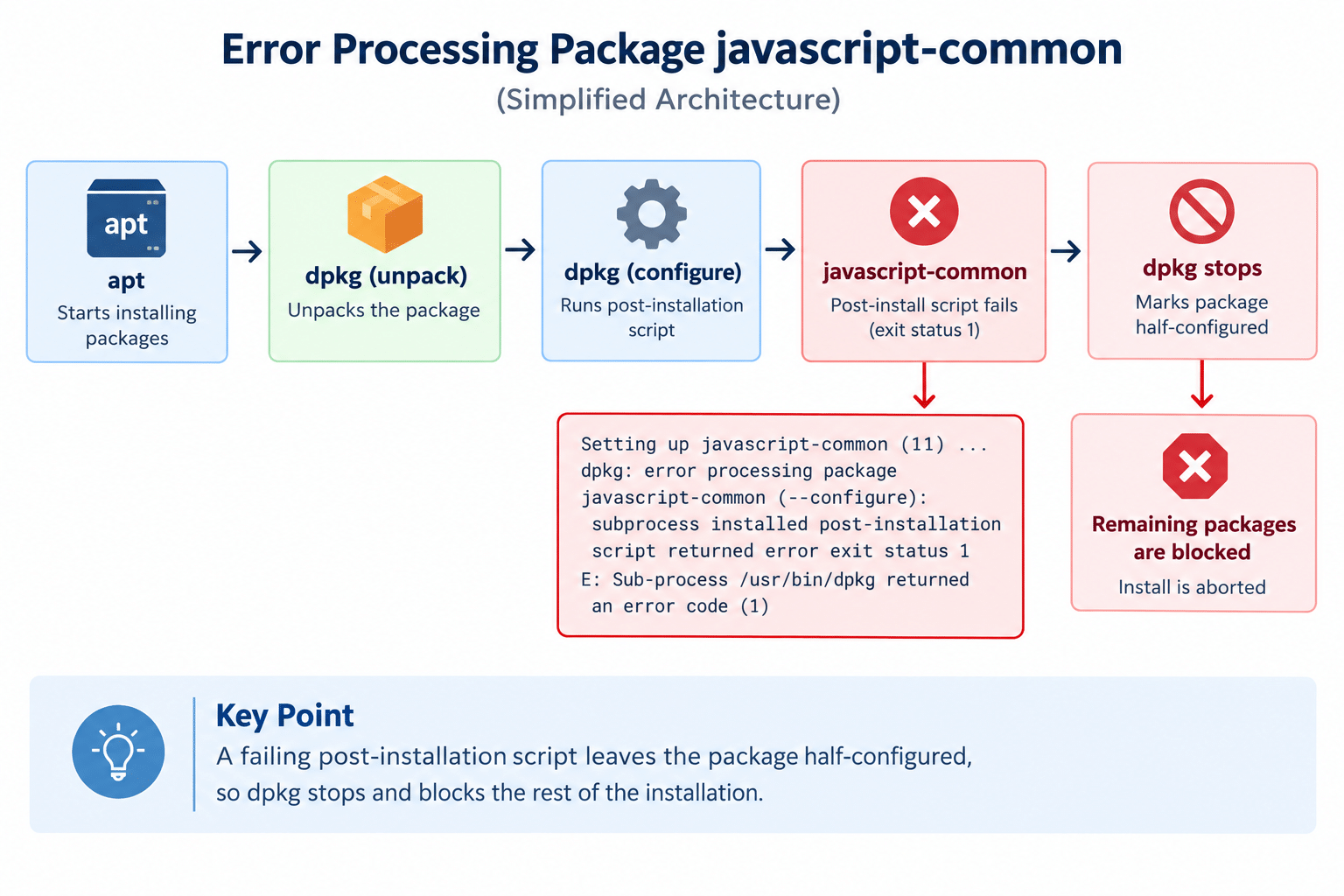
aptinstalls packages in two stages.dpkgfirst unpacks each package, then configures it by running its post-installation script- The script for javascript-common sets up an Apache configuration snippet, so it depends on Apache being in a working state at that moment
- If the script exits with an error,
dpkgmarks the package half-configured andaptaborts, which blocks every other package queued in the same run
The diagram below shows how the error processing package javascript-common stops an install:
Steps to Fix the Error Processing Package javascript-common
1. Read the Full Error Output
sudo dpkg --configure -a
This reruns the failed configuration and prints the lines just above the “dpkg: error processing” message. Those lines often contain the real reason the script failed, usually an Apache error, and they explain why the error processing package javascript-common appeared.
2. Check Apache’s Health
sudo apache2ctl configtest
sudo systemctl status apache2
If configtest reports a problem, or Apache can’t start, fix that first. A half-finished VestaCP install can leave Apache misconfigured or unable to start, since the installer reconfigures both Apache and Nginx. Once Apache is healthy, rerun sudo dpkg --configure -a. The package may configure itself without any removal.
3. Purge javascript-common
If Apache isn’t the problem, or you just want to get past it, remove the package completely:
sudo apt-get purge javascript-common
This is the fix that clears the error processing package javascript-common in most cases. The original guide used apt-get --purge remove javascript-common, which does the same thing. Purging deletes the package’s configuration files as well as the program, which is why it clears a half-configured package.
javascript-common is a small, optional package that mainly provides a /javascript alias for Apache. If apt lists other packages that will be removed with it, read the list carefully before you confirm.
4. Finish the Interrupted Installation
Removing the package fixes only the failing piece. The install that was interrupted still needs completing:
sudo dpkg --configure -a
sudo apt-get install -f
dpkg --configure -a finishes configuring any package left half-configured. apt-get install -f repairs broken dependencies and completes pending installs.
5. Verify and Re-run the Installer
Confirm nothing is still broken:
sudo dpkg --audit
No output means no packages are in a broken state. Then re-run your installer.
VestaCP’s installer expects a clean system, so it may refuse to run if parts of the stack are already installed. If it does, the cleanest path is to start again from a fresh OS image rather than layering a second install on a half-finished one.
Conclusion
The error processing package javascript-common comes down to a failing post-installation script, usually tied to Apache’s state. Check Apache first, purge the package if needed, and then finish the interrupted installation with dpkg --configure -a and apt-get install -f. Skipping that last step leaves the rest of the original install unfinished.
Frequently Asked Questions
Why does the error processing package javascript-common stop the whole installation? When a package’s setup script fails, dpkg marks it half-configured and apt aborts the run, so every other package queued after it is left unfinished too.
Is it safe to purge javascript-common? Generally yes. It’s a small, optional package. Just read the list apt shows before confirming, in case something else depends on it.
Will the error processing package javascript-common come back? If the cause is an unhealthy Apache, other Apache-related packages can fail the same way until Apache is fixed. Run apache2ctl configtest and resolve any errors it reports.
Does this fix only apply to VestaCP? No. Any install that pulls in javascript-common as a dependency can hit this error, and the same steps apply.
Related Articles
How to Generate PDF Files Using JavaScript
Understanding Browser Cookies in JavaScript
Talk to Our Technology Experts
Running into package errors or planning a control panel migration? Our team can help with Linux server administration, control panel setup and migration, and ongoing support.