
How to enable and disable startup apps in Windows 10

Date: 12-06-2021

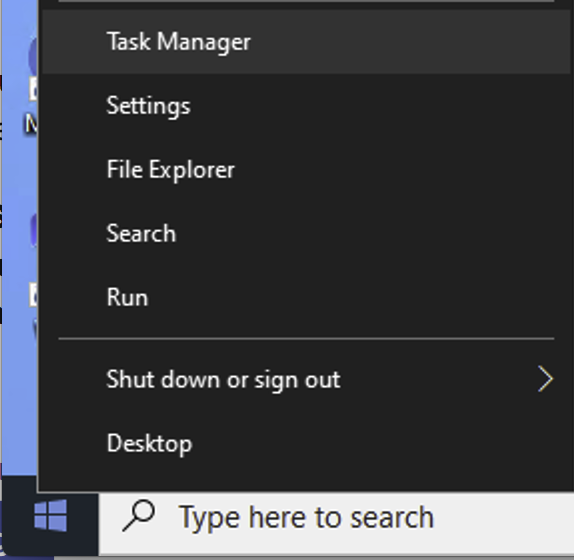
Step 1: Right-click the Start button and select Task Manager then select the Startup tab.
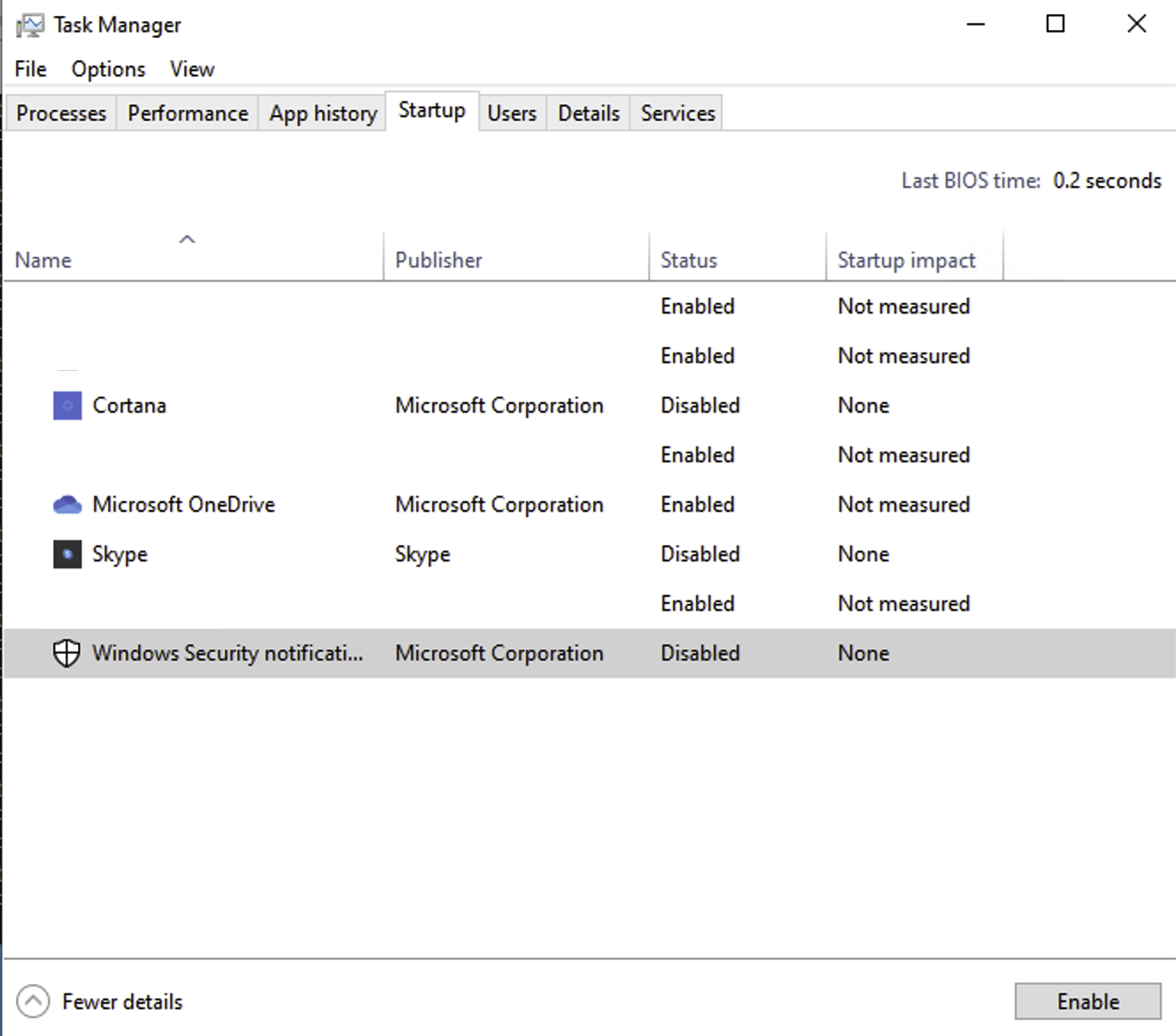
Note: If you don’t see the Startup tab, select More details in Task Manager.
Step 2: Select the app you want to Enable to run it at system startup or Disable it doesn’t run at system startup.
Thank you!
Leave a Reply

This website stores cookies on your computer. These cookies are used to provide a more personalized experience and to track your whereabouts around our website in compliance with the European General Data Protection Regulation. If you decide to to opt-out of any future tracking, a cookie will be setup in your browser to remember this choice for one year.

Accept or Deny