Post Date: January 16, 2019
Last Updated: October 09, 2026
Introduction
Securing webmail with SSL/TLS helps protect the connection between users and the webmail application. When webmail is accessed over HTTP, the connection is not encrypted. By redirecting HTTP requests to HTTPS, you can ensure that users access webmail through a secure connection.
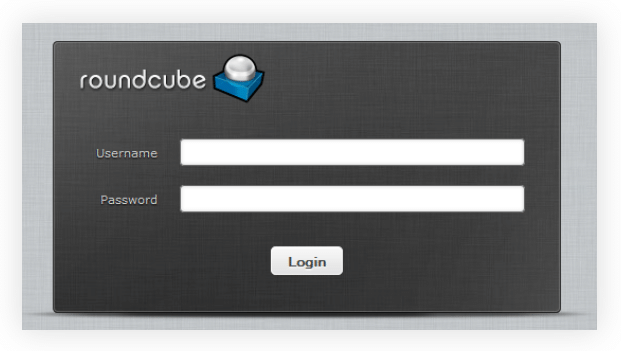
In this tutorial, we will explain how to force Webmail to use HTTPS in VestaCP by updating the Roundcube .htaccess file with Apache rewrite rules and verifying the redirect using cURL.
Prerequisites
Before proceeding, make sure you have:
- A server running VestaCP.
- Webmail installed and accessible through Roundcube.
- A valid SSL certificate configured for your webmail hostname.
- SSH access or permission to edit the relevant server files.
- Apache
mod_rewriteenabled.
Step 1: Locate the Roundcube Configuration File
To force webmail to use HTTPS, locate the .htaccess file in the Roundcube installation directory.
The original tutorial identifies this path:
/var/lib/roundcube/.htaccess
Open the file using a text editor:
sudo nano /var/lib/roundcube/.htaccess
Before making changes, create a backup of the existing file:
sudo cp /var/lib/roundcube/.htaccess \
/var/lib/roundcube/.htaccess.bak
This backup allows you to restore the previous configuration if required.
Step 2: Add the HTTPS Rewrite Rules
Add the following rules to the .htaccess file, under the existing RewriteRule section or near the beginning of the file if no conflicting rules exist.
# Force SSL usage
RewriteEngine On
RewriteCond %{HTTPS} off
RewriteRule (.*) https://%{HTTP_HOST}%{REQUEST_URI} [R=301,L]
Explanation
RewriteEngine Onenables Apache URL rewriting.RewriteCond %{HTTPS} offchecks whether the request is using an unencrypted HTTP connection.RewriteRuleredirects the request to HTTPS while preserving the hostname and requested URL path.[R=301,L]issues a permanent redirect and stops processing further rewrite rules.
Apache documents this approach for redirecting HTTP requests to HTTPS when using .htaccess.
Apache HTTP Server Version 2.4
Important: Make sure the SSL certificate is valid for the hostname used in the redirect. If the webmail service is accessed through a specific hostname, such as webmail.example.com, verify that the certificate covers that hostname.
Step 3: Verify the HTTPS Redirect Using cURL
After saving the changes, verify that HTTP requests are redirected to HTTPS.
Run the following command, replacing webmail.example.com with your actual webmail hostname:
curl -I http://webmail.example.com/webmail/
The response should contain a redirect status, such as:
HTTP/1.1 301 Moved Permanently
Location: https://webmail.example.com/webmail/
The exact status and response headers may vary depending on the server configuration.
To follow the redirect and inspect the final response, use:
curl -IL http://webmail.example.com/webmail/
Check that the final URL uses HTTPS and that the request reaches the expected webmail page.
If the redirect does not work, confirm that Apache rewrite rules are enabled and that the .htaccess file is being read by the web server.
Conclusion
In this tutorial, we covered how to force Webmail to use SSL/HTTPS in VestaCP by editing the Roundcube .htaccess file, adding Apache rewrite rules, and verifying the redirect using cURL.
This helps ensure that users accessing webmail over HTTP are redirected to the secure HTTPS URL. Remember to verify the SSL certificate and test the redirect before relying on the configuration in production.
Frequently Asked Questions
1. Why should Webmail use HTTPS?
HTTPS encrypts communication between the browser and the webmail server, helping protect login credentials and email-related information in transit.
2. Which file is used in this tutorial?
The original tutorial uses /var/lib/roundcube/.htaccess to configure the redirect.
3. How can I check whether the redirect works?
Use curl -I with the HTTP webmail URL and check the response headers for a redirect to the HTTPS URL.
4. Does the redirect work without an SSL certificate?
No. The destination HTTPS hostname needs a valid, correctly configured SSL certificate for secure access without certificate warnings.
Related Articles
- Laravel Installation in VestaCP Account
- Webmail Subdomains Mapping in VestaCP
- Add Webmail Alias in VestaCP Panel – Ubuntu 16.04
Talk to Our Experts
Need help configuring SSL certificates, securing webmail, or managing your hosting server? Our experts can help you find the right solution for your business.
Get in touch with us: Contact our team