Create MySQL Databases and users in cPanel
Date: 25-Oct-2019
Introduction
This guide explains how to create a MySQL database and database users in cPanel and how to assign the necessary privileges so users can access and manage the database.
Prerequisites
- Valid cPanel login credentials
- Access to the Databases section in cPanel
- Basic understanding of databases and users
- Implementation
- Creating a Database in cPanel
Creating a database in cPanel
Step 1:
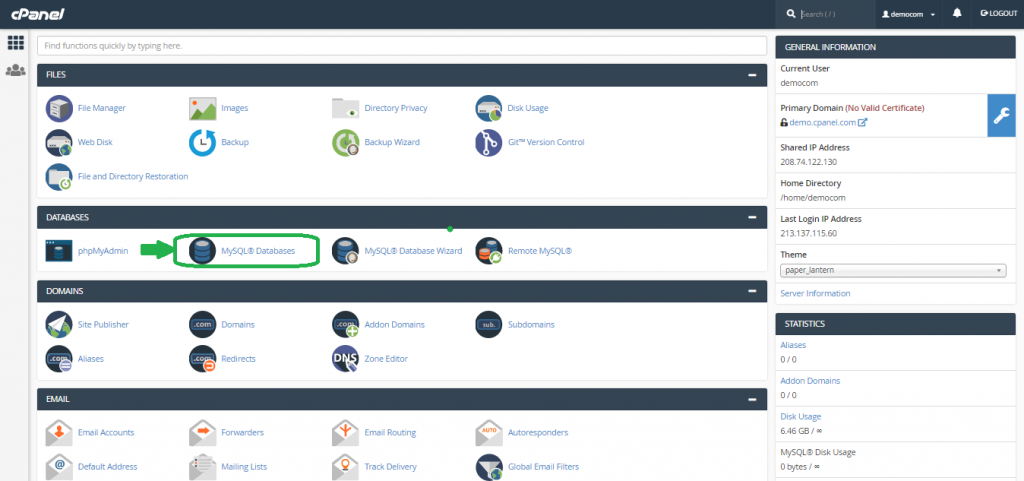
- Log in to your cPanel account and navigate to the DATABASES section.
- Then click on
MySQL Databases.
Step 2:
- In the new interface, locate the New Database field.
- Enter the desired database name.
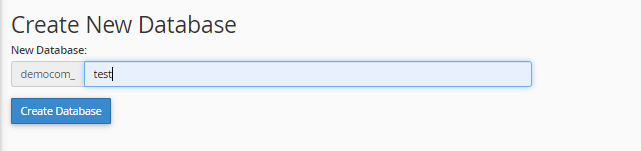
The database name is automatically prefixed with your cPanel username.
Example: If the username is democom and the database name is test, the final name will be democom_test.
Step 3:
- Click Create Database.
- A success message will confirm database creation.
- Verify the database under the Current Databases section.
- Creating a Database User

So, we have successfully created a new database now!!!.
Let us now create a database user to access the database.
Creating a database user
Step 1:
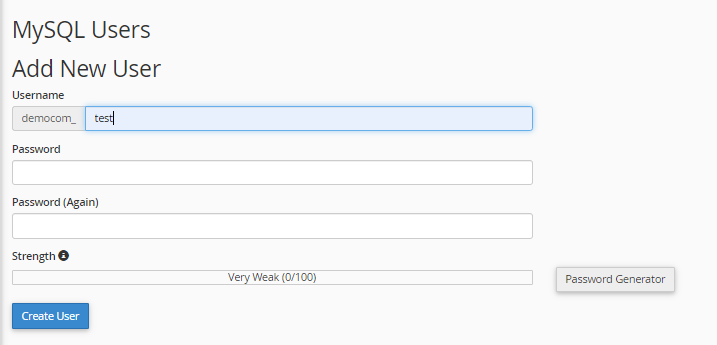
Navigate to MySQL Users → Add New User.
Step 2:
- Enter the username for the database user.
- The username will also be prefixed with your cPanel username.
Example: democom_test
Step 3:
- Enter a strong password twice or use the Password Generator.
Step 4:
- Click Create User.
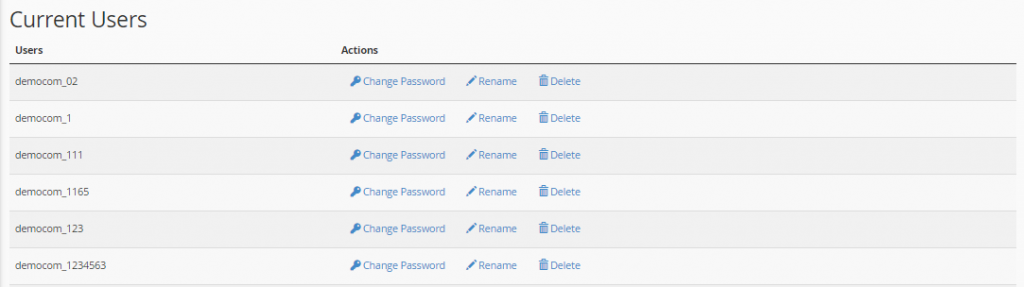
- The user will appear under the Current Users section.
- Adding a User to the Database
Adding a user to the database
Step 1:
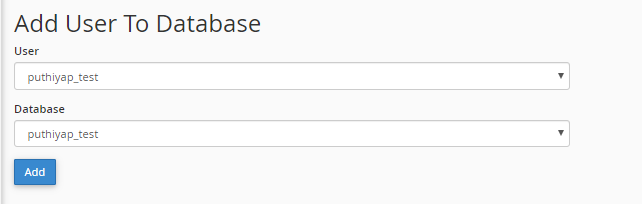
- Go to Add User To Database under the MySQL section.
Step 2:
- Select the user from the User dropdown
- Select the database from the Database dropdown
- Click Add
Step 3:
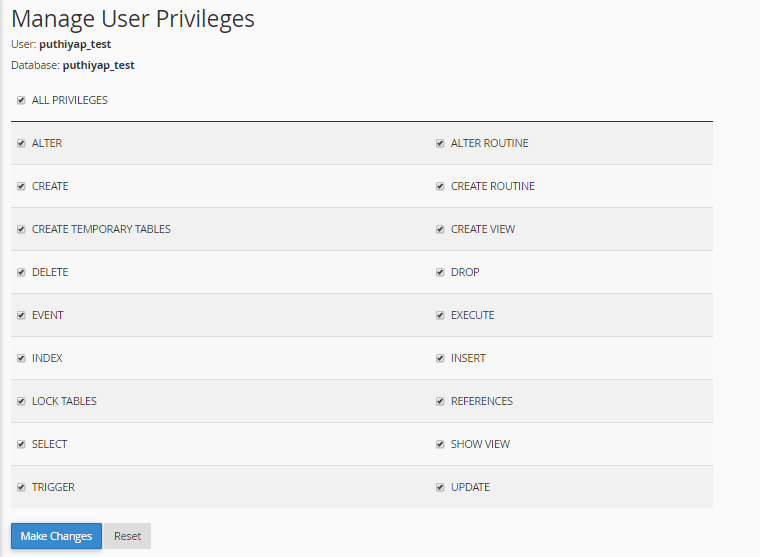
Assign privileges:
- Select ALL PRIVILEGES for full access Or choose specific privileges as required
- Click Make Changes
Conclusion
By following these steps, you can successfully create a MySQL database, create a user, and assign appropriate privileges in cPanel. This ensures secure and controlled access to your database.