Introduction
Bandwidth usage in cPanel helps you monitor the amount of data transferred between your website and its visitors. Tracking bandwidth is important to ensure your hosting account stays within limits and performs efficiently.
Prerequisites
Before proceeding, ensure the following:
- Access to your cPanel account
- Basic understanding of hosting metrics
Implementation
Step : 1
Login to your cPanel.
Step : 2
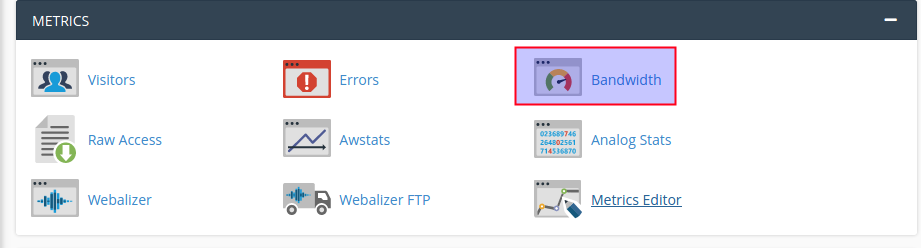
Click bandwidth icon under the metrics section.
Step : 3
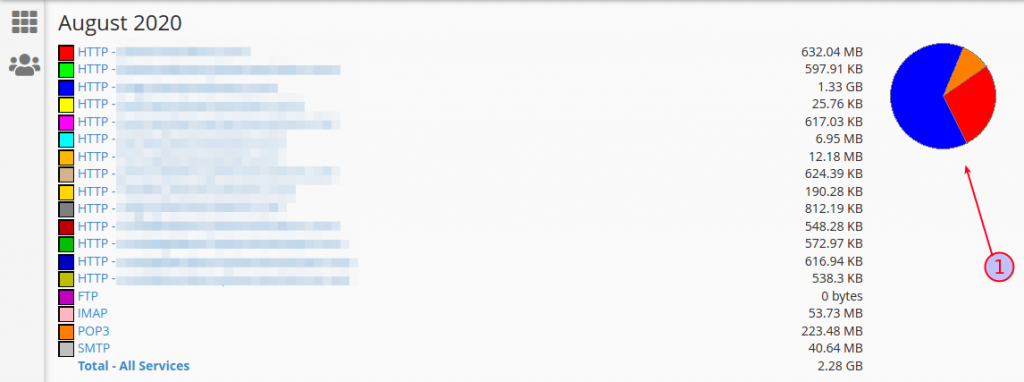
You can see the bandwidth usage statistics. Click (1) you can get the daily bandwidth usage of that month.
Step : 4
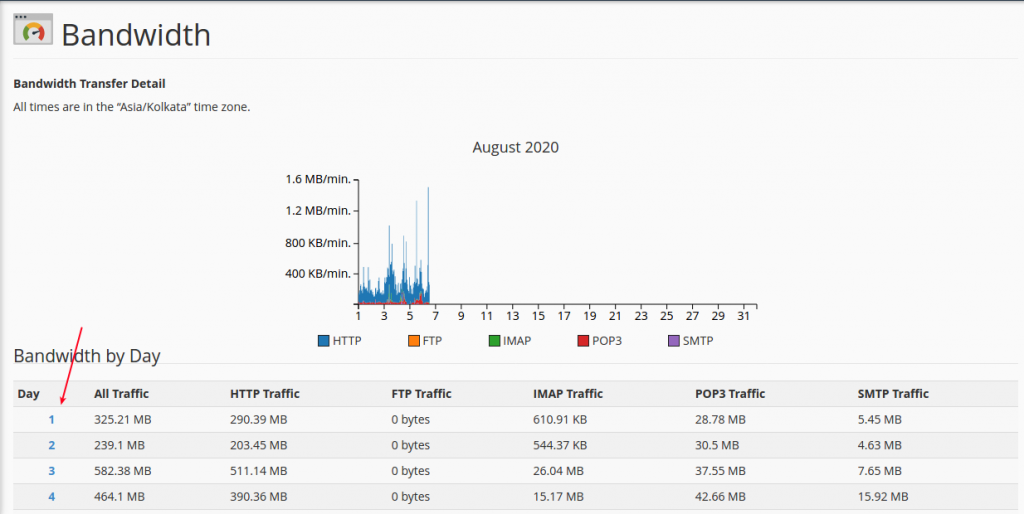
Click a number to view more bandwidth information for that day.
Conclusion
The Bandwidth feature in cPanel provides a clear overview of your data usage and helps you manage your hosting resources effectively. Monitoring it regularly ensures better performance and prevents unexpected overages.