Introduction
The PHP memory_limit setting controls the maximum amount of memory a PHP script can consume. Increasing this value in cPanel can help resolve issues related to memory exhaustion for websites and applications.
Prerequisites
- Access to cPanel
- Valid login credentials
- Website hosted on the server
Implementation
How to Modify PHP memory_limit for Your Website in cPanel
Step 1:
Log in to your cPanel account.
Step 2:
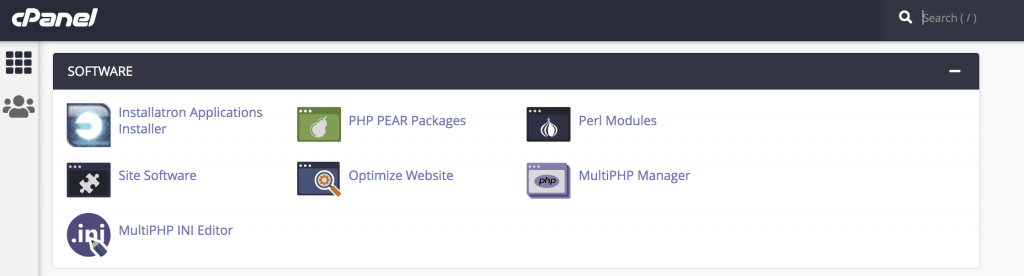
Click MultiPHP INI Editor under the SOFTWARE section in the cPanel dashboard.
Step 3:
In MultiPHP INI Editor, there will be two modes:
- Basic Mode
- Editor Mode
Click on Basic Mode.
Under Configure PHP INI Basic Settings, select the location, which is the domain’s root document, to open the corresponding PHP configuration.
Select your domain from the drop-down menu.
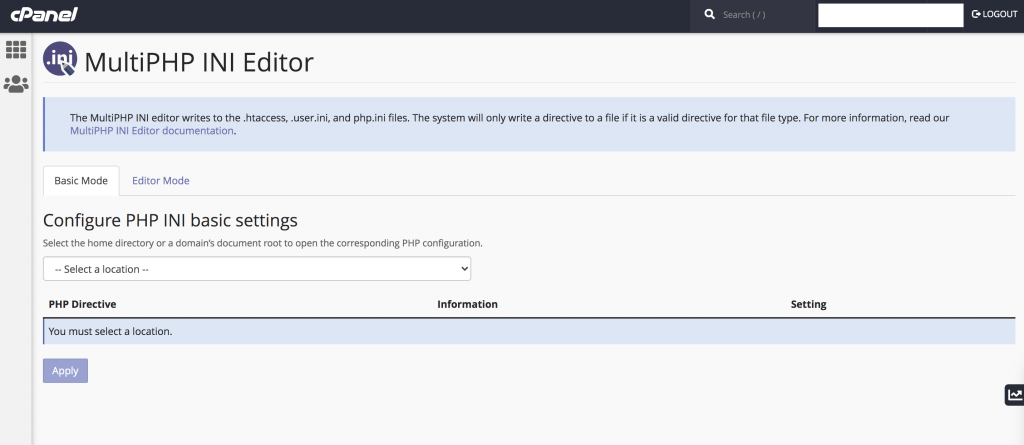
Select your domain from the drop-down menu.
Step 4:
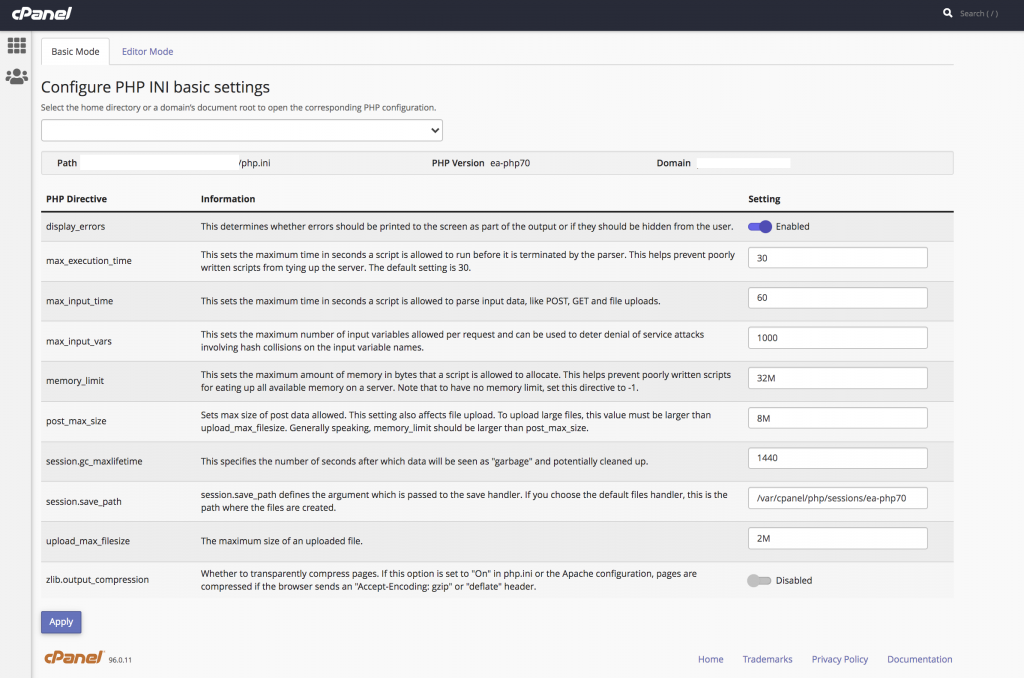
You can now see the list of PHP directives.
Locate the memory_limit directive and enter the maximum memory limit required for your website.
Click Apply to save the changes.
Conclusion
By modifying the PHP memory_limit in cPanel, you can allocate additional memory resources for your website applications and improve PHP script execution.