Introduction
cPanel allows you to create subaccounts for managing email, FTP, and Web Disk access. Subaccounts use synchronised login credentials across the enabled services, making account management easier and more secure.
Prerequisites
- Access to cPanel
- Valid login credentials
- Domain already configured in cPanel
Implementation
How to Create Subaccounts in cPanel
Step 1:
Log in to your cPanel account.
Step 2:
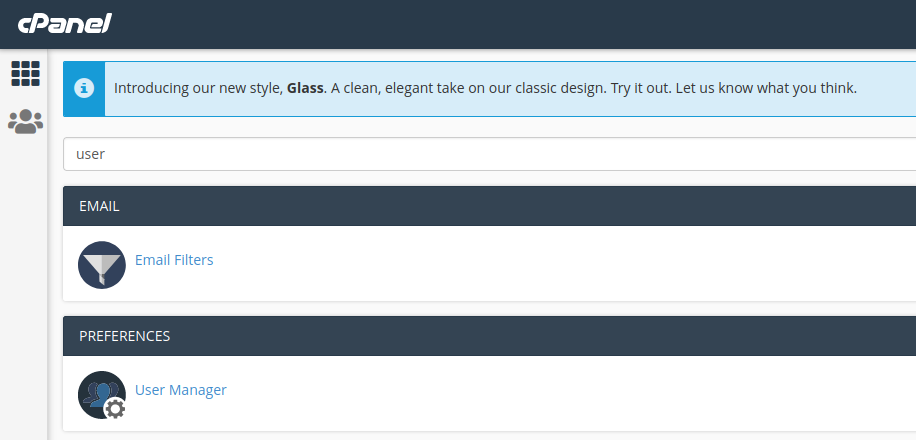
Type “user” in the search bar.
You will see User Manager. Click on it.
Step 3:
Click Add User.

Step 4:
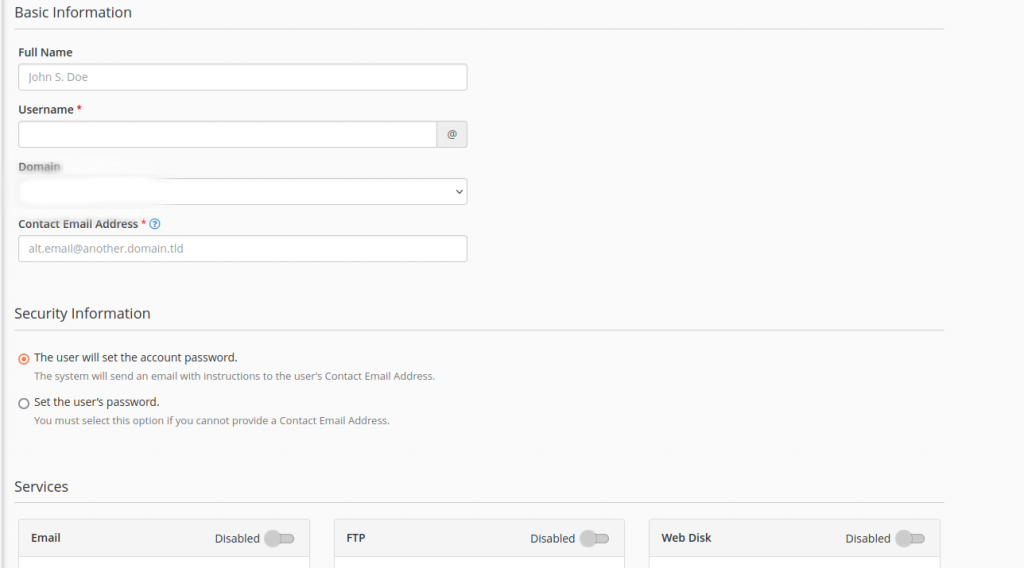
- Enter the user’s name in the Full Name text box
- Enter the username in the Username text box
- If you manage multiple domains, select the appropriate domain from the Domain menu
- Enter a contact email address for the user
Select the method to set the subaccount password:
- To send an email to the user to set their own password, select the following:
The user will set the account password - To set the password manually, select:
Set the user’s password
Then enter and confirm the password in the required text boxes.
Select the Subaccount services that you want to enable and click:
- Create
or - Create another user to add another account
Conclusion
By creating subaccounts in cPanel, you can provide controlled access to email, FTP, and Web Disk services while managing all user credentials efficiently from a single interface.