Introduction
Managing databases is an essential part of server administration. If you no longer need a database, removing it can help keep your server organized and reduce unnecessary resource usage. WHM (Web Host Manager) provides an easy way to delete MySQL databases through phpMyAdmin. In this guide, you’ll learn how to safely delete a database using the WHM interface.
Prerequisites
Before proceeding, ensure that:
- You have root access to WHM.
- You have backed up the database if its data may be needed in the future.
- You have confirmed that the database is no longer being used by any application or website.
Step 1: Log in to WHM
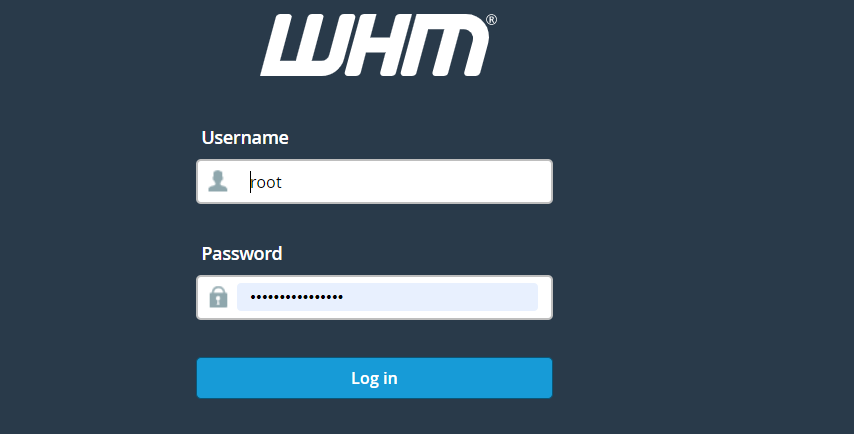
Access your WHM interface and log in using the root user credentials.
Step 2: Open phpMyAdmin:
From the WHM dashboard:
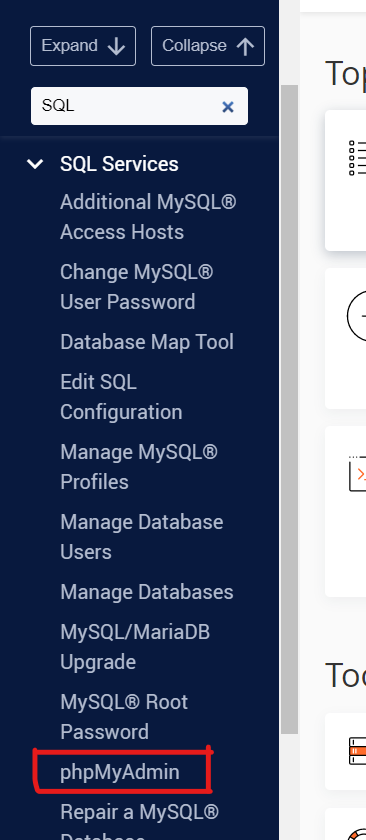
- Navigate to Home >> SQL Services.
- Click phpMyAdmin.
The phpMyAdmin interface will open in a new window or tab.
Step 3: Select the Database
In the left-hand navigation panel, locate and click the database that you want to delete.
Step 4: Access Database Operations
After selecting the database:
- Click the Operations tab located at the top of the phpMyAdmin interface.
- The database operations page will load.
Step 5: Delete the Database
Under the Remove database section:
- Click Drop the database (DROP).
- A confirmation prompt will appear.
Step 6: Confirm the Deletion
Click OK to confirm the deletion.
Once completed, phpMyAdmin will display a success message indicating that the database has been removed successfully.
Important: If the database was owned by a cPanel user, you should also remove its entry from the cPanel account. To do this, log in to the corresponding cPanel account and navigate to MySQL® Databases, then delete the database entry.
Conclusion
Deleting a MySQL database through phpMyAdmin in WHM is a straightforward process that can be completed in just a few steps. By following the instructions above and taking proper precautions such as backing up data and verifying dependencies, you can safely remove unused databases while maintaining a clean and organized server environment.