Introduction
Regular backups are essential for protecting websites, databases, and server configurations from data loss. However, improperly configured backup retention policies or insufficient disk space monitoring can cause backup files to consume all available storage on a server.
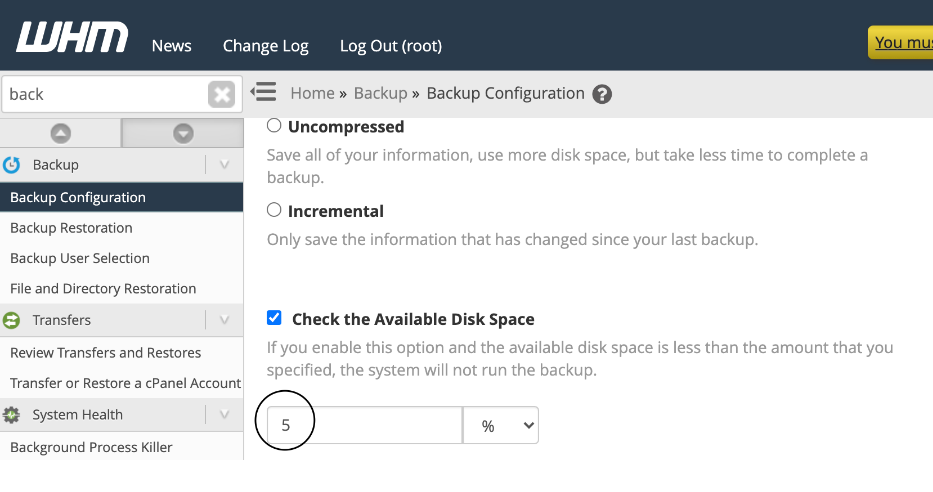
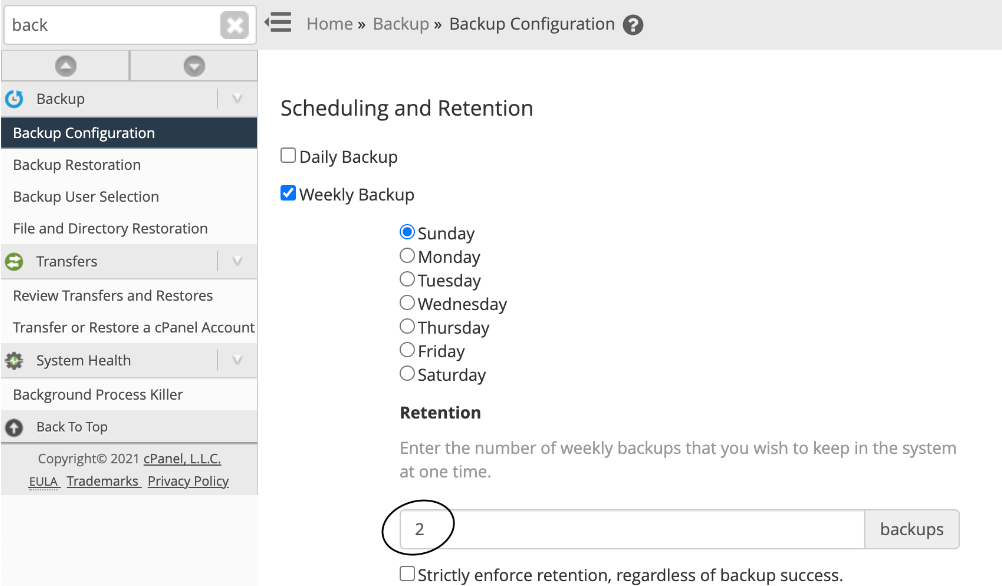
WHM provides built-in options to monitor available disk space before running backups and to control the number of backup copies retained on the server. By configuring these settings appropriately, administrators can prevent backup processes from exhausting disk space and ensure that critical server services continue to operate normally.
This article explains how to configure WHM backup settings to prevent backups from filling up the server’s disk space.
Prerequisites
Before proceeding, ensure the following requirements are met:
Access Requirements
- Root access to WHM.
- Administrative privileges to modify backup settings.
Server Requirements
- A server running cPanel & WHM.
- Backup functionality enabled within WHM.
- Sufficient storage allocated for backup operations.
Recommended Considerations
- Review current disk utilization before modifying backup settings.
- Understand the average size of your backups.
- Determine an appropriate retention policy based on available storage.
- Consider using remote backup destinations such as:
- Amazon S3
- Google Drive
- FTP/SFTP servers
- Additional backup storage servers
Best Practices
- Configure a minimum free disk space threshold.
- Regularly monitor backup storage usage.
- Retain only the number of backup copies required by your organization’s recovery policy.
- Periodically test backup restoration procedures.
Conclusion
Properly configuring backup settings in WHM helps prevent backups from consuming all available disk space and impacting server stability. By setting a minimum free disk space threshold and adjusting backup retention policies, administrators can ensure that backup operations run safely without jeopardizing normal server operations.
For environments with large backups or limited storage capacity, it is recommended to use remote backup destinations and maintain a retention policy that balances recovery requirements with available disk space. Regular monitoring and maintenance of backup storage will help ensure reliable backup operations and long-term server health.