Introduction
A wildcard subdomain allows you to direct all non-existent subdomains of your domain to a specific directory on your hosting account. This is useful for applications that dynamically generate subdomains, multi-tenant websites, custom URL routing, and development environments.
This guide explains how to create and configure a wildcard subdomain using cPanel.
Prerequisites
Before proceeding, ensure that:
- You have access to your cPanel account.
- Your domain is properly pointed to your hosting server.
- You have the server IP address available.
Procedure
1. Access your cPanel account using your hosting credentials.
2. Create a Wildcard Subdomain
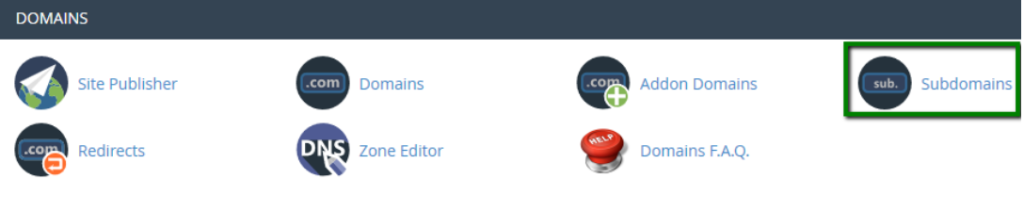
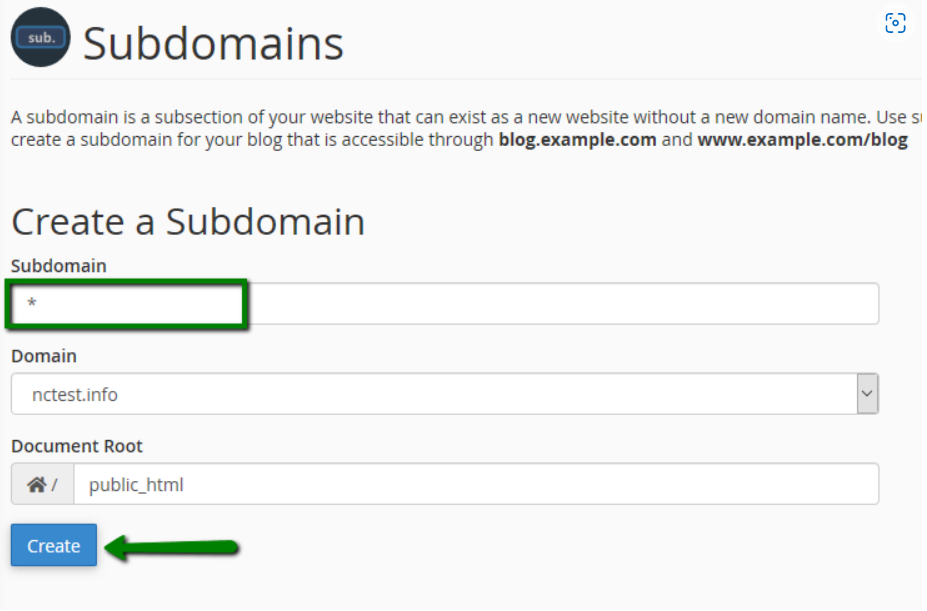
- Navigate to Domains → Subdomains.
- In the Subdomain field, enter an asterisk (
*). - Select the desired domain from the dropdown menu.
- Specify the Document Root directory where all wildcard subdomains should point.
- Click Create.
Example:
- Subdomain:
* - Domain:
yourdomain.com - Document Root:
/public_html/wildcard
This configuration will direct requests such as:
- test.yourdomain.com
- demo.yourdomain.com
- app.yourdomain.com
to the same document root.
3. Step 3: Configure DNS Records
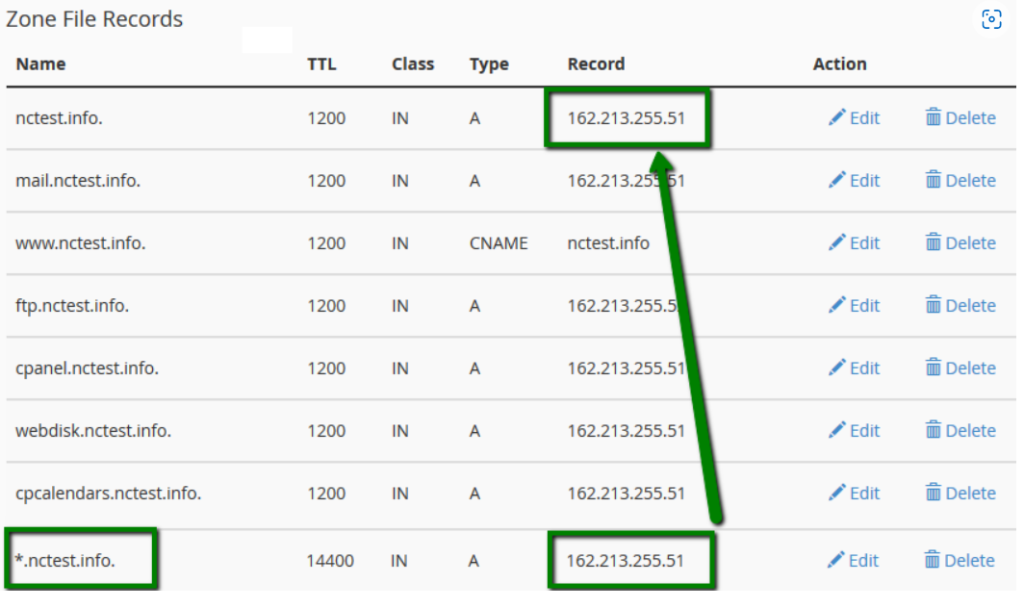
Ensure the record points to your server’s IP address.
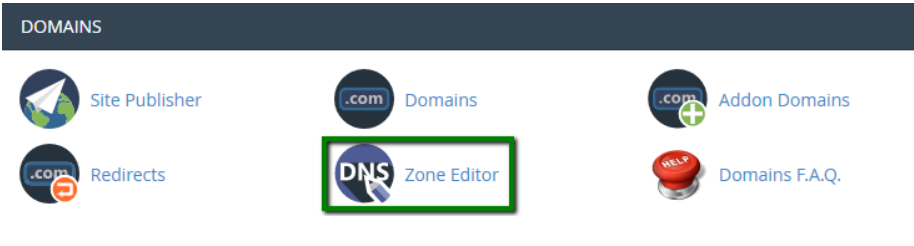
Navigate to Domains → Zone Editor.
Locate your domain and click Manage.
Verify that an A Record exists for:*.yourdomain.com
Step 4: Wait for DNS Propagation
DNS changes may take some time to propagate across the internet.
- Typical propagation time: 30 minutes to 24 hours
- Maximum propagation time: Up to 48 hours
During this period, some locations may still resolve old DNS records.
Testing the Wildcard Subdomain
Once DNS propagation is complete, test by visiting random subdomains such as:
- test.yourdomain.com
- hello.yourdomain.com
- anything.yourdomain.com
If configured correctly, all requests should load content from the specified document root.
Conclusion
Wildcard subdomains provide a flexible way to handle unlimited subdomains without creating each one individually. By creating a wildcard subdomain in cPanel and configuring the appropriate DNS record, you can efficiently manage dynamic subdomain-based applications and websites.