Introduction
The error is “Unable to create directory uploads/year/month. Is its parent directory writable by the server?” typically occurs when WordPress cannot write files to the uploads directory. This may happen due to incorrect upload path settings or configuration issues within the WordPress installation. The following steps explain how to resolve this issue and restore media upload functionality.
Prerequisites
- Server root or sudo user access
- WordPress administrator credentials
- Access to the WordPress installation files
Implementation
Step 1
Log in to the server.
Step 2
Navigate to the website configuration file using the following command:
sudo cd /etc/<webserver>/sites-available/domain.conf
Step 3
Locate the document root in the configuration file and navigate to the document root directory:
sudo cd /var/www/public_html/
Step 4
Edit the wp-config.php file:
sudo vim wp-config.php
Add the following lines to the wp-config.php file:
define( ‘UPLOADS’, ‘wp-content/uploads’ );
Save the file and exit the editor.
Step 5
Log in to the WordPress admin dashboard.
Step 6
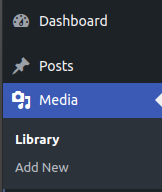
Navigate to Media.
Step 7
Click Add New and attempt to upload a file.

Step 8
Verify that the file uploads successfully without any errors.

Conclusion
By configuring the correct uploads directory in the wp-config.php file, WordPress can properly locate and write to the uploads folder. This resolves the “Unable to create directory uploads/year/month” error and restores normal media upload functionality.