Introduction:
Authentication providers are services or systems that verify the identity of a user attempting to access an application, website, or system. Integrating external authentication providers allows users to log in using credentials from other platforms like Google, Facebook, or Microsoft, rather than creating and managing separate usernames and passwords for each system.
Prerequisite:
- WHM login root credentials.
Step1: Login to your WHM account
Step2: Navigate to Home -> Server Configuration -> Manage External Authentications
Choose the Configure option in the Manage External Authentications.
Step3: Choose the configure option of which 3rd party service to use your cpanel to login
Step4: Enter the required details for configuration in the below-asked client ID and client secret ID.
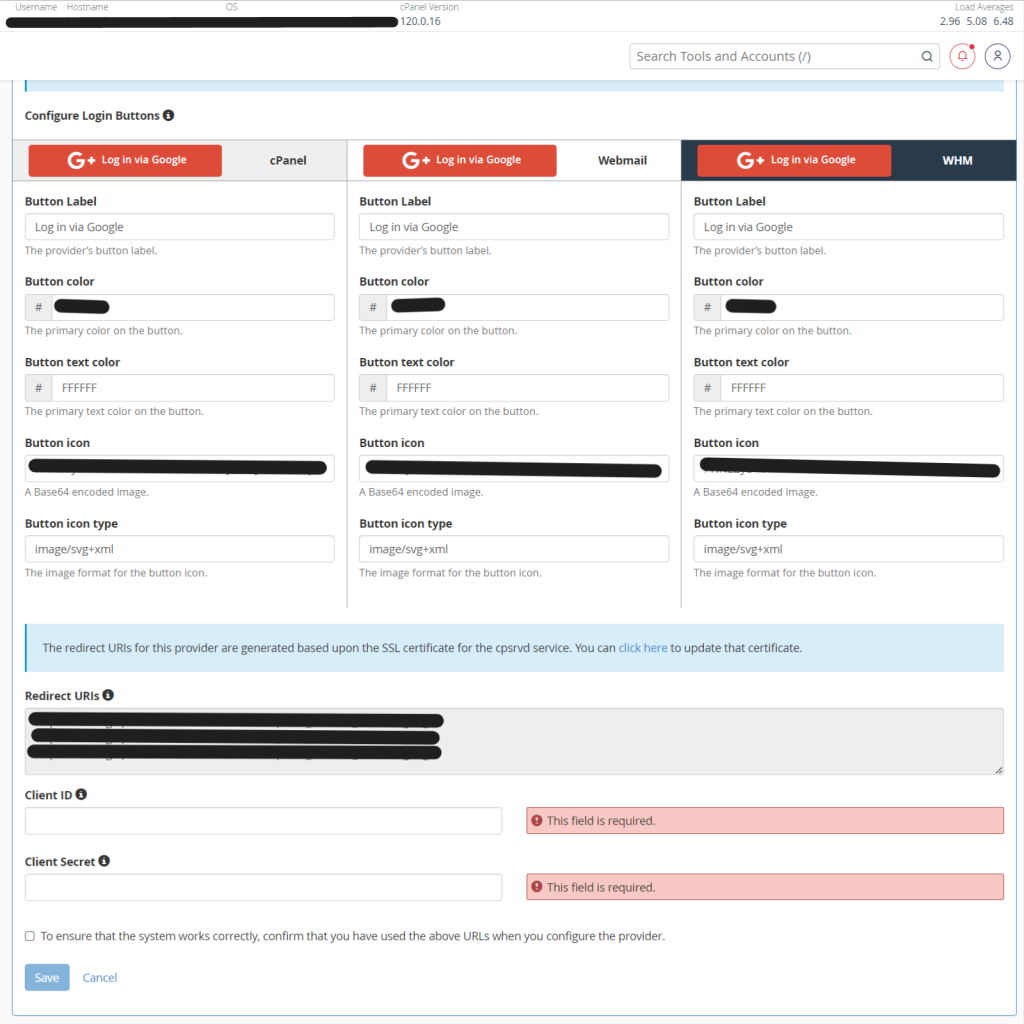
Choose Save.
Now you have successfully configured the 3rd party service to Authentication for your WHM login.