Introduction
Hidden files, also known as “dot files,” are important configuration files used by websites and applications. In cPanel File Manager, you can enable the option to view these hidden files.
Prerequisites
- Access to cPanel
- Valid login credentials
Implementation
Step 1:
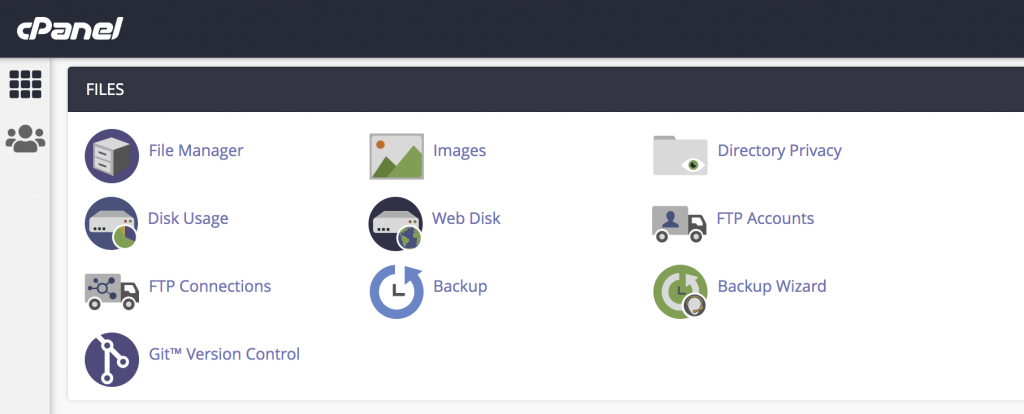
Log in to cPanel and click File Manager under the FILES section.
Step 2:
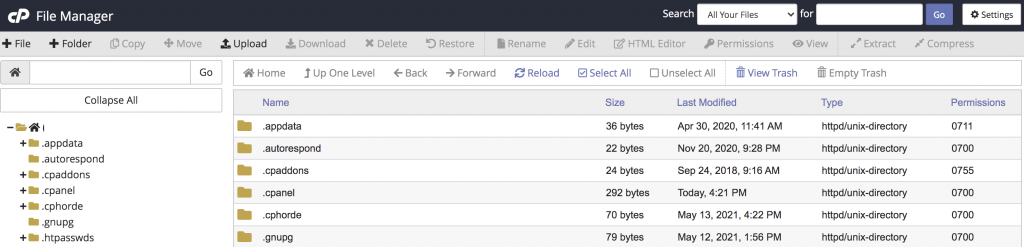
Click Settings in the top-right corner of File Manager.
Step 3:
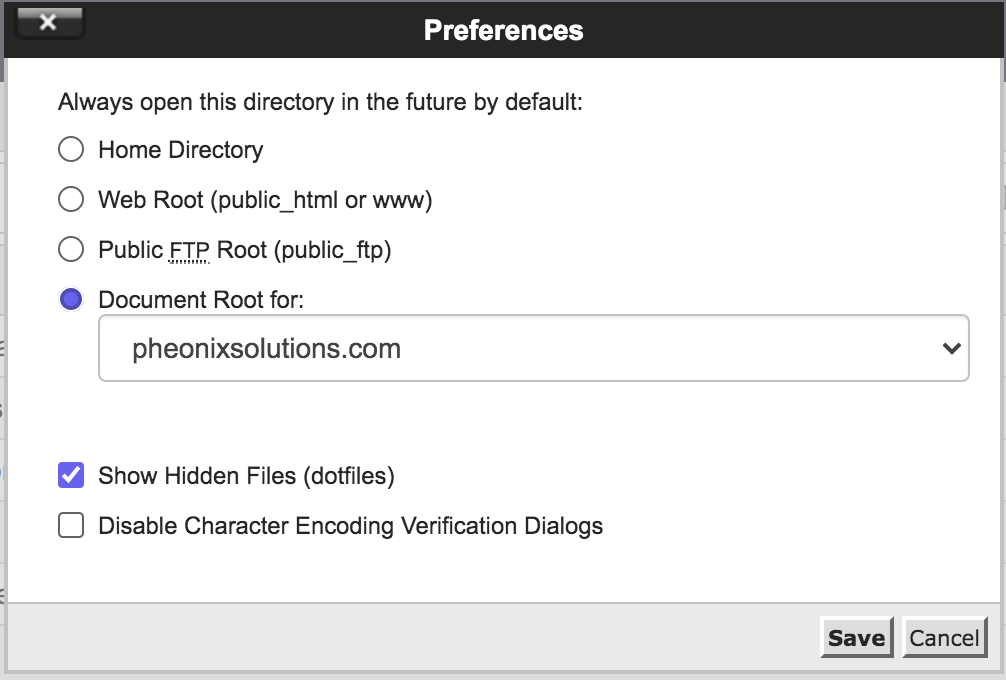
- A pop-up window will appear
- Choose the required Document Root
- Enable Show Hidden Files
- Click Save
Now you will be able to see hidden files (dot files) in your account.
Conclusion
By enabling the Show Hidden Files option in cPanel File Manager, you can access important hidden configuration files within your hosting account.