Introduction
The Mail Troubleshooter in WHM is a useful diagnostic tool that helps administrators identify and resolve email delivery issues. It traces the path of an email address and checks DNS records, MX entries, and mail server connectivity. This tool is especially helpful when emails are not being delivered or when troubleshooting domain mail configuration problems.
Steps to Use Mail Troubleshooter in WHM
Step 1: Access WHM
- Log in to your WHM panel.
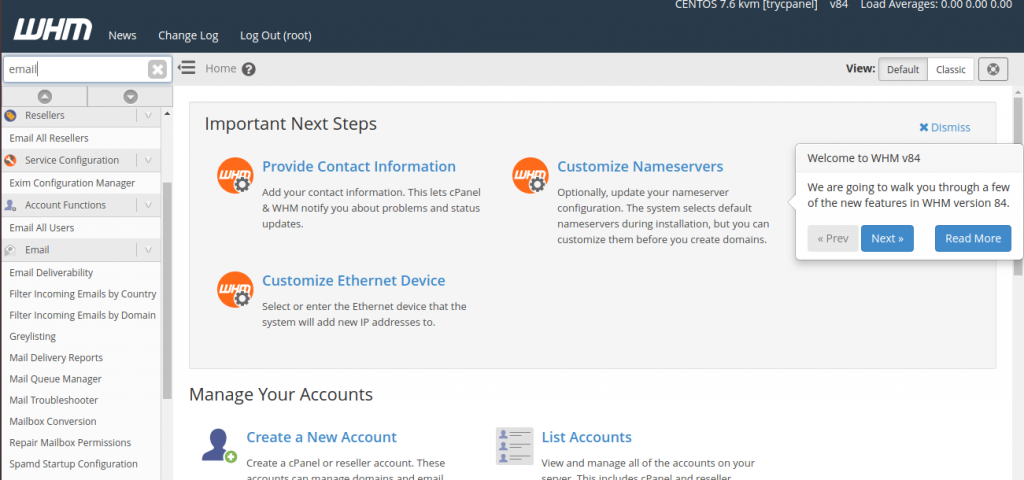
- Use the search bar on the left side.
Step 2: Open Mail Troubleshooter
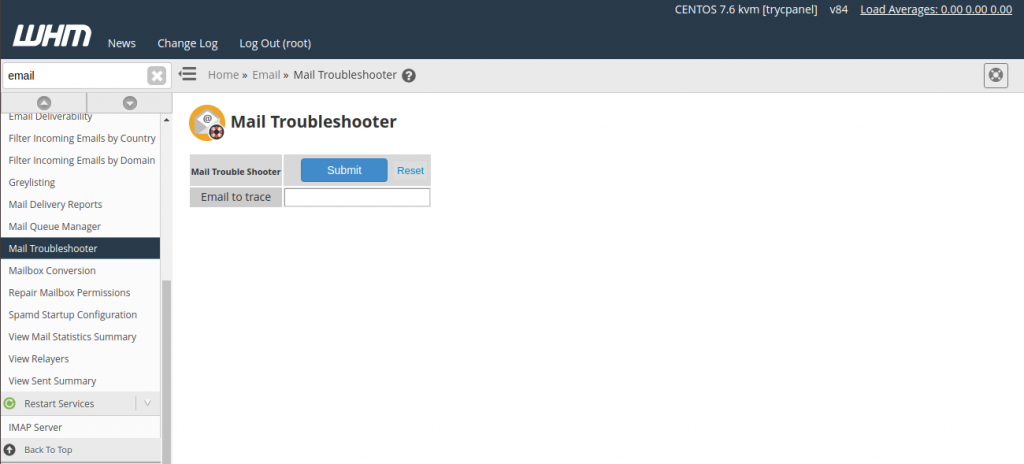
- Click on Mail Troubleshooter under the Email section.
Step 3: Enter Email Address (Invalid Test)
- Enter an email address that does not exist (for testing).
- Example:
test@nonexistentdomain.com
Step 4: Submit the Request
- Click Submit.
Result:
- WHM will attempt an MX lookup.
- If the domain is invalid or misconfigured, you may see an error like:
- “No information about the host could be found.”
Step 5: Return to Troubleshooter
- Go back to the Mail Troubleshooter page.
Step 6: Enter Valid Email Address
- Now enter a valid email address.
- Example:
user@yourdomain.com
Step 7: Submit and Analyze
- Click Submit again.
Result:
- WHM will display:
- MX records
- Mail server routing path
- Delivery attempt status
- A visual diagram (graphical output) will appear showing:
- Each mail server involved
- Connection status
- Any failures or delays
Conclusion
The Mail Troubleshooter in WHM is a powerful yet simple tool to diagnose email delivery issues. By testing both invalid and valid email addresses, administrators can quickly identify DNS misconfigurations, missing MX records, or connectivity problems. This helps in faster troubleshooting and ensures reliable email delivery across domains.