Introduction
Plesk allows administrators to create custom user roles and assign specific permissions to users. This helps control what users can access and manage in the Plesk Panel.
This guide explains how to create a user role and assign the required permissions in Plesk.
Prerequisites
Before creating a user role, make sure you have:
- Access to the Plesk Panel.
- Appropriate permissions to create user roles.
- An understanding of the permissions required for the user.
Steps to Create a User Role in Plesk
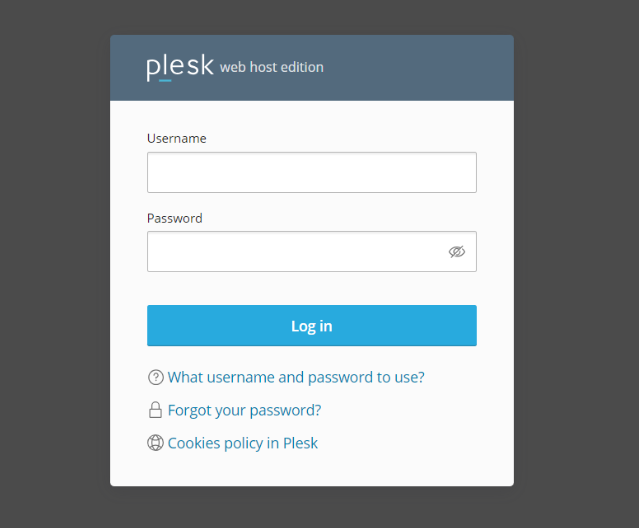
1. Log in to the Plesk Panel
Log in to your Plesk Panel using your administrator account.
2. Navigate to Users
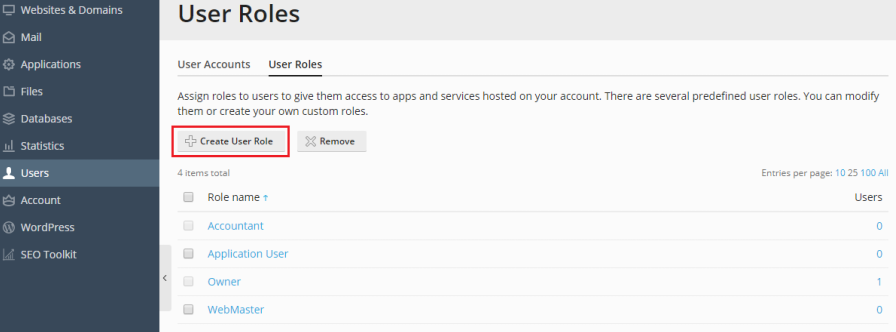
From the Plesk Panel, go to Users to access the user management options.
3. Click User Roles
Click User Roles to view the existing roles and create a new one.
4. Click Create User Role
Click Create User Role to start creating a new custom role.
5. Enter a Role Name
Enter a descriptive name for the role, such as Website Manager, Developer, or Support User.
Choose a name that clearly identifies the purpose of the role.

6. Select the Required Permissions
Select the permissions that the user needs to perform their tasks.
Only grant the permissions that are required for the user’s responsibilities.
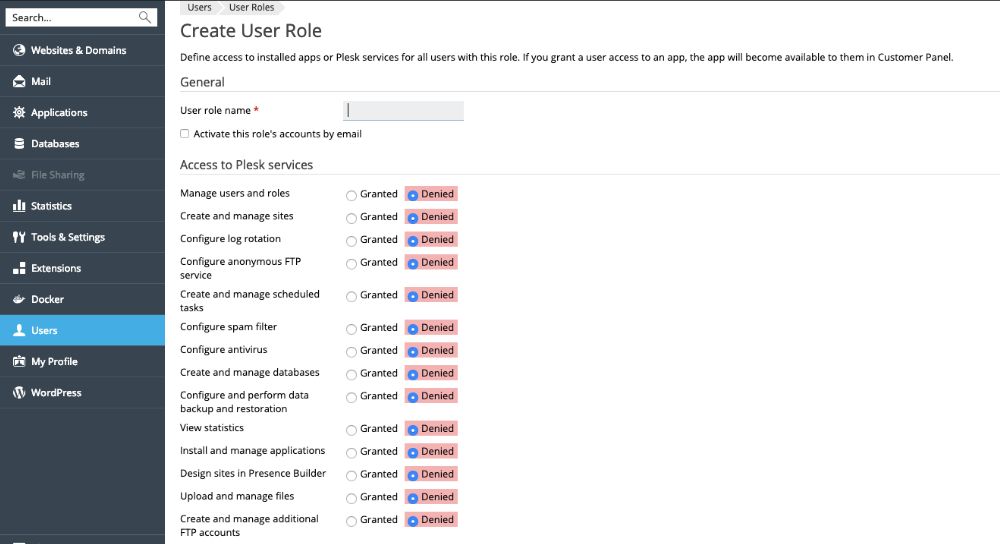
7. Review the Permissions
Review the selected permissions carefully to make sure the user has the required access and does not receive unnecessary permissions.
8. Click OK
Click OK to save the configuration and create the new user role.
Result
The new user role is created successfully with the selected permissions. You can now assign the role to the appropriate users.
Best Practices
- Grant only the permissions required for the user’s responsibilities.
- Use clear and descriptive role names.
- Review permissions before assigning a role to a user.
- Avoid granting unnecessary administrative permissions.
Conclusion
Creating a user role in Plesk makes it easier to manage user access and permissions. By assigning only the required permissions, you can provide users with the access they need while maintaining better control over your Plesk environment.
Frequently Asked Questions (FAQ)
1. What is a user role in Plesk?
A user role is a set of permissions that determines what a user can access and manage in Plesk.
2. Why should I create a custom user role?
A custom role allows you to give users only the permissions they need for their specific tasks.
3. Can I assign the same role to multiple users?
Yes. The same user role can be assigned to multiple users who require the same permissions.
4. Can I change the permissions later?
Yes. You can modify the permissions of an existing role when access requirements change.
5. Should I give users all permissions?
No. Grant only the permissions required for their responsibilities to avoid unnecessary access.
Talk to Our Technology Experts
Need help managing users, roles, or subscription access in Plesk? Our team can assist with Plesk configuration, access management, security, troubleshooting, and ongoing server administration.