
Post Date: March 20, 2019
Last Updated: October 13, 2026
Introduction
Learn how to connect Python to MySQL and perform essential database operations such as creating tables, inserting records, and retrieving data. In this tutorial, we will explain how to establish a database connection using the MySQLdb module and execute basic SQL queries in a Linux environment. The examples are based on CentOS 7 and cover the installation of Python packages, database connectivity, and common MySQL operations.
Prerequisites
Before proceeding with this tutorial, ensure that you have the following:
- Linux operating system: A CentOS 7 or RHEL-based environment.
- Python: Python must be installed on the server.
- Pip: The Python package installer is required to install the necessary database connector packages.
- MySQL server: MySQL must be installed and running, with a database and a user configured with the required privileges.
- MySQLdb module: Install the
MySQL-pythonpackage for compatible Python 2 environments. For Python 3, use a compatible alternative such asmysqlclient. - Basic knowledge: Familiarity with Python programming, MySQL, and SQL queries will help you follow the examples.
Implementation
In this article helps you in connect python with MySQldb and insert queries in DB. This example is explained based on Linux environment in Centos 7.
- For centOS and RHEL based environment:
# sudo yum install python2. Pip installation is most important for installing python packages
# curl -O https://bootstrap.pypa.io/get-pip.py3. Confirm the installed PIP version so that we will proceed our work further:
# pip –version
Importing Modules and their Pip Installation:
While Importing, if the packaging Modules of any one among the above missed, will arise Import error. To eradicate the error follow these step by step modules to import using pip Installation.
1. Importing Mysqldb:
Yum install MYSQL-python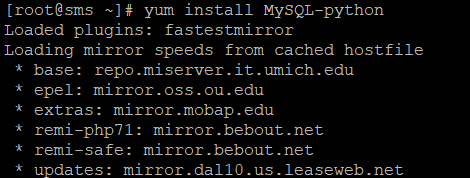
2. Importing mysql.connector:
pip install mysql-connector-python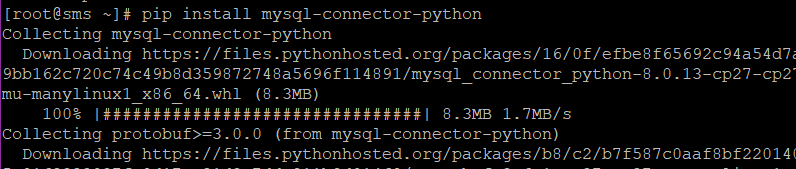
Create a table and insert into it
#!/usr/bin/env python

# Connect to db and create a table called blog that each have a name field and insert a couple blogs

import MySQLdb as mysqldb

connection = mysqldb.connect('localhost', 'bloguser', 'blogpw', 'blogdb');

with connection:
    cursor = connection.cursor()
    cursor.execute("create table blogs(id INT PRIMARY KEY AUTO_INCREMENT, name VARCHAR(25))")
    cursor.execute("insert into blogs(name) values('author')")
 cursor.execute("insert into blogs(name) values('editor')")
 cursor.execute("insert into blogs(name) values('admin')")
We can verify this on the MySQL side after running
mysql> select * from blogs;
+----+-----------+
| id | name      |
+----+-----------+
| 2 | author    |
| 3 | editor    |
| 4 | admin     |
+----+-----------+
3 rows in set (0.00 sec)
Select data from a table
#!/usr/bin/env python

# Connect to db and create a table called blogs that each have a name field and insert a couple blogs

import MySQLdb as mysqldb

connection = mysqldb.connect('localhost', 'bloguser', 'blogpw', 'blogdb');

with connection:
    cursor = connection.cursor()
    cursor.execute("select * from blogs")
blogs = cursor.fetchall()
    for blog in blogs:
        print(blog)
That’s it! Hope it’s useful.
Conclusion
Connecting Python with MySQL enables developers to automate database operations and manage data efficiently through Python scripts. In this tutorial, we covered the basic steps to establish a database connection using the MySQLdb module, create a table, insert records, and retrieve data using SQL queries.
These fundamentals can be extended to build database-driven applications and automate routine database tasks. For production environments, use supported software versions, secure database credentials, parameterised queries for user-supplied data, and appropriate transaction handling to improve security and reliability. For more information about connecting Python applications to MySQL, refer to the official documentation Link.
FAQs
1. How can Python connect to a MySQL database?
Python can connect to MySQL using database connector libraries such as MySQLdb, mysqlclient, or mysql-connector-python. These libraries allow Python scripts to execute SQL queries and manage database operations.
2. What is the MySQLdb module in Python?
MySQLdb is a Python interface for connecting to MySQL databases. It is commonly associated with the mysqlclient library in Python 3 environments.
3. How do I install the MySQLdb module?
For compatible Python 2 environments, you can install MySQL-python using the package manager. For Python 3, install mysqlclient using pip:
pip install mysqlclient
Related Articles
Configuring MySQL to Listen on a Private IP Address
How to Copy a Table from One Database to Another in MySQL?
Need Help with Python and MySQL Integration?
Need help with Python and MySQL database connectivity, configuration, query execution, or database troubleshooting? Our experts can assist with Python application development, MySQL database administration, server optimization, Linux server management, DevOps, cloud solutions, and other infrastructure requirements. Get in touch with our team here.