Introduction
In Jenkins, parameterized builds allow users to provide input values before triggering a job. One of the most useful parameters in CI/CD environments is the Choice Parameter, which enables users to select a specific Git branch during the build process.
Instead of creating separate Jenkins jobs for different branches such as develop, test, and main, administrators can configure a single Jenkins job with branch options. When users click the Build With Parameters option, Jenkins displays a dropdown menu containing the available branches. Users can then select the required branch and trigger the build.
Prerequisites
Before configuring the branch choice parameter in Jenkins, ensure the following requirements are completed:
- Jenkins server is installed and running
- A Jenkins job is already created or ready to be created.
- Git repository is connected to the Jenkins job
- The Git repository contains the branches that will be available for selection (for example:
develop,test, andmain).
IMPLEMENTATION
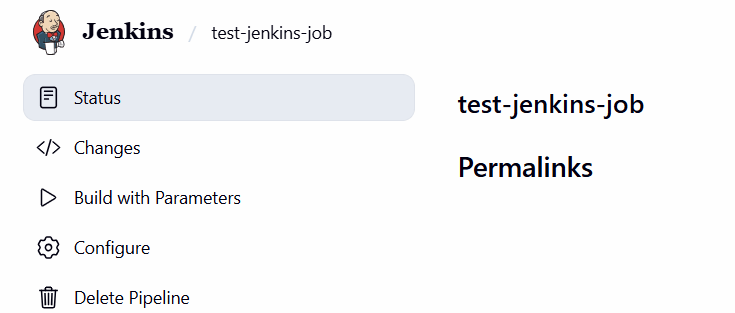
Step 1: Open Jenkins Job Configuration
- Login to Jenkins
- Open the required Jenkins job
- Click on: Configure option
Step 2: Enable Parameterized Build
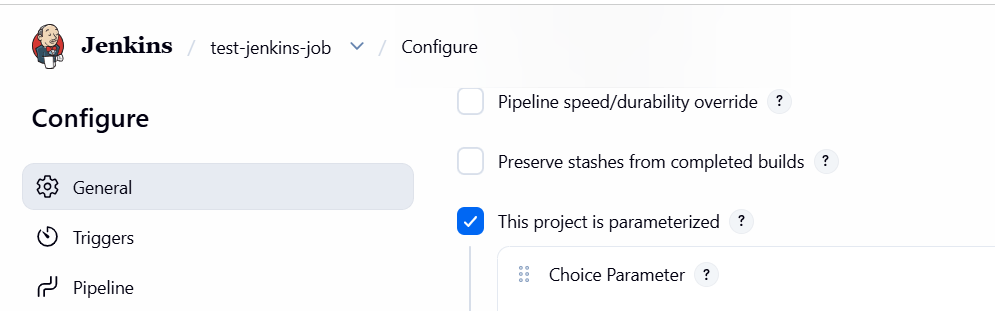
Under the General section:
Enable the option: This project is parameterized
This allows Jenkins to display parameters before starting the build.
Step 3: Add Choice Parameter
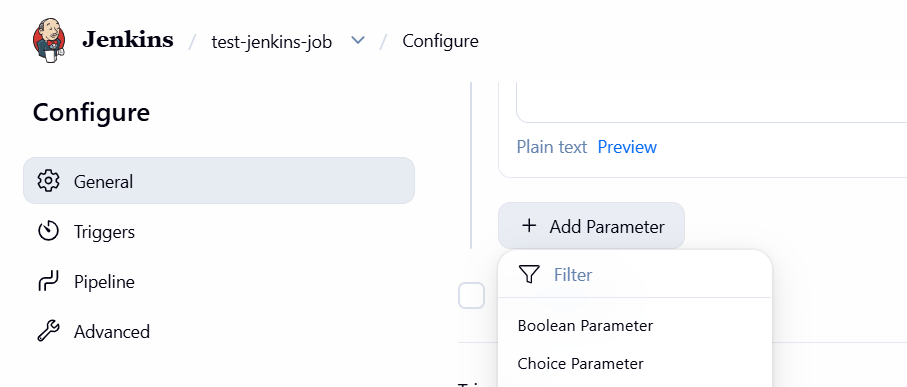
- Click on: Add Parameter
- Select: Choice Parameter
Step 4: Configure Branch Choices
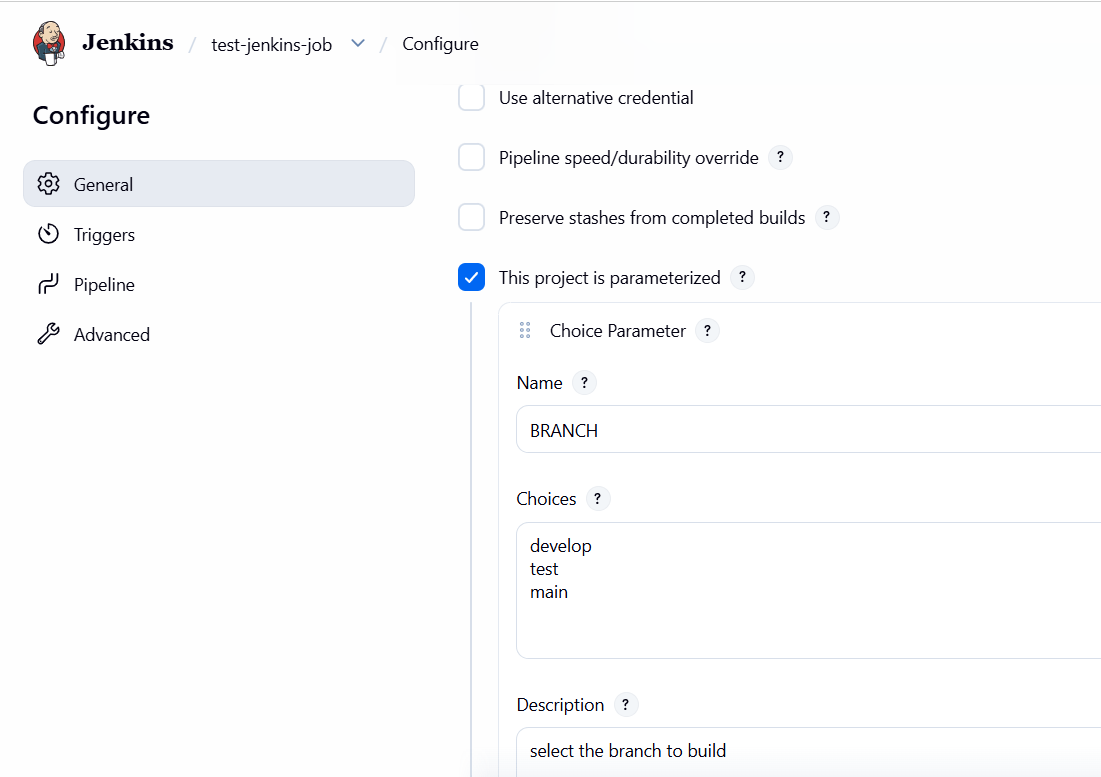
Configure the parameter using the following values.
Name
- BRANCH
Choices
- develop
- test
- main
Description
Select the branch to build
Step 6: Save the Configuration
Click: Save
The Jenkins job is now configured successfully.
Step 7: Build the Job Using Parameters
- Open the Jenkins job
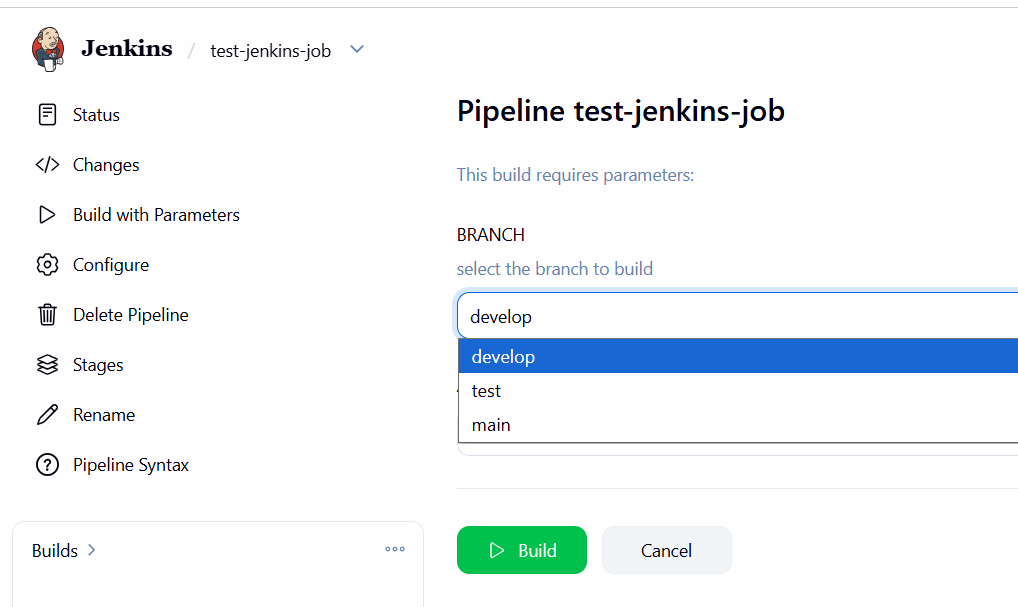
- Click: Build With Parameters
Now Jenkins will display a branch selection dropdown like below:
BRANCH ├── develop ├── test └── main
Conclusion
Adding a choice parameter in a Jenkins job is an efficient method for handling multiple Git branches within a single CI/CD pipeline. By configuring branch options such as develop, test, and main, users can easily select the required branch while triggering the build using the Build With Parameters option.
This approach simplifies Jenkins management, reduces duplicate jobs, and improves deployment flexibility across different environments.