
Post Date: April 04, 2018
Last Updated: September 18, 2026
Introduction
Apache is one of the most critical services on a cPanel server. If Apache fails to start, all hosted websites may become inaccessible. One common issue administrators encounter is a missing APR Utility library, which results in the following error:
httpd: error while loading shared libraries: libaprutil-1.so.0:
cannot open shared object file: No such file or directory
This error typically occurs after an incomplete package update, corrupted dependencies, or accidental removal of the APR utility package. In this guide, we will walk through the steps required to diagnose and resolve the issue on a cPanel server.
Understanding the Error
Apache depends on the Apache Portable Runtime (APR) and APR Utility (APR-Util) libraries to function properly.
When the libaprutil-1.so.0 library is missing or corrupted:
- Apache fails to start.
- Websites hosted on the server become unavailable.
- WHM and cPanel services that depend on Apache may be affected.
- Monitoring systems may report HTTP service failures.
Troubleshooting Flow
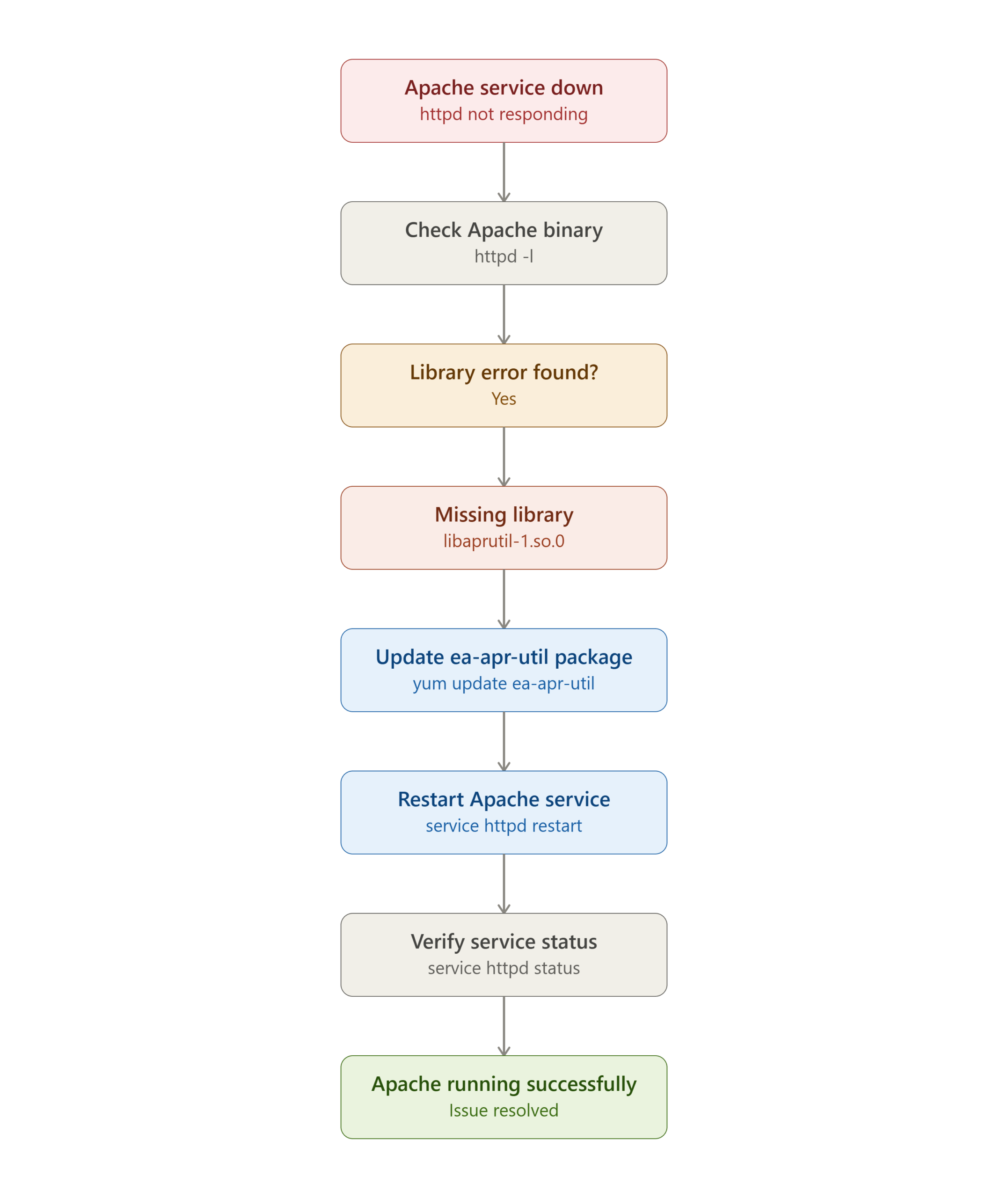
Step 1: Log in to the Server
Connect to your server using SSH as the root user.
ssh root@your-server-ip
Step 2: Verify the Apache Binary
Run the following commands:
httpd -l
apachectl -l
If the library is missing, you will receive an error similar to:
httpd: error while loading shared libraries:
libaprutil-1.so.0: cannot open shared object file:
No such file or directory
Step 3: Update the Missing APR Utility Package
Install or update the required package:
yum update ea-apr-util
For newer AlmaLinux, Rocky Linux, or CloudLinux servers, you can also use:
dnf update ea-apr-util
This command reinstalls or updates the APR Utility package and restores the missing shared library.
Step 4: Restart Apache
After the package installation completes, restart Apache:
service httpd restart
or
systemctl restart httpd
Step 5: Verify Apache Status
Check whether Apache is running correctly:
service httpd status
or
systemctl status httpd
Expected output:
Active: active (running)
Additional Verification
Confirm that the APR Utility library is now available:
ldconfig -p | grep libaprutil
Expected output:
libaprutil-1.so.0 => /usr/lib64/libaprutil-1.so.0
You can also test the Apache configuration:
httpd -t
Expected result:
Syntax OK
Common Causes
This issue can occur due to:
- Interrupted system updates
- Corrupted EasyApache packages
- Manual deletion of library files
- Incomplete migration of cPanel servers
- Package dependency conflicts
- Failed operating system upgrades
Preventive Measures
To avoid similar issues in the future:
- Keep EasyApache packages updated.
- Perform regular system maintenance.
- Avoid manually removing system libraries.
- Test updates in a staging environment before production deployment.
- Monitor Apache services using Nagios or similar monitoring tools.
- Maintain regular server backups.
Conclusion
The libaprutil-1.so.0 error is typically caused by a missing or corrupted APR Utility package required by Apache. Fortunately, the fix is straightforward: verify the error, update the ea-apr-util package, restart Apache, and confirm the service status.
By following the troubleshooting steps outlined in this guide, administrators can quickly restore Apache functionality and minimize downtime for hosted websites on cPanel servers.
Frequently Asked Questions (FAQ)
1. What is libaprutil-1.so.0?
libaprutil-1.so.0 is part of the Apache Portable Runtime Utility (APR-Util) package. Apache requires this library to provide additional functionality such as database access, XML parsing, and other utility services.
2. Why did Apache suddenly stop working?
Apache may stop working if the APR Utility package becomes corrupted, is accidentally removed, or a system update fails to install dependencies correctly.
3. Will updating ea-apr-util affect hosted websites?
No. Updating the package only restores the required Apache dependency. Websites remain unchanged, though Apache will briefly restart during the process.
Related Articles
- Setup password authentication for Apache2 in Centos
- How to Install Apache on macOS via Homebrew
- Apache Rules for wildcard API end points
Talk to our experts
Have a technology challenge or looking for the right solution for your business? Our team can help you with cloud, DevOps, development, infrastructure, design, and more. Feel free to reach out to our experts here.