
Post Date: February 25, 2021
Last Updated: November 28, 2026
Introduction
Magento HTTPS Configuration is essential for securing an online store and protecting customer information during communication between the browser and the web server. If you have installed an SSL certificate on your Magento website but it is still not working with HTTPS, you may need to update the secure URL settings in the Magento Admin Panel.
An SSL certificate enables HTTPS connections and encrypts data exchanged between visitors and your website. However, installing the certificate alone does Introduction
not automatically configure Magento to use secure URLs for the storefront and administration panel.
In this guide, we will explain how to configure HTTPS in Magento after installing an SSL certificate. By following these steps, you can enable secure URLs for both the storefront and Magento Admin Panel.
Prerequisites for Magento HTTPS Configuration
Before proceeding with the Magento HTTPS Configuration, make sure you have completed the following requirements:
- SSL Certificate Installed: A valid SSL certificate must be installed and configured for your website’s domain.
- Domain Configuration: Your domain should point to the correct server IP address.
- Magento Admin Access: You must have valid login credentials to access the Magento Admin Panel.
- HTTPS Availability: Verify that your website can be accessed using
https://yourdomain.comwithout certificate warnings. - Website Backup: Take a backup of your website and database before changing the configuration.
Once these prerequisites are completed, you can proceed with enabling HTTPS in Magento.
Implementation: How to Enable Magento HTTPS Configuration
Follow the steps below to enable HTTPS for your Magento storefront and administration panel.
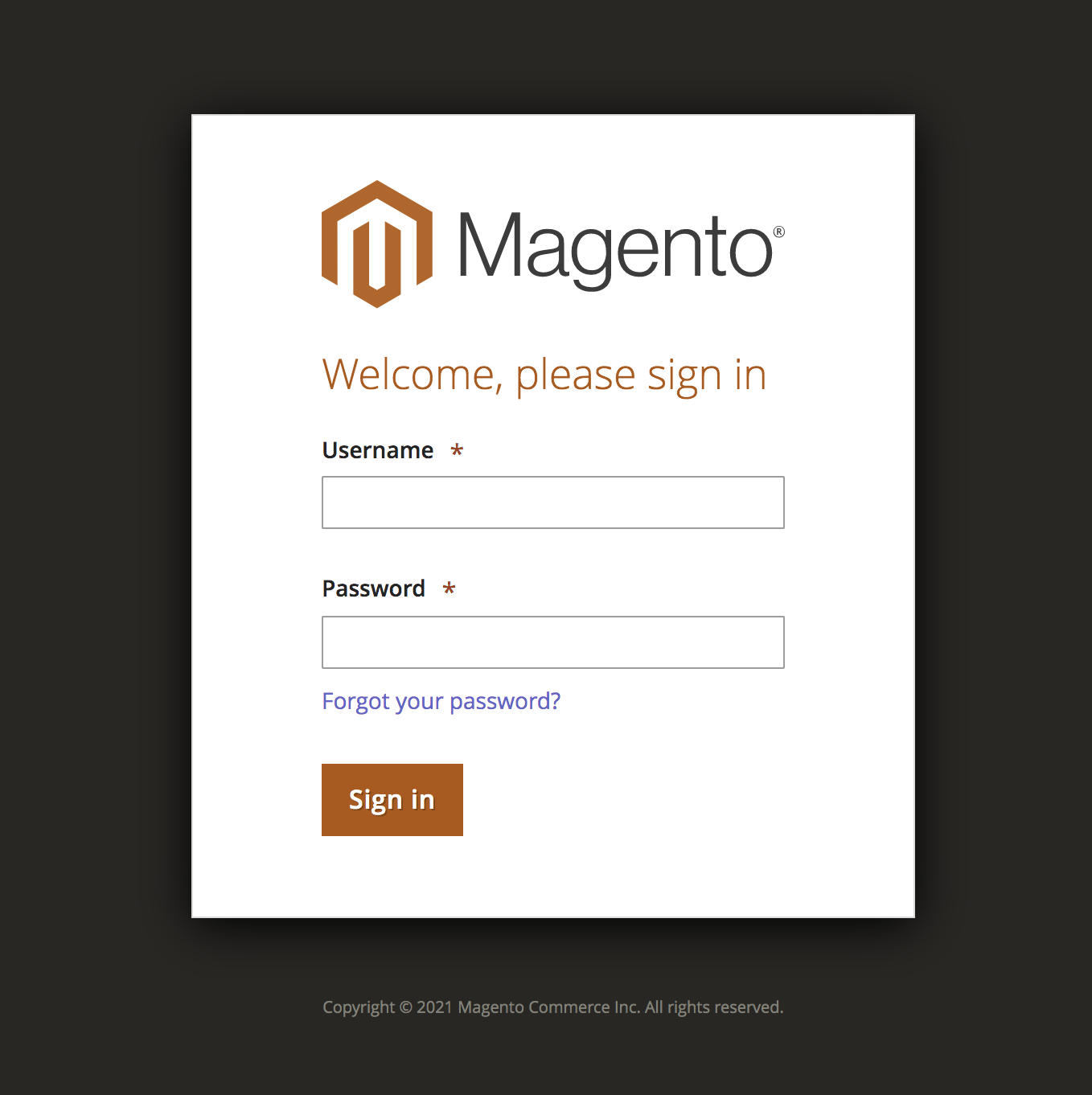
Step 1: Login to Magento admin panel.
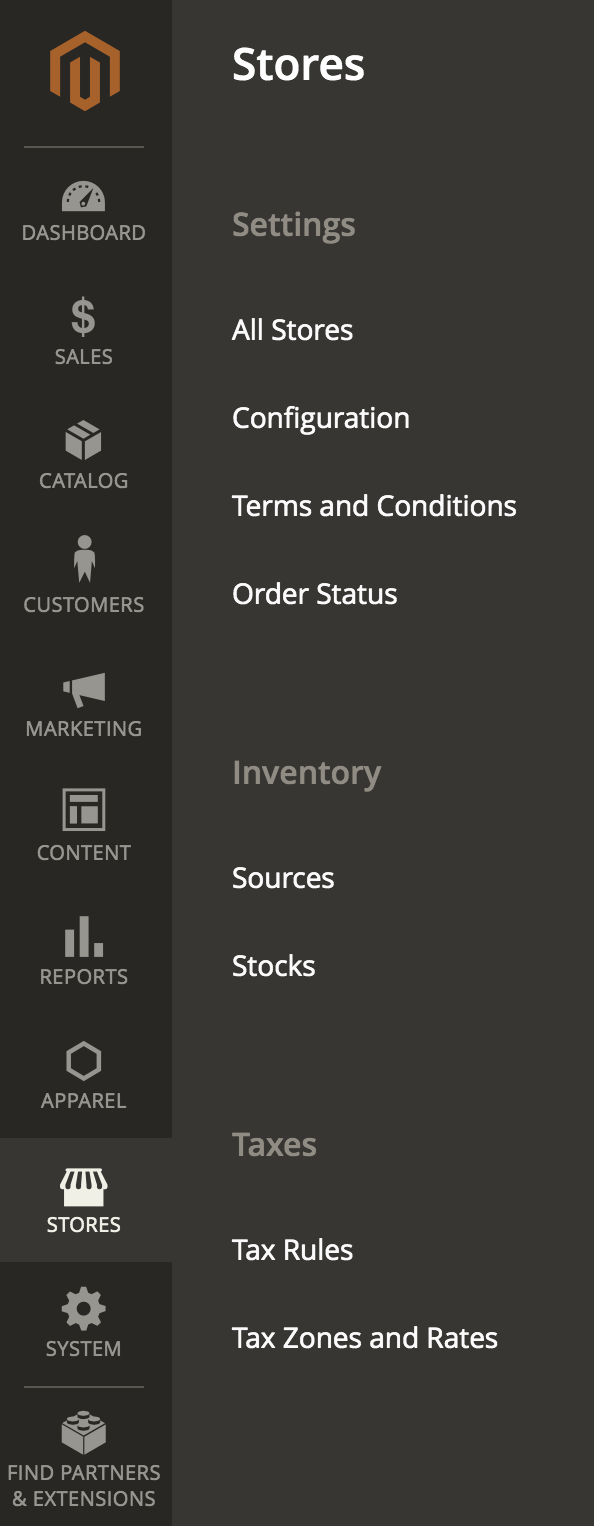
Step 2: Select STORES and click on Configuration under Settings.
Step 3: Select Web in the General Section and expand the Base URLs (Secure) section. Follow the below steps on this section.
1. Secure Base URL – Enter the https with website name.
2. Use Secure URLs on Storefront – Untick the use system value and it will enable to select option in the box. You can select Yes.
3. Use Secure URLs in Admin – Untick the use system value and it will enable to select option in the box. You can select Yes.
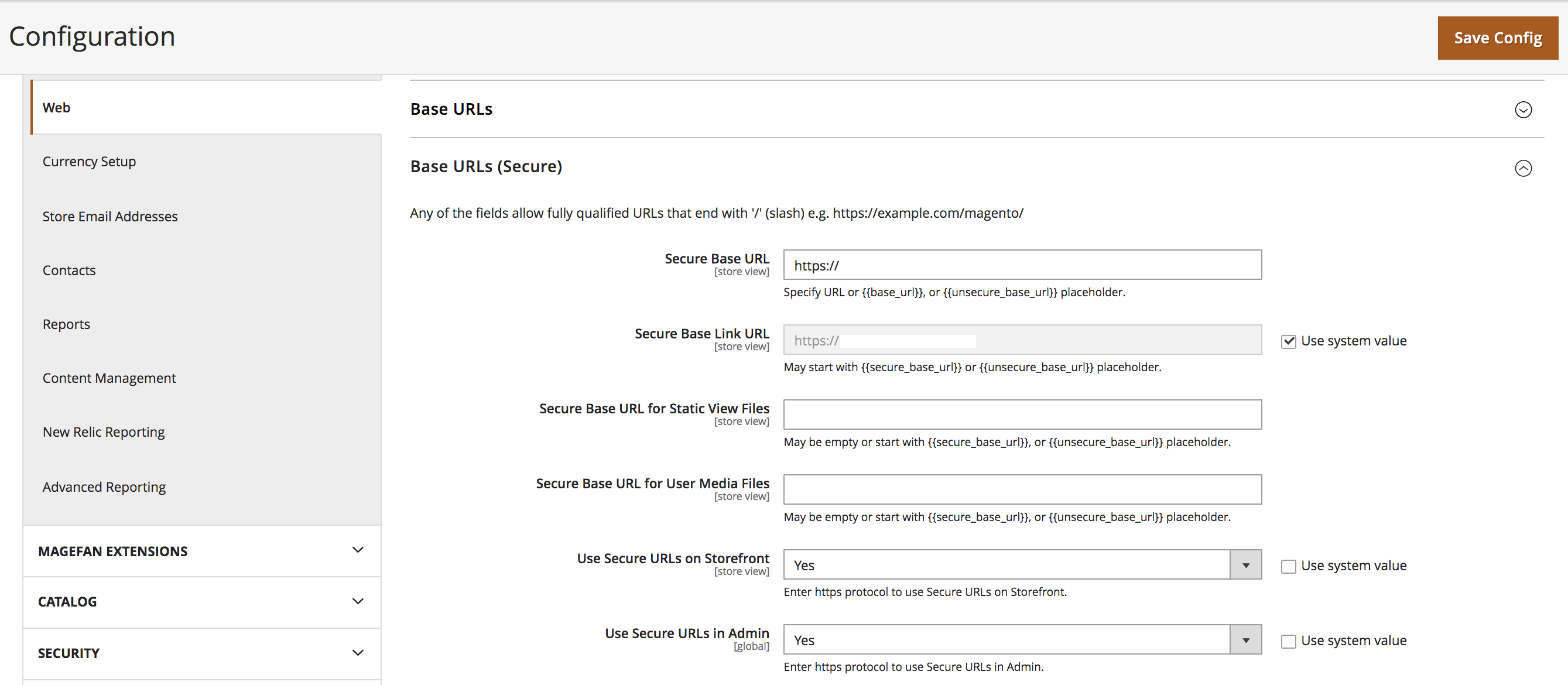
Step 4: Finally, click on Save Config button in the top-right corner. You can verify the website status with HTTPS in your browser.
Need assistance with SSL installation or Magento configuration? Contact our technical team for professional support.
Troubleshooting Magento HTTPS Configuration Issues
Even after completing the above steps, you may encounter HTTPS-related problems. Consider the following checks:
1. SSL Certificate Errors
Verify that the SSL certificate is valid, has not expired, and covers the domain and any required subdomains.
2. Mixed Content Warnings
If images, stylesheets, or JavaScript files are still loading over HTTP, check the Magento base URL settings and any hardcoded HTTP links in your theme or extensions.
3. Website Redirect Issues
If HTTP requests are not redirected to HTTPS, configure an appropriate HTTP-to-HTTPS redirect at the web server or load balancer level. Test the redirect before enabling it across the entire website.
4. Magento Cache Issues
If the old URLs continue to appear after updating the configuration, flush the Magento cache and verify the settings again.
Conclusion
Configuring HTTPS in Magento is an important step in securing your online store and protecting customer information. Installing an SSL certificate is only the first part of the process; you must also configure the secure base URL and enable secure URLs for both the storefront and Admin Panel.
By following the Magento HTTPS Configuration steps explained in this guide, you can resolve common HTTPS access issues and ensure that your Magento website uses a secure connection.
At Pheonix Solutions, we provide web hosting, server management, SSL installation, and Magento hosting support to help businesses maintain secure and reliable websites.
FAQs
1. Why is my Magento website not working with HTTPS after installing an SSL certificate?
Installing an SSL certificate does not automatically enable HTTPS in Magento. You must update the Secure Base URL and enable the Use Secure URLs on Storefront and Use Secure URLs in Admin options.
2. How do I enable HTTPS in the Magento Admin Panel?
Log in to Magento Admin, navigate to Stores > Settings > Configuration > General > Web, expand Base URLs (Secure), and set Use Secure URLs in Admin to Yes.
3. Do I need to enable HTTPS for both the Magento storefront and Admin Panel?
Yes. Enabling HTTPS for both ensures that visitors and administrators communicate with your website through encrypted connections.
4. How do I clear the Magento cache after enabling HTTPS?
You can clear the cache from System > Cache Management in the Magento Admin Panel or execute php bin/magento cache:flush from the Magento installation directory.
5. Does installing an SSL certificate automatically redirect HTTP to HTTPS?
No. Installing an SSL certificate makes HTTPS connections possible, but an HTTP-to-HTTPS redirect may need to be configured separately at the web server, load balancer, or supported hosting platform leve
Official Documentation
Adobe Commerce – Store Configuration
Adobe Commerce – Store URLs and Secure Base URL Configuration
Adobe Commerce – General Web Configuration
Related Articles
15 Magento 2 CLI Commands Every Developer Should Know
How to Enable Maintenance Mode in Magento and Customize the Maintenance Page
Talk to Magento and Ecommerce Experts
A misconfigured SSL certificate or incorrect HTTPS settings can prevent your Magento website from loading securely, display browser security warnings, and affect customer trust. At Pheonix Solutions, our team helps businesses develop, configure, secure, and maintain ecommerce websites with reliable hosting and technical support.
We can help you with:
- Ecommerce development for Magento website development, ecommerce store configuration, and secure online shopping experiences.
- Web development to configure website URLs, troubleshoot HTTPS issues, and improve website performance.
- Security and server maintenance for SSL certificate installation, HTTPS configuration, server hardening, and security monitoring.
- DevOps and cloud services to manage hosting infrastructure, configure web servers, and maintain reliable ecommerce environments.
- Software maintenance and support to troubleshoot Magento errors, resolve configuration issues, and maintain website availability.
Need help configuring HTTPS, installing SSL certificates, or troubleshooting your Magento website? Talk to our Magento and e-commerce experts to discuss your requirements.