Introduction
Taking regular backups of your website ensures data safety and quick recovery in case of unexpected issues. Using cPanel, you can easily create a full backup of your website.
Prerequisites
- Access to cPanel
- Valid login credentials
- Sufficient storage space for backup
Implementation
Step 1: Log in to cPanel
Access your cPanel account
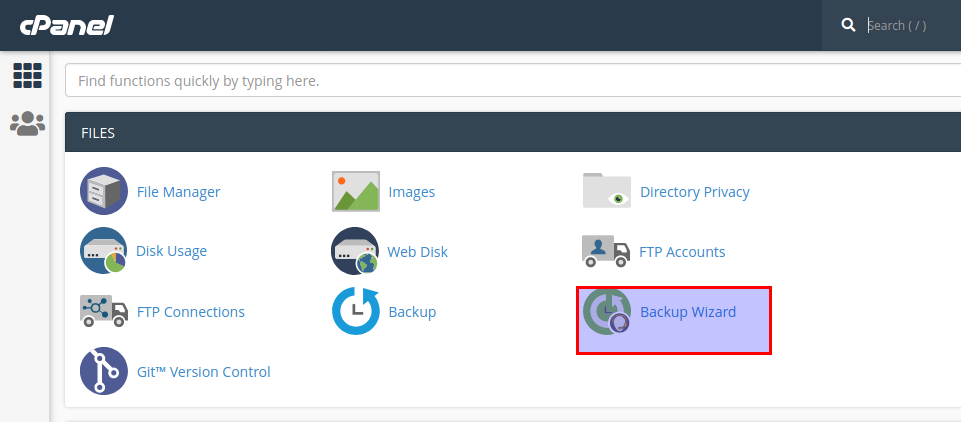
Step 2: Open Backup Wizard
- Navigate to the Files section
- Click on Backup Wizard
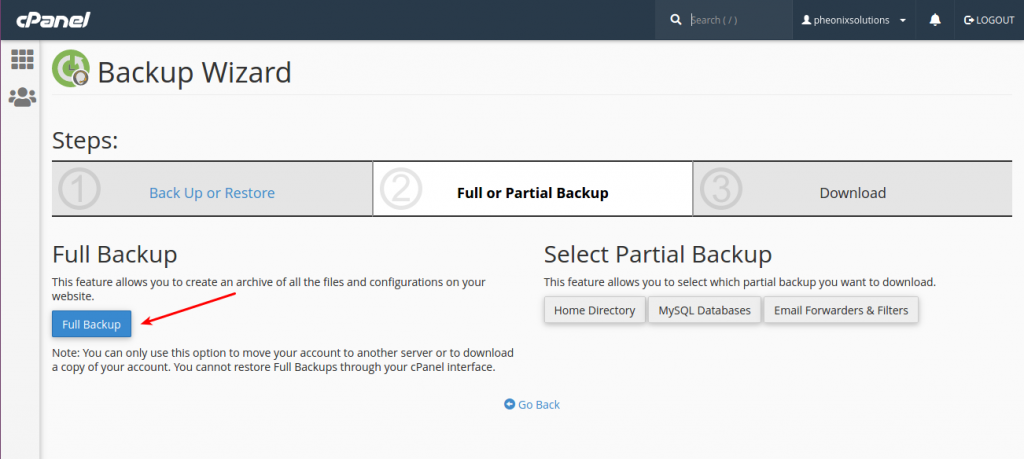
Step 3: Select Backup Type
- Click on the “Full Backup” option
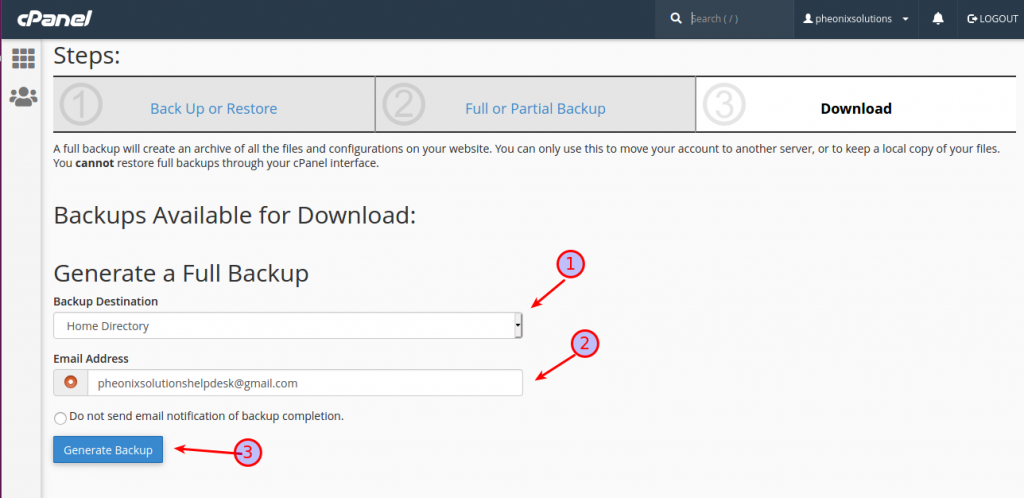
Step 4: Configure Backup Settings
- Choose the Backup Destination
- Enter your Email Address for notification
- Click on Generate Backup
Conclusion
Using cPanel Backup Wizard, you can quickly create a full backup of your website, ensuring your data is secure and easily restorable when needed.