Introduction
The IP Blocker feature in cPanel allows you to restrict access to your website by blocking specific IP addresses or domain names. This is useful for preventing unauthorized access, stopping spam, or blocking malicious traffic.
Prerequisites
Before proceeding, ensure the following:
- Access to your cPanel account
- Basic understanding of IP addresses or domain names
- Proper permissions to manage security settings
Implementation
Step : 1
Login to your cPanel.
Step : 2
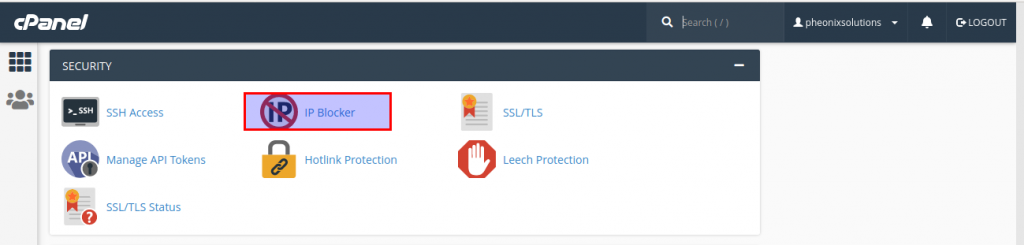
Choose IP blocker icon under the security section.
Step : 3
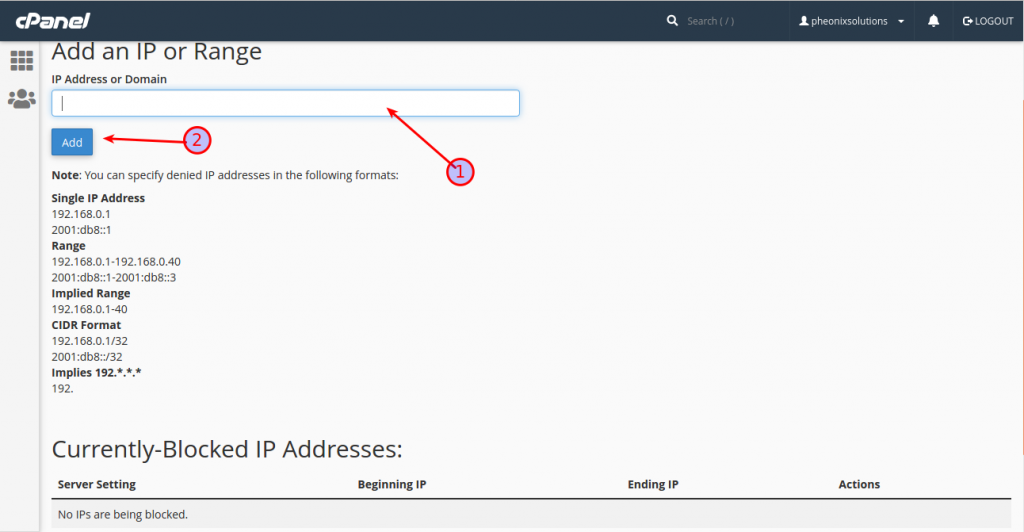
- Add the IP address or domain name you want to block.
- Click the add button.
- You can see the notification.
Step : 4
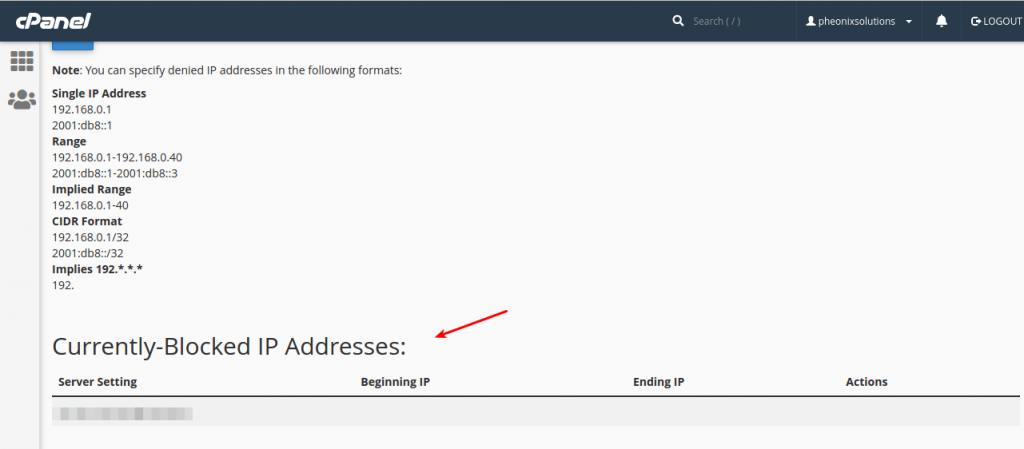
You can see the blocked IP or domain name in the currently blocked IP address column.
Conclusion
The IP Blocker feature in cPanel is an effective tool to enhance website security by restricting unwanted access. Regular monitoring and proper use can help maintain a secure hosting environment.