Introduction:
An autoresponder in cPanel allows you to automatically send a reply to incoming emails. It is useful for informing senders about absence, support delays, or any important message.
Prerequisites:
- Access to your cPanel account
- A valid email account created in cPanel
Implementation:
Step: 1
Log in to your cPanel.
Step: 2
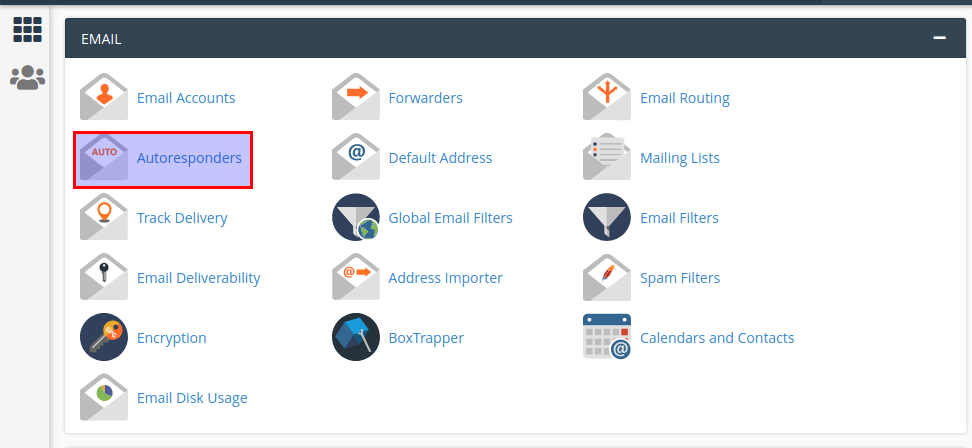
Click autoresponders icon under the mail section.
Step : 3
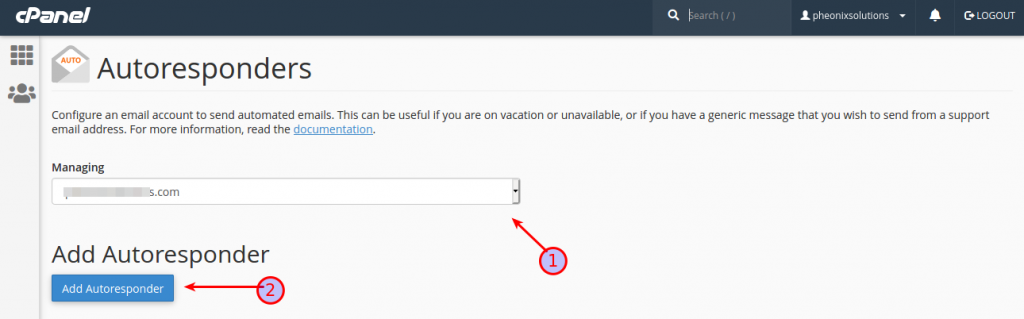
- Choose managing account.
- Then click add autoresponder button.
Step : 4
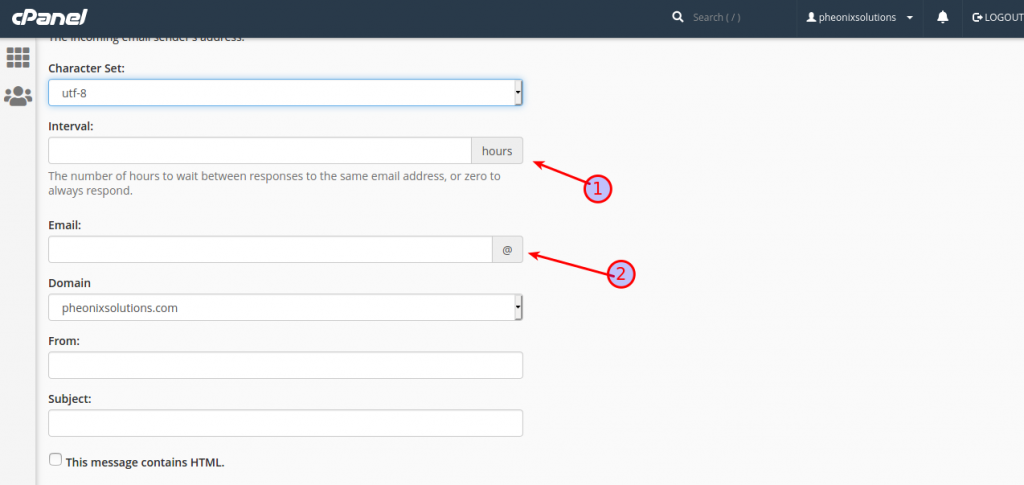
- Add interval ( ex : add 2 hours means the responder send only one mail in the 2 hours)
- Add email address.
Step : 5
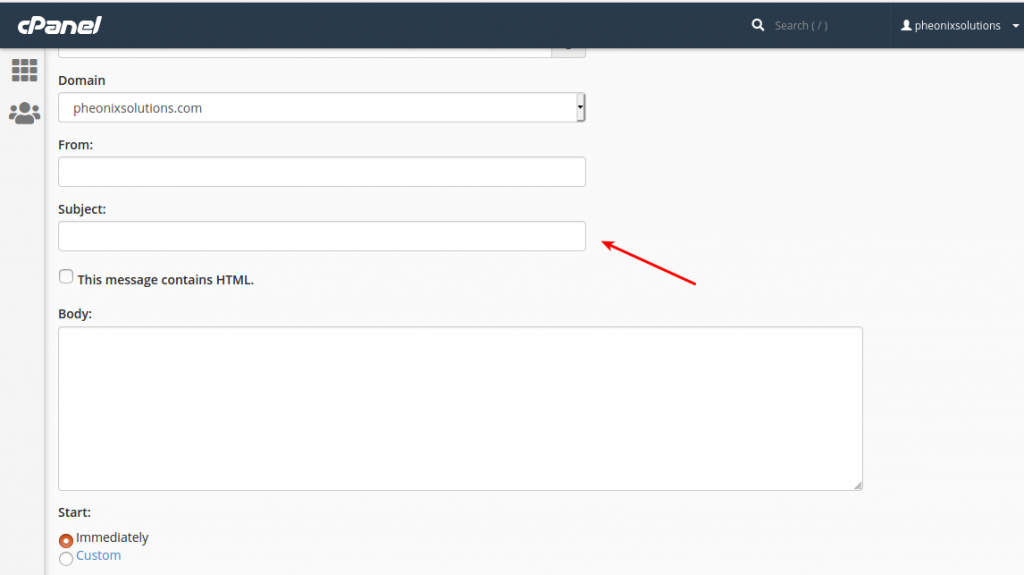
Add subject ( ex sub : logging off . When some one send a mail to the phenixsolutions the audoresponder resend the subject ” logging off ” to the sender.
Scroll down the page, click the create button.
Conclusion
We have successfully configured an autoresponder in cPanel. It will now automatically reply to incoming emails based on defined settings.