Introduction
Email forwarding in cPanel allows you to automatically redirect incoming emails from one email account to another email address. This is useful when you want to receive emails from multiple accounts in one inbox or ensure no important messages are missed.
Prerequisites
Before setting up email forwarding, make sure you have:
- Access to your cPanel account
- A valid email account already created in cPanel
- The destination email address where emails will be forwarded
Implementation
Follow the steps below to configure email forwarding in cPanel:
Step : 1
Login to your cPanel.
Step : 2
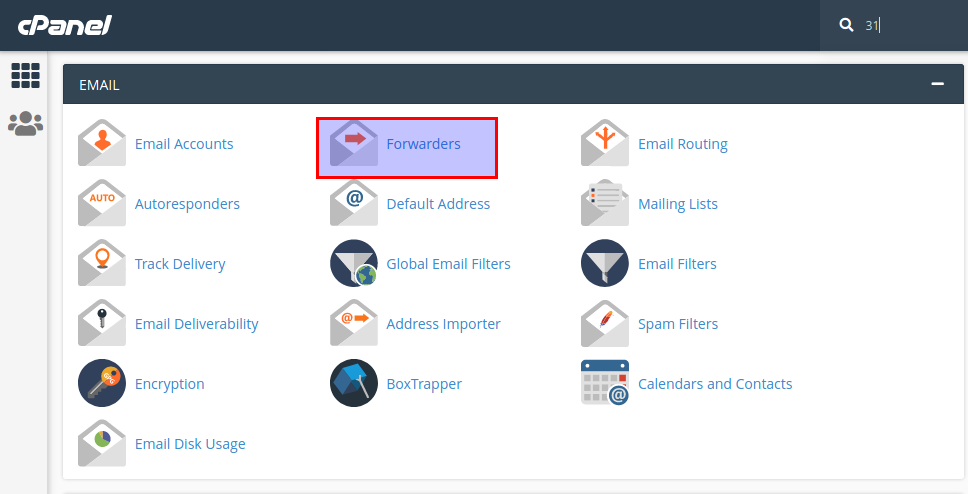
Choose forwarders icon under the email section.
Step : 3
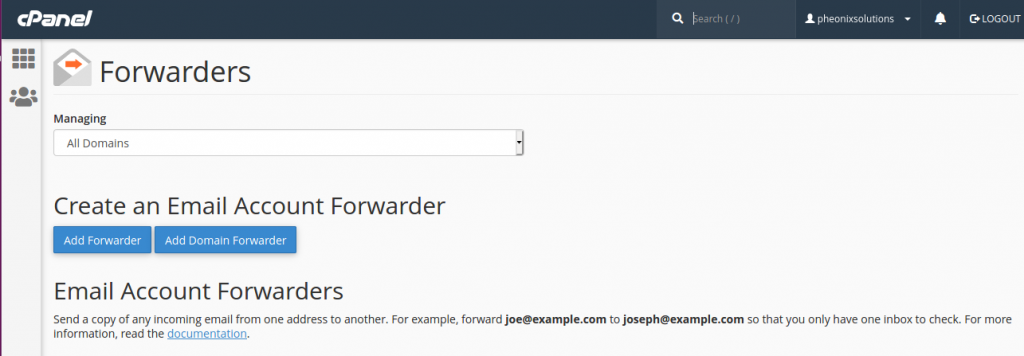
Click add forwarder button.
Step : 4
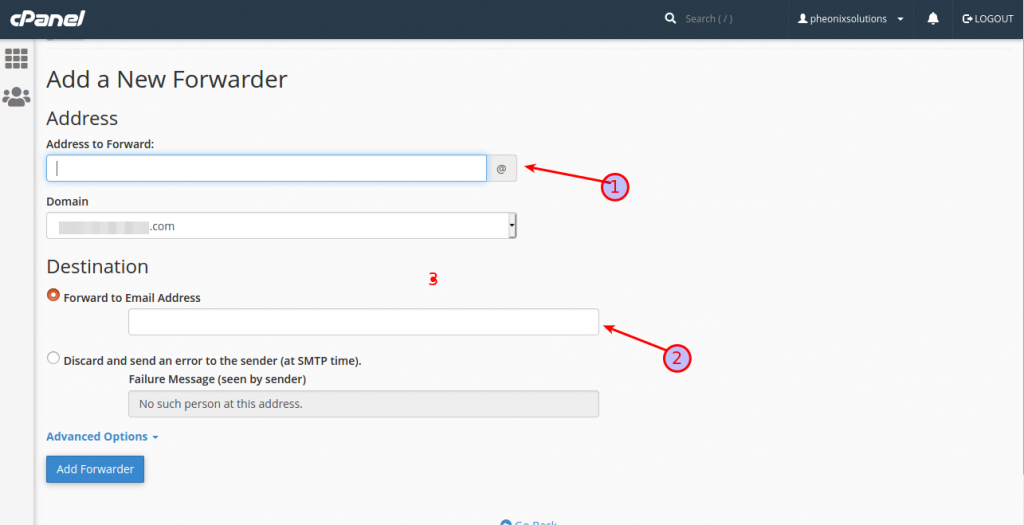
- Add forward mail address.
- Add destination mail address.
Add all information finally click add forwarder button.
Conclusion
You have successfully configured email forwarding in cPanel. All incoming emails sent to the selected email account will now be automatically forwarded to the destination email address. This helps improve email management and ensures important messages reach you without delay.