Introduction
Email filters in cPanel allow you to automatically manage incoming emails based on specific rules. You can use filters to organize, redirect, or block emails efficiently.
Prerequisites:
- Access to your cPanel account
- A valid email account
Implementation:
Step : 1
Login to your cPanel.
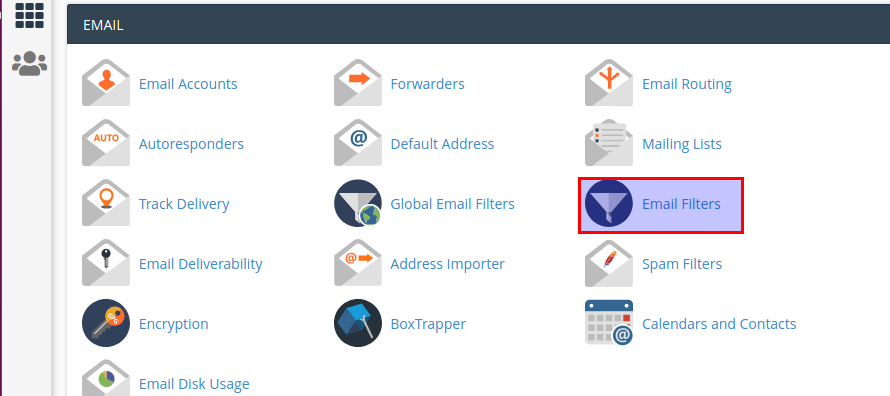
Choose the email filter icon under the email section.
Step : 3
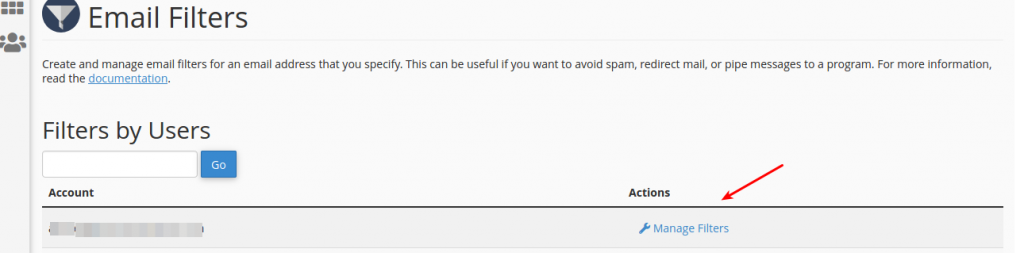
Click manage filters link.
STep : 4
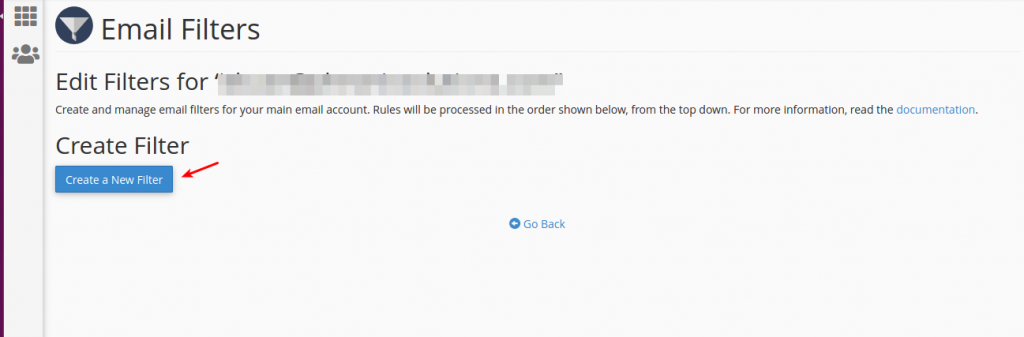
Click create new filter button.
Step : 5
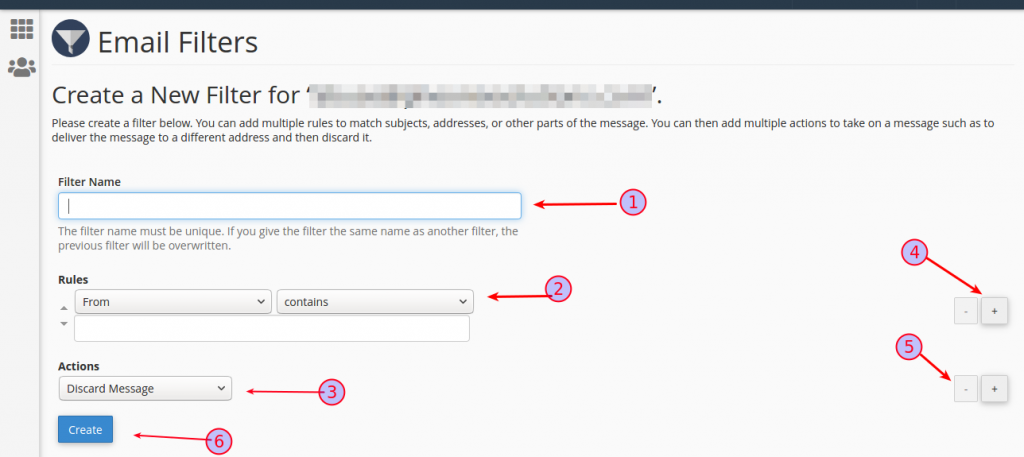
- Add filter name.
- Specify the rules.
- Add action.
- You can also add additional rules and actions.
- You can also minimise the rules and actions.
- After adding the information, click the create button.
Conclusion
We have successfully created an email filter in cPanel. The system will now automatically process incoming emails based on the defined rules.