Introduction
Spam emails can clutter your inbox and affect productivity. In cPanel, you can enable spam protection using BoxTrapper, which filters unwanted emails through a verification system.
Prerequisites
- Access to cPanel
- Valid email account configured in cPanel
Implementation
Step 1: Log in to your cPanel.
Access your cPanel account.
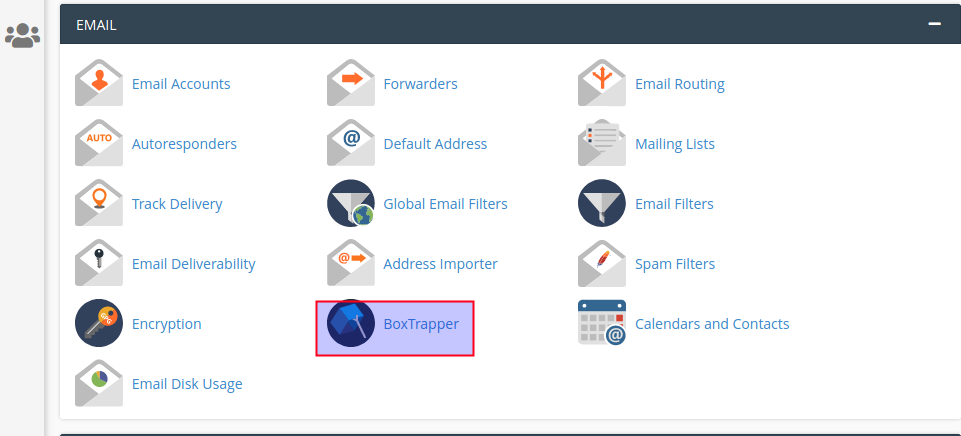
Step 2: Open BoxTrapper.
Go to the Email section
Click on BoxTrapper
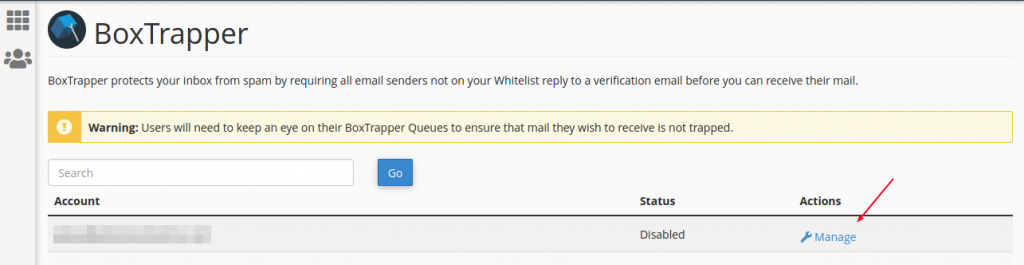
Step 3: Manage Settings
Click on the Manage link for the desired email account
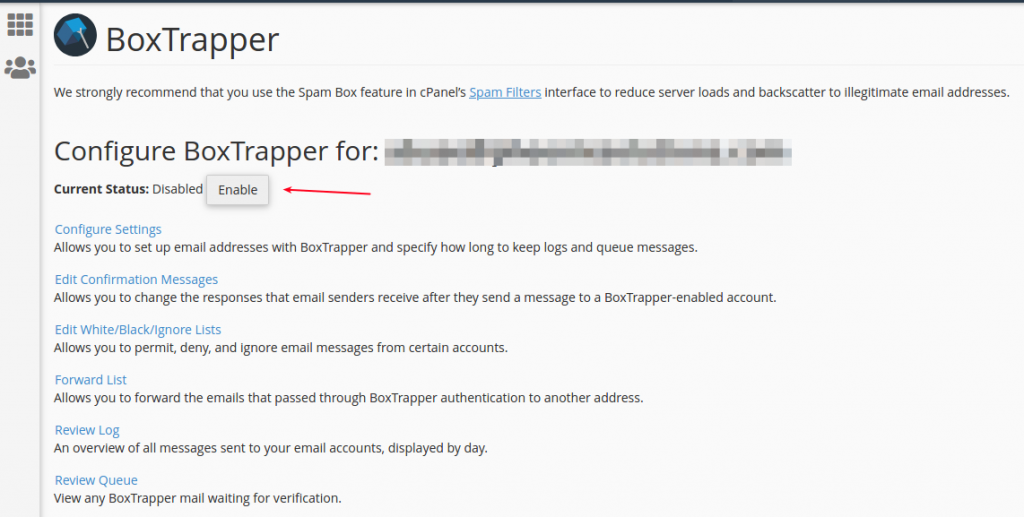
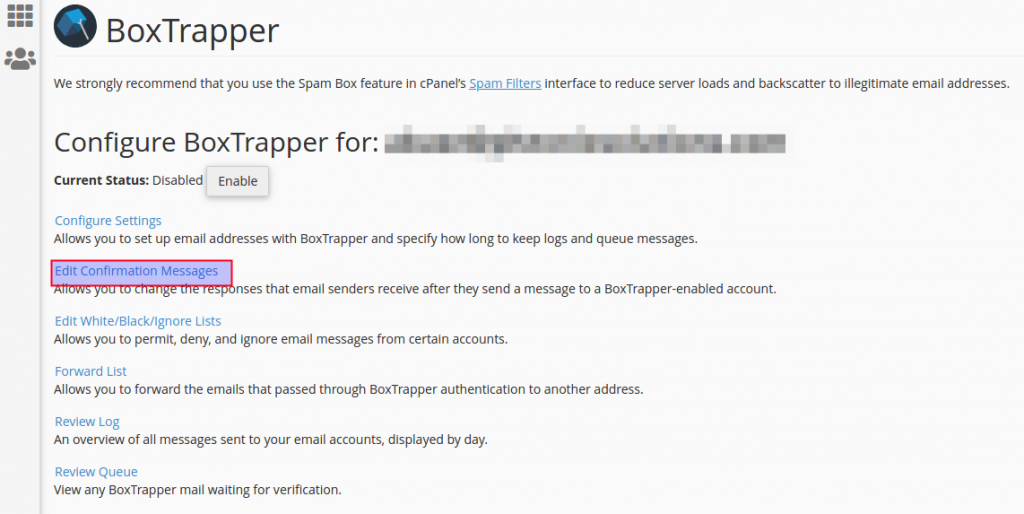
Step 4: Enable BoxTrapper
Click the Enable button
You will see a confirmation notification
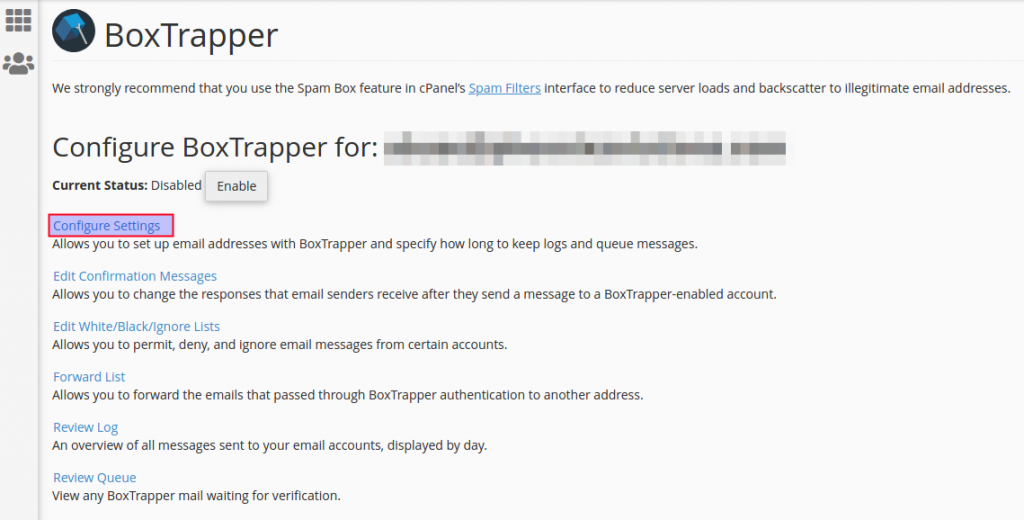
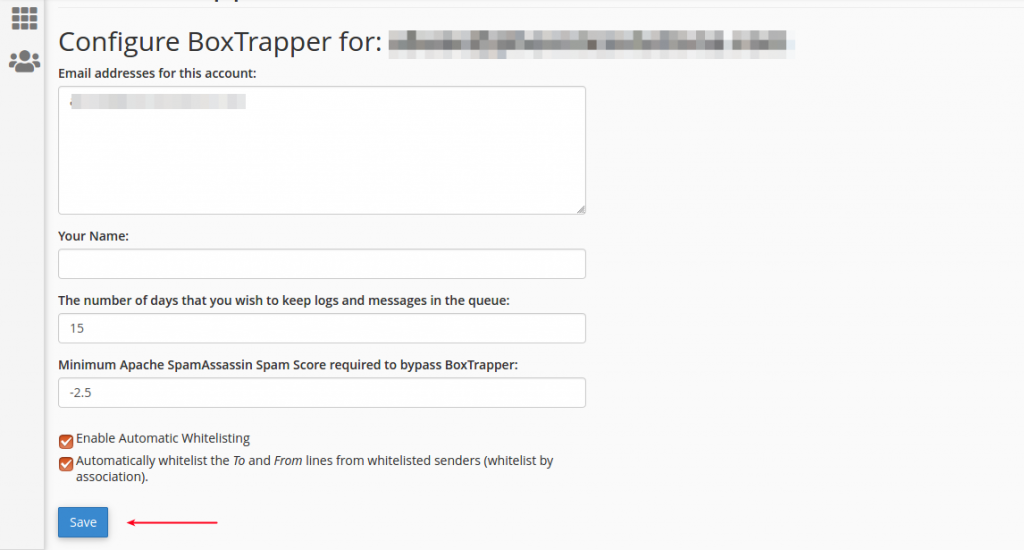
Step 5: Configure Settings
Click Configure Settings
Add the required details
Click Save
Step 6: Edit Confirmation Messages
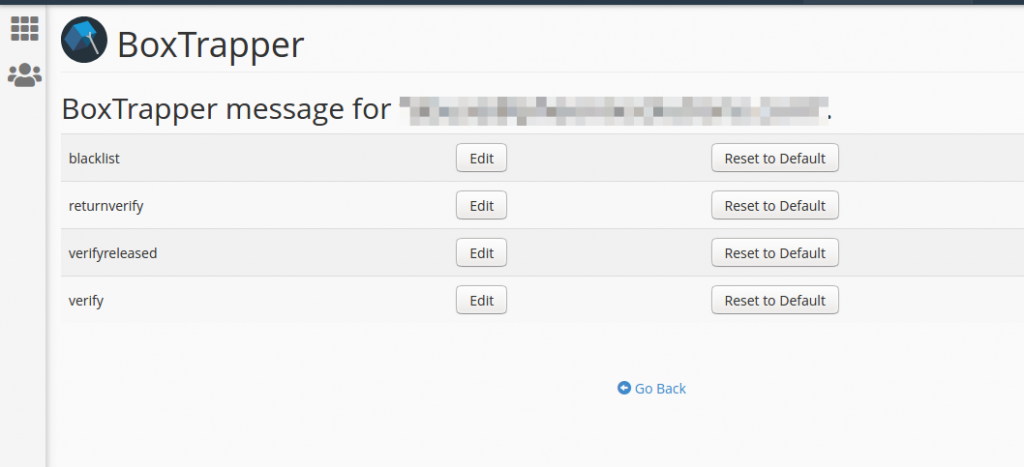
Click Edit Confirmation Messages
Customize the default messages as needed
Conclusion
By enabling BoxTrapper in cPanel, you can effectively reduce spam emails through a verification-based filtering system, ensuring cleaner and more secure inbox management.