Introduction
Creating FTP accounts allows you to securely upload, download, and manage your website files. Using cPanel, you can easily create and manage FTP access for different users.
Prerequisites
- Access to cPanel
- Valid login credentials
- Available disk space and proper directory structure
Implementation
Step 1:
Log in to your cPanel.
Step 2:
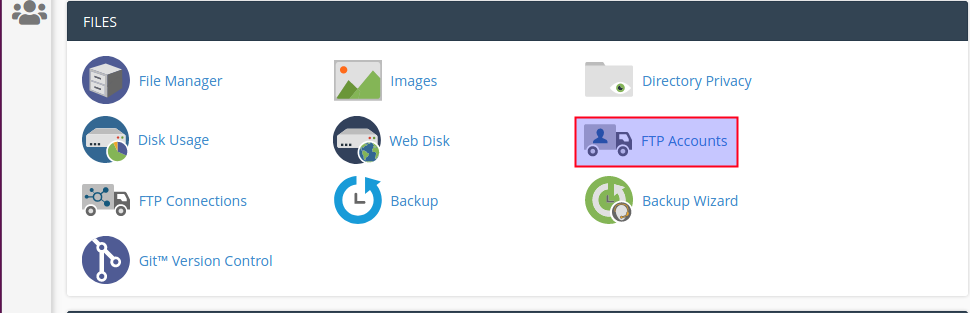
Click FTP Accounts icon under the Files section.
Step 3:
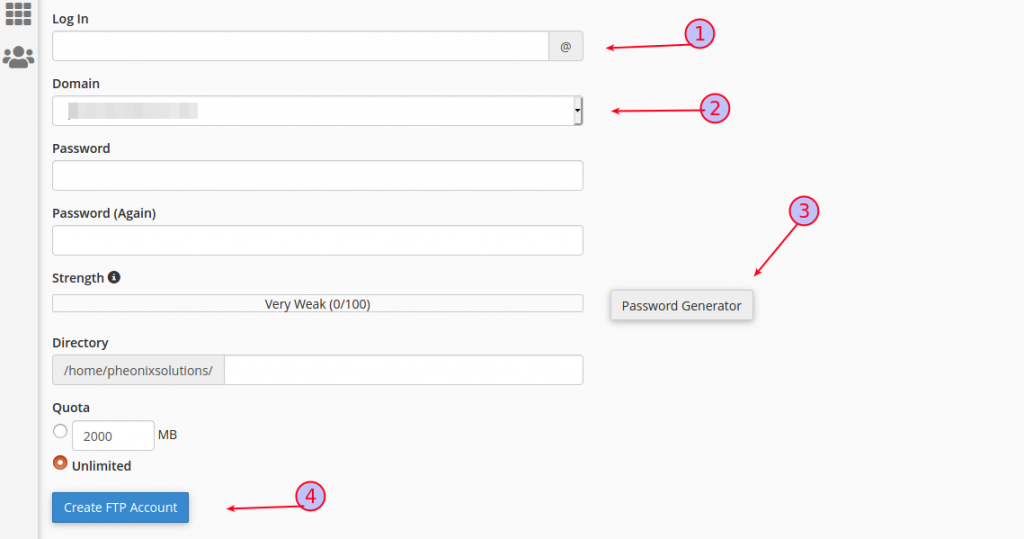
- Specify the new login
- Create password
- You can also generate the password
- Finally, click the Create FTP Account button
- You can see the new account created notification on your screen
Conclusion
By creating FTP accounts in cPanel, you can provide controlled access to manage website files efficiently and securely.