Introduction
The cPanel update script (upcp) runs automatically via cron to keep your server updated. In WHM, you can modify its schedule to run during off-peak hours to avoid performance impact.
Prerequisites
- Root access to WHM
- Basic understanding of cron scheduling
Implementation
Step 1:
Log in to WHM using the server root credentials.
Step 2:
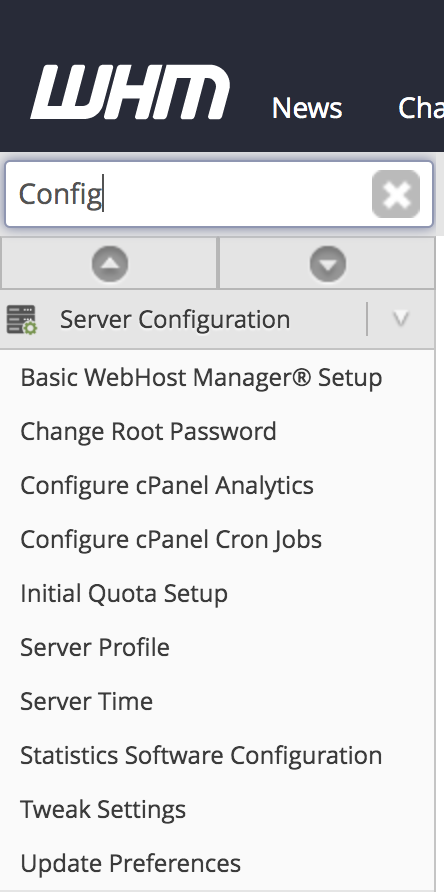
- In the search box, type Config
- Click on “Configure cPanel Cron Jobs” under “Server Configuration.”
Step 3:
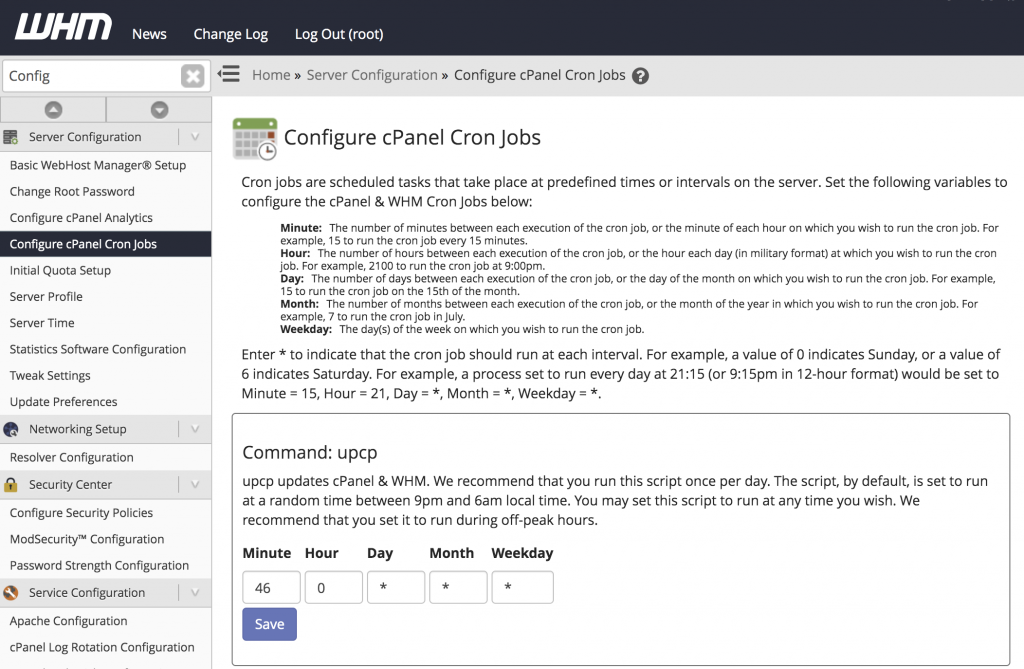
- Locate the command: upcp
- Set the preferred time for execution
- It is recommended to schedule it during off-peak hours
Conclusion
By adjusting the upcp cron schedule in WHM, you can ensure updates run efficiently without affecting server performance.