Introduction:
The cPanel allows your website to load from another domain name. When a user enters the Alias Domain names on the browser to access the websites, the cPanel automatically redirects them to your main domain name and the main website.
Note:
1. Alias domain name must be registered already.
2. Domain’s Nameservers must be configured to point at your cPanel account.
Step 1: Log in to the cPanel account.
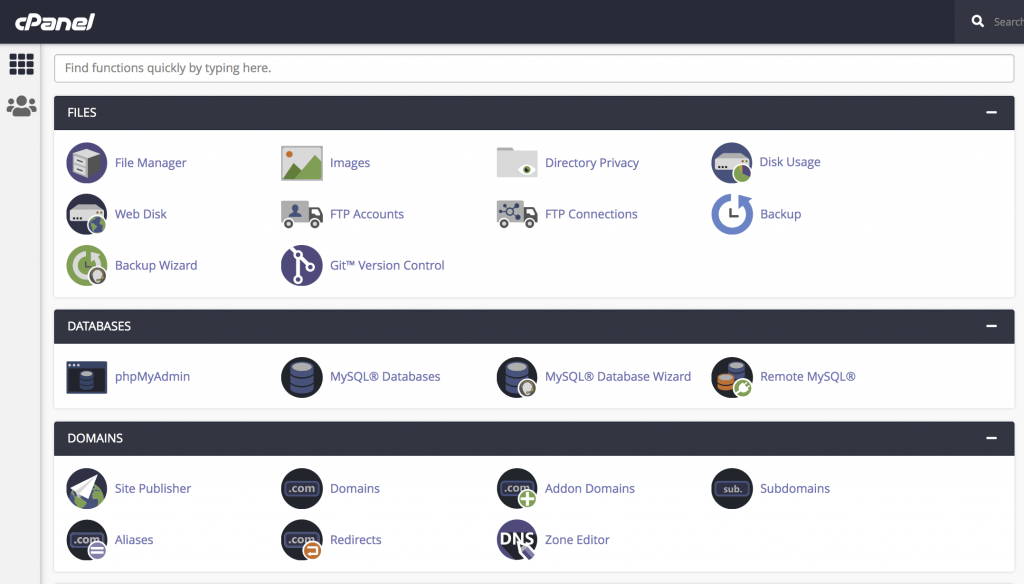
Step 2: Click on Aliases in Domains section on cPanel home page.
Step 3: Enter your alias domain in the text box and click on the Add Domain button. Now you have added the domain alias successfully.
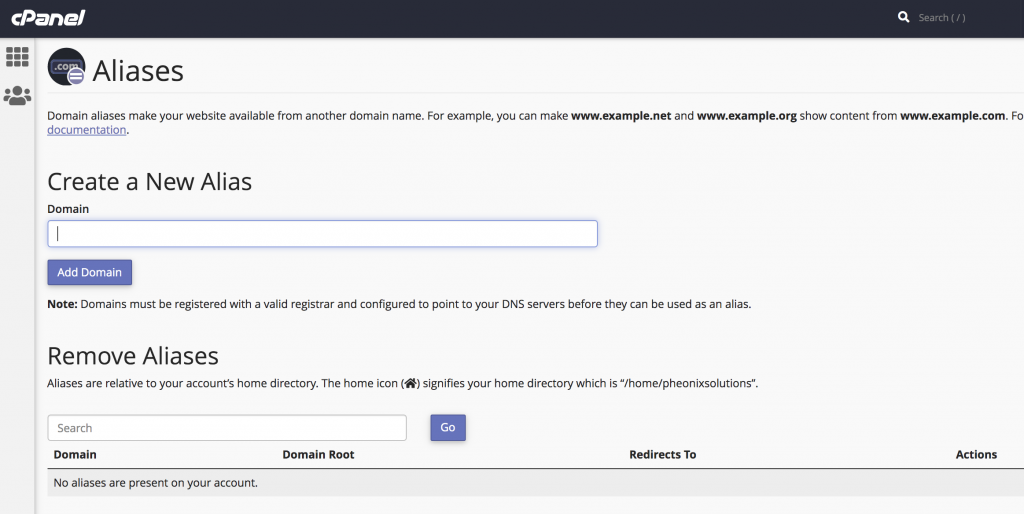
Step 4: If you want to remove the added Alias domain names, click on the Remove button under the Actions. You have removed the domain alias successfully.
Conclusion
Using alias domains in cPanel is a simple way to direct multiple domain names to a single website, improving accessibility and branding flexibility.