Introduction
In Web Host Manager, when terminating a hosting account, you may still want to retain DNS records for the domain. This is useful when the domain is still in use for services like email, external hosting, or future migration.
WHM provides an option to remove the account while keeping DNS zones active.
Prerequisites
Before proceeding, ensure:
- Root access to WHM
- Confirm whether DNS must remain active
- Backup of account details if required
Implementation
- Login to WHM
- Type “terminate” in the search bar
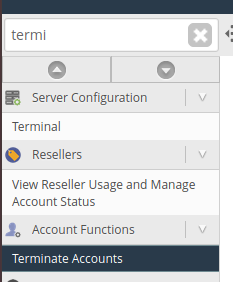
3. Select the account which you want to terminate.

4. To keep the DNS alive, check the “keep DNS alive” box

5. Click on remove.
6. Go to DNS zone manager and verify. It will be alive.
Conclusion
Using Web Host Manager, you can safely terminate hosting accounts while keeping DNS zones active. This ensures continuity of domain services even after account removal.