Introduction
You can move a cPanel account under a reseller account using WHM. This allows the reseller to manage the selected cPanel accounts.
Prerequisites
- Root access to WHM
- Existing reseller account
- cPanel account to be reassigned
Implementation
Step 1:
- Log in to the WHM panel.
Step 2:
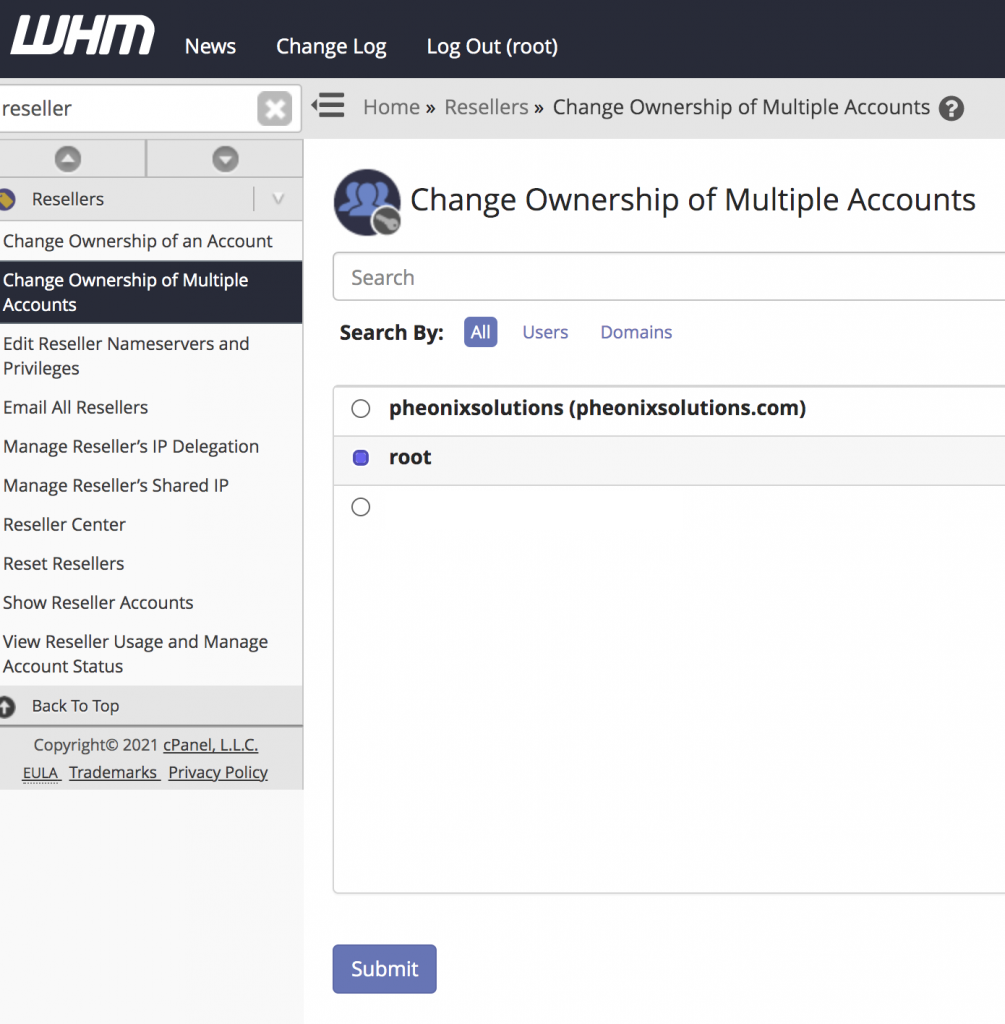
- Search the reseller name in the WHM Dashboard search box
- Click on Change Ownership of Multiple Accounts
- It will show the reseller accounts
- Select your preferred reseller account
- Click Submit
Step 3:
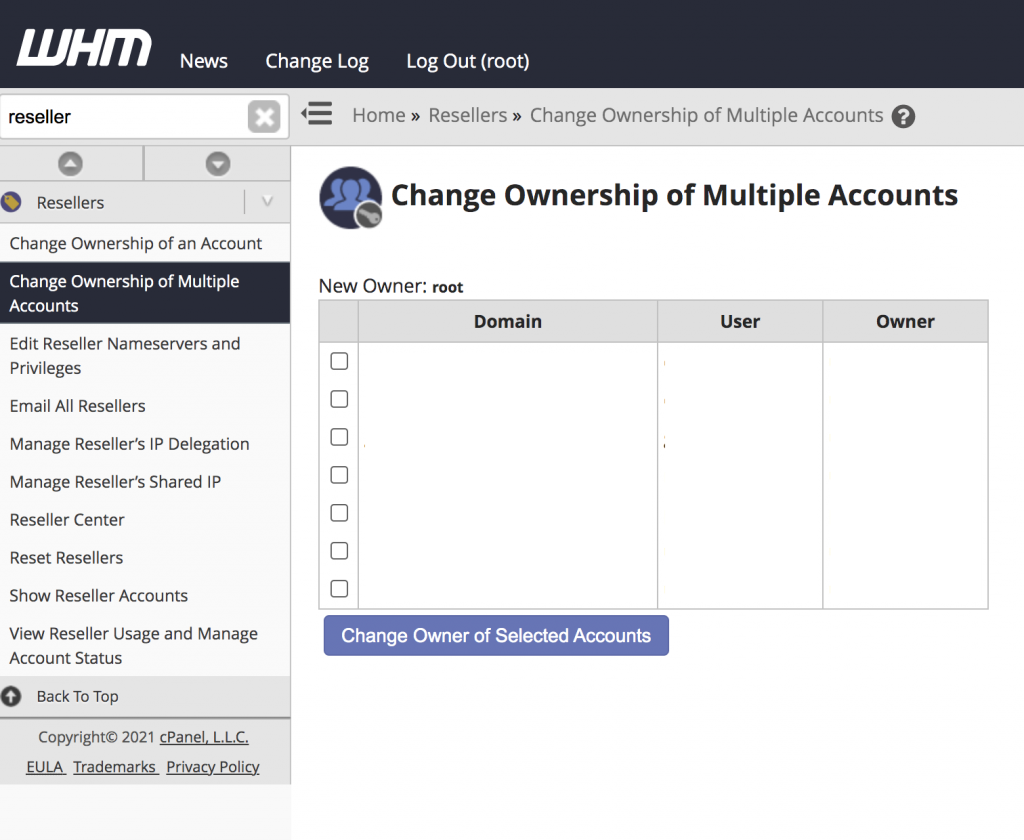
- Click Change Owner of Selected Accounts
- After submission, it will display the list of cPanel accounts
- Select the account(s) you want to move under the reseller
Conclusion
By using WHM, you can easily transfer cPanel account ownership to a reseller, allowing better account management and delegation.